
Electronic Health Records (EHR)
A patient record with a history behind it.
Open the patient’s electronic record to review previous consultations, recorded clinical details and related patient information.
Patient records & documents
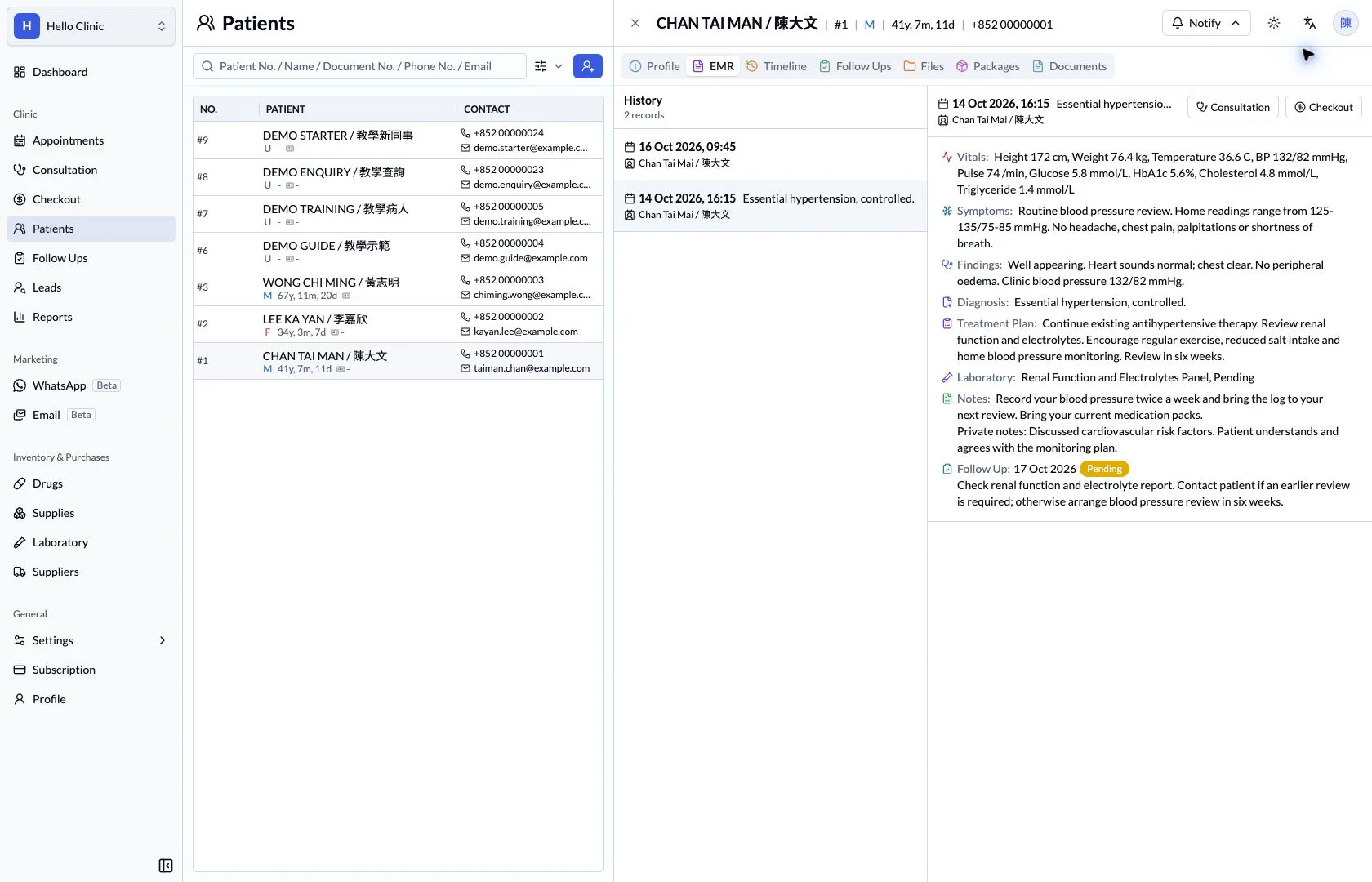
Carry each visit forward in one patient record
A returning patient brings different information needs for reception and the doctor. Profile details, previous consultations and the timeline provide connected entry points, helping each colleague find the context needed for the task at hand.
- Front desk
- Verify identity, contact details and visit context.
- Doctor
- Review previous records and continue the current consultation.
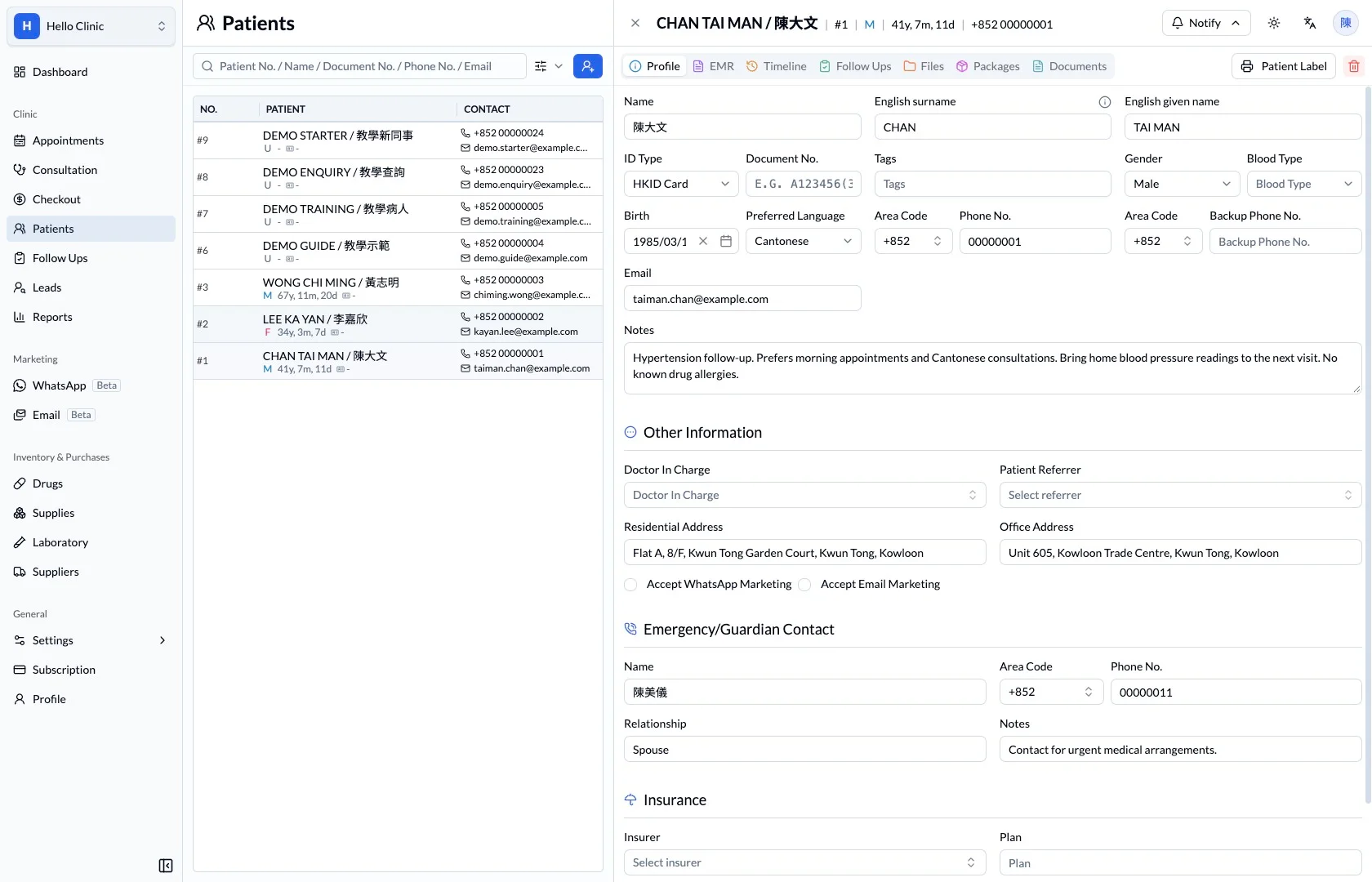
Start with the correct patient and contact details
The patient profile brings identity, contact details, notes and emergency contact fields together. Reception can check the record before arranging a booking or follow-up, reducing interruptions caused by outdated contact information.
- Verify identity carefully when names are similar.
- Check contact details and notes before reaching the patient.
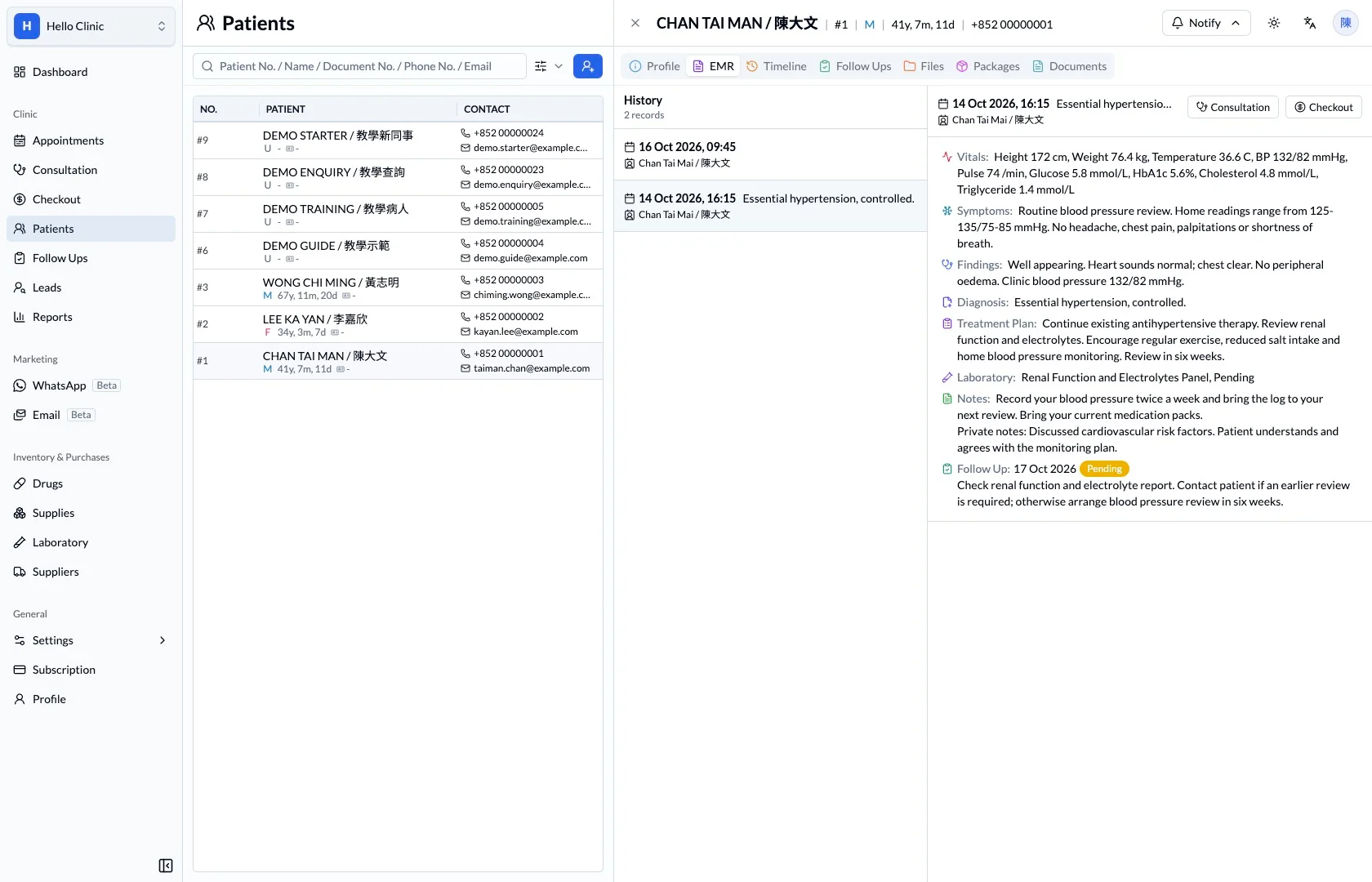
Review the previous visit by date
The electronic record lets staff select a previous consultation and read its documentation. Reviewing the earlier symptoms, management and arrangements gives the doctor a clearer starting point for checking what has changed at the return visit.
- Select the relevant consultation date.
- Distinguish the previous plan from current needs.
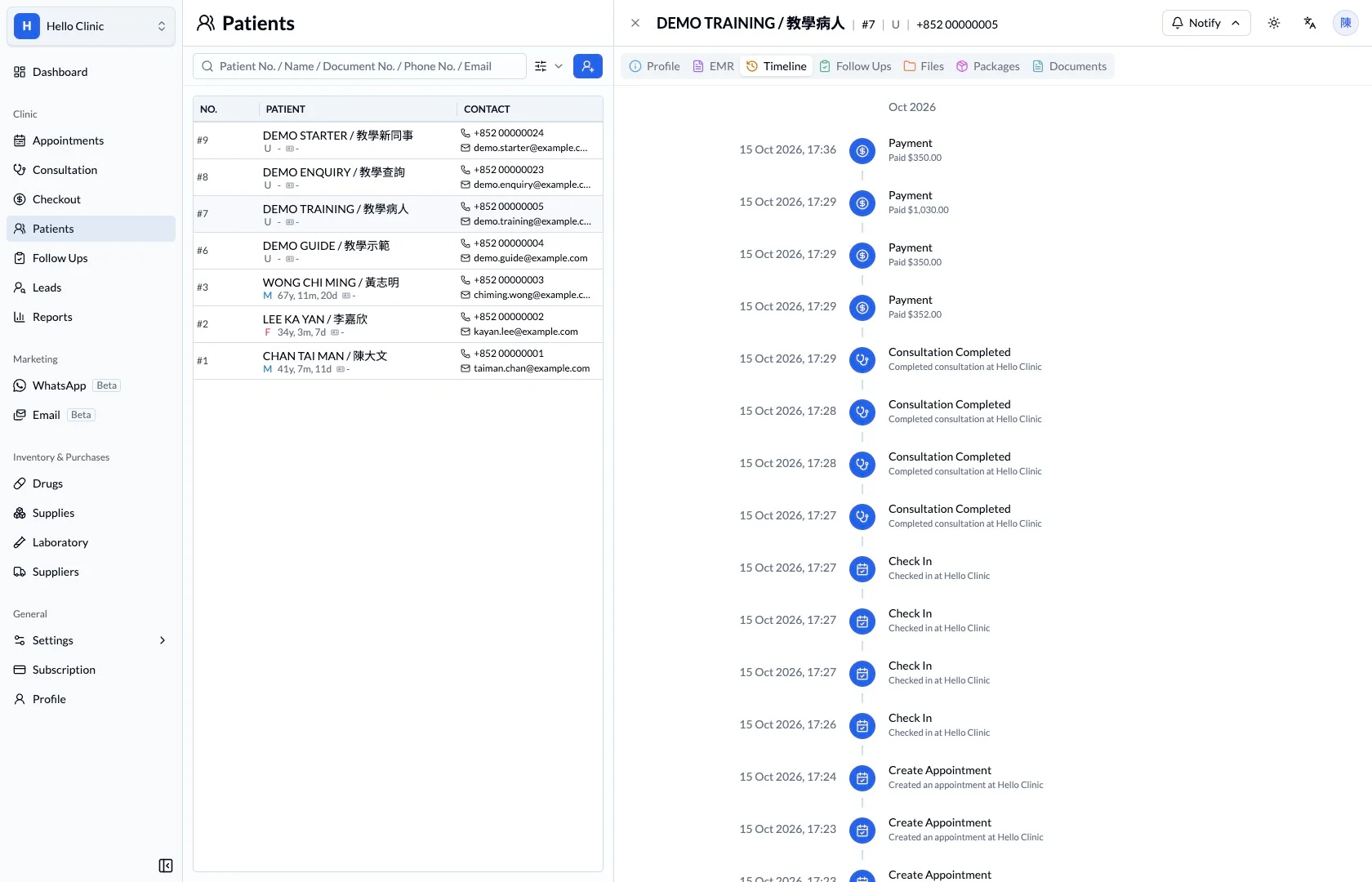
See related events across visits
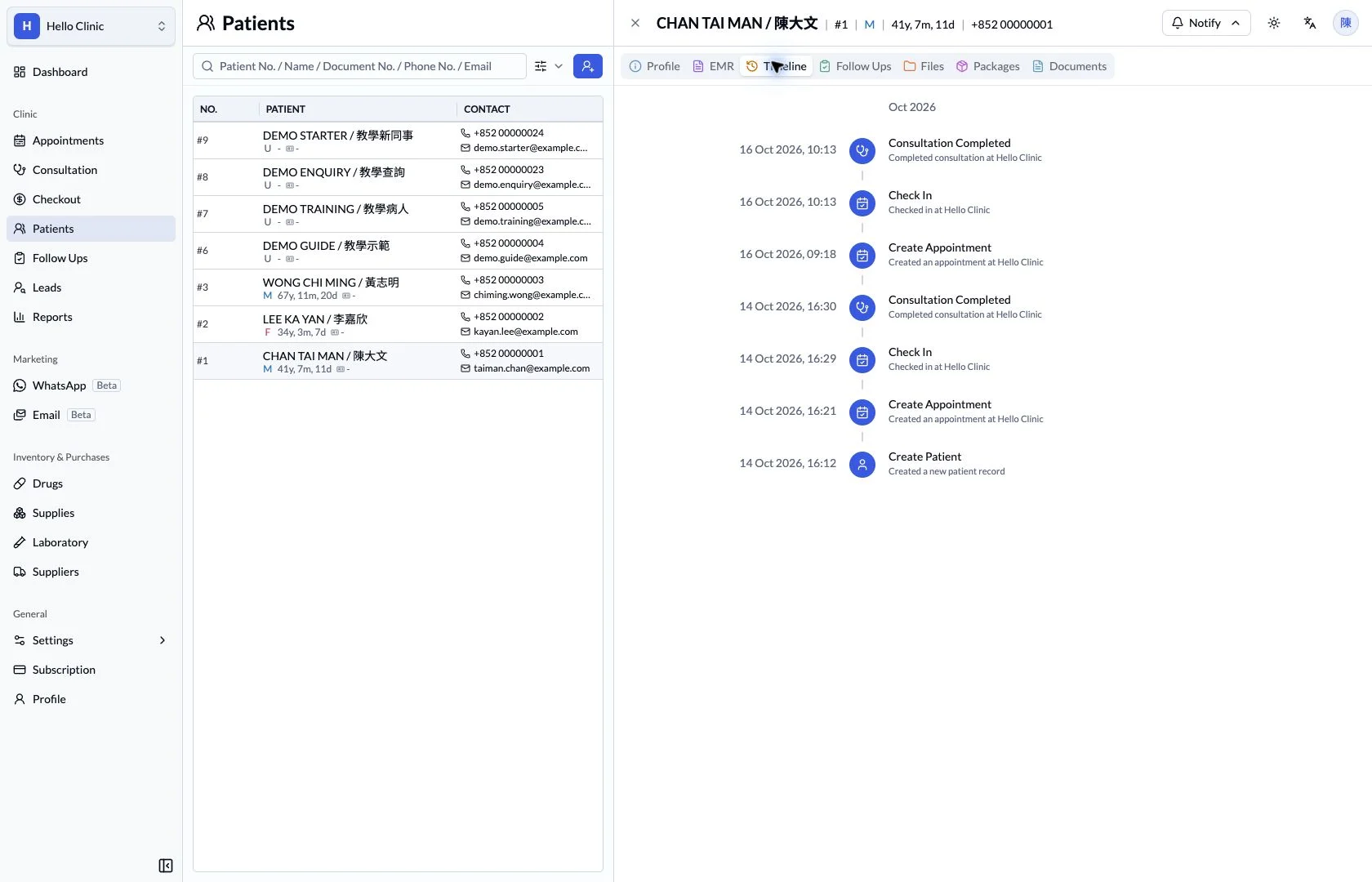
The timeline arranges patient events chronologically, helping staff understand the wider course of care. When checking a past arrangement, locate the event first and then refer to the relevant record for its detail.
- Use chronology to understand visits and later actions.
- Check clinical detail in the corresponding consultation.
Keep continuity visible.
A patient’s history remains available beyond a single appointment. The record gives the next consultation a starting point grounded in what was previously documented.
What this helps you do
- Patient workspace
- Move between profile, EMR, timeline, files and documents.
- Visit history
- Choose a previous consultation from the history list.
- Clinical detail
- Review recorded vitals, notes and investigation information.
How it fits the clinic day
Find the patient record.
Select the relevant consultation.
Review the recorded clinical context.
Keep the next handover clear
After the consultation, the visit record becomes context for future care. Clear patient details and clinical documentation help the next colleague understand what was arranged and why.