
Lab Service Management
Know the service, provider and price before ordering.
Maintain the clinic’s laboratory service catalogue with provider, cost and price information, separate from individual patient investigation records.
Billing & operations
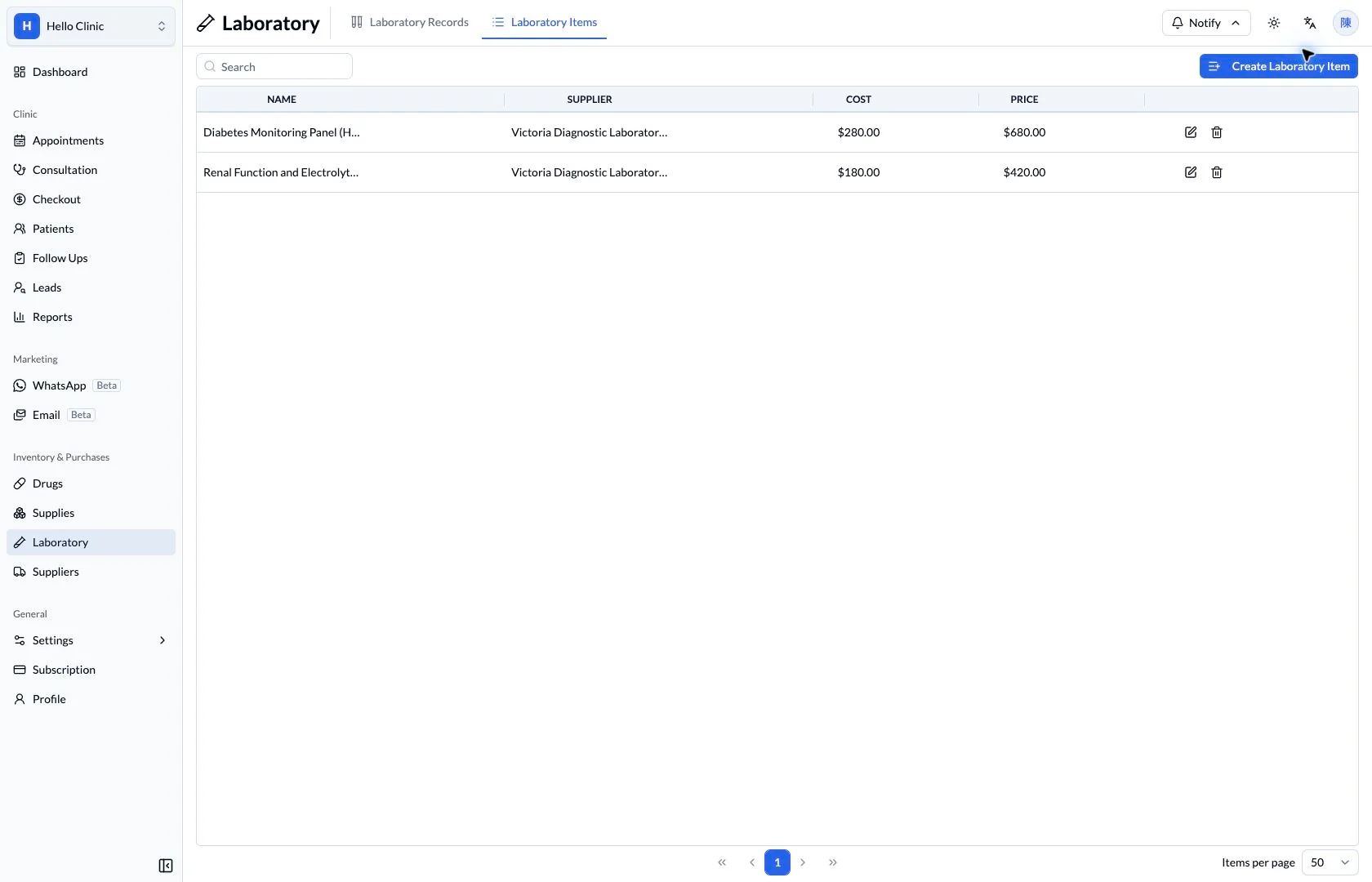
Define laboratory services before the daily requests
Before arranging investigations, the clinic needs clear service names, suppliers and charges. Service settings and individual investigation records give doctors, assistants and checkout staff a shared reference.
- Manager or designated staff
- Maintain investigation services, suppliers and prices.
- Clinical staff and assistants
- Arrange and track investigations using those services.
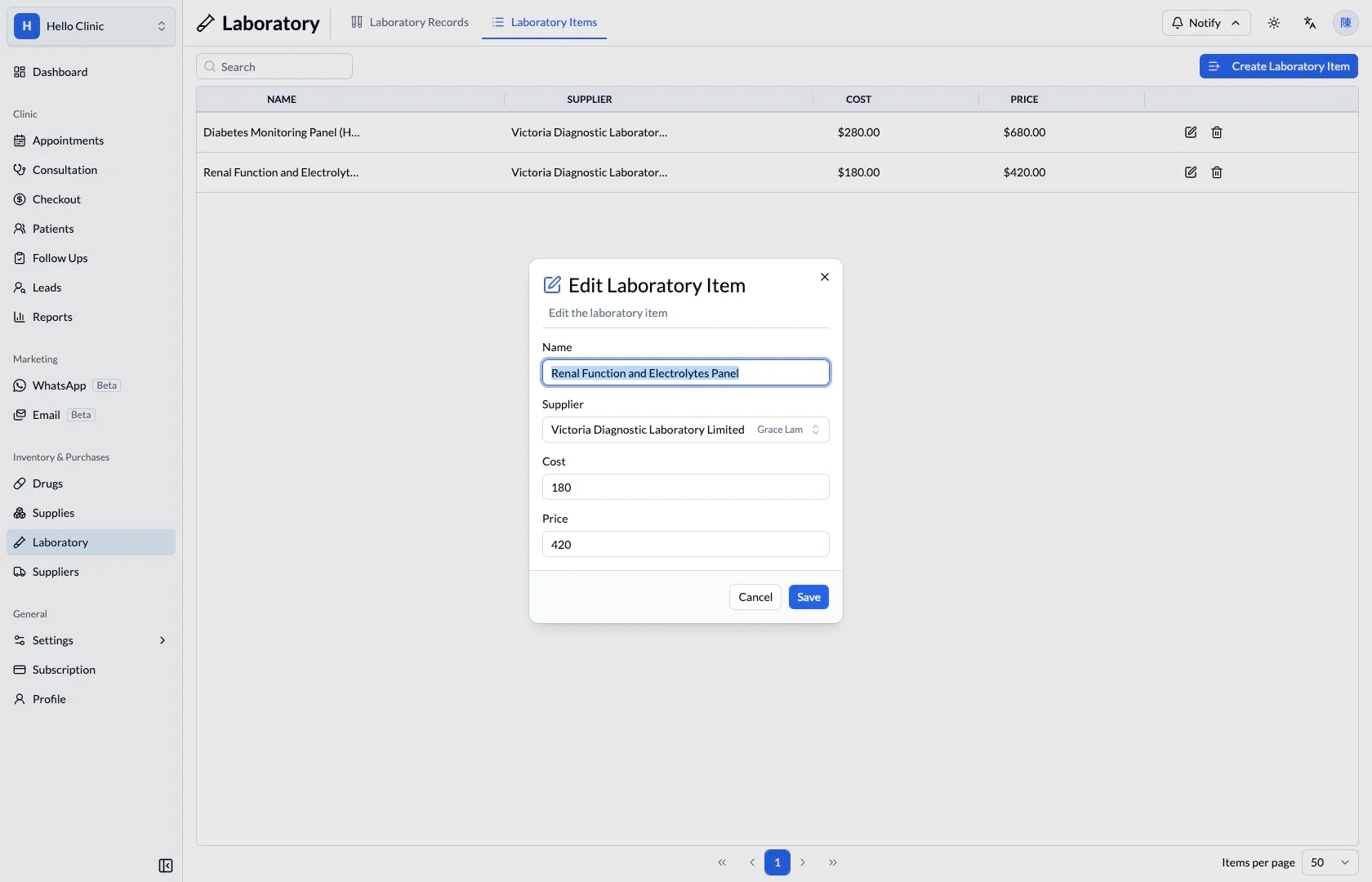
Define the investigation service
The service editor shows the name, supplier, cost and price. Designated staff can check these before routine use, reducing inconsistent naming or charging information for the same investigation.
- Use a name recognisable to reception and clinical staff.
- Check supplier, internal cost and patient price.
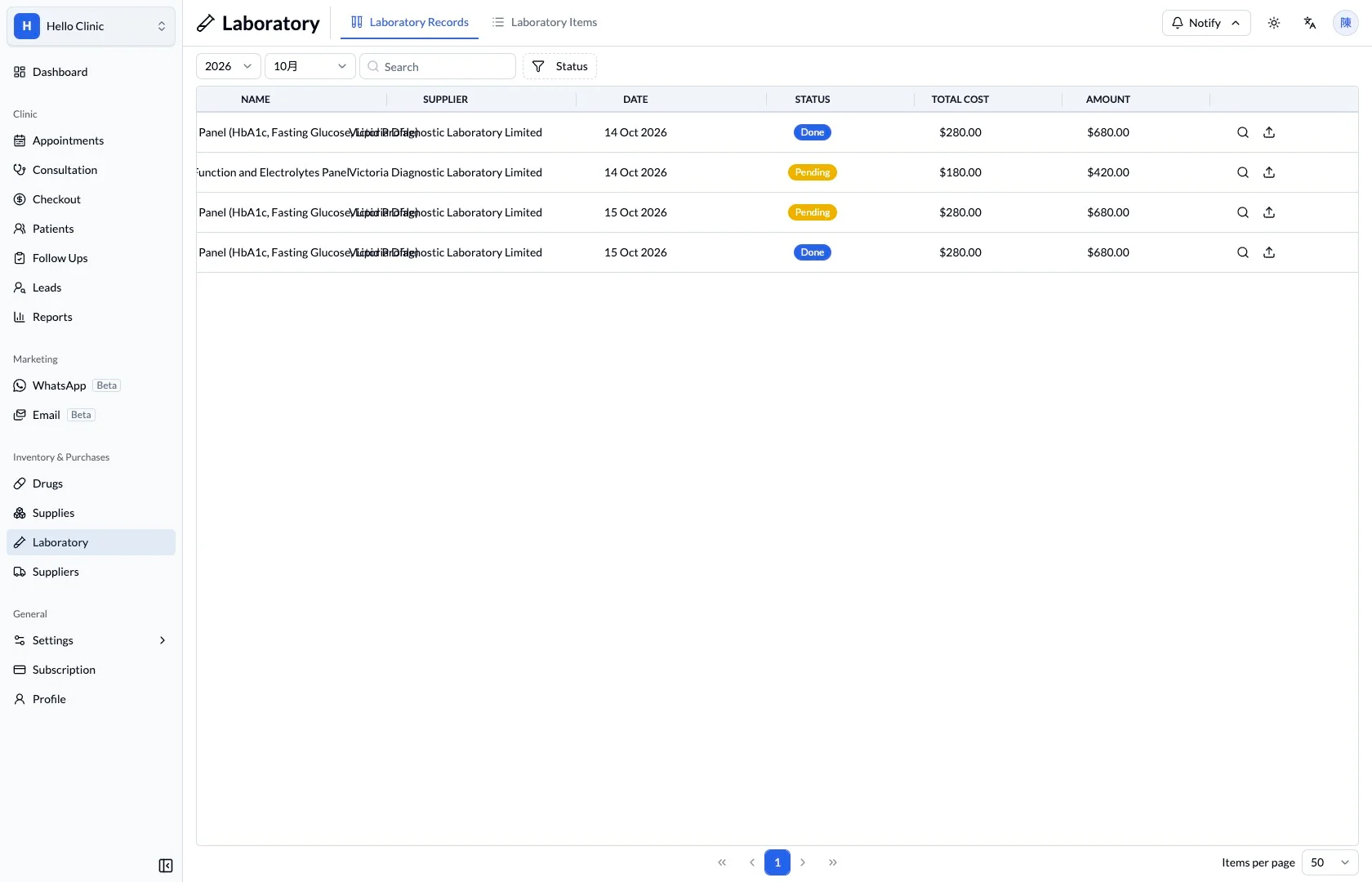
Track individual investigations in daily work
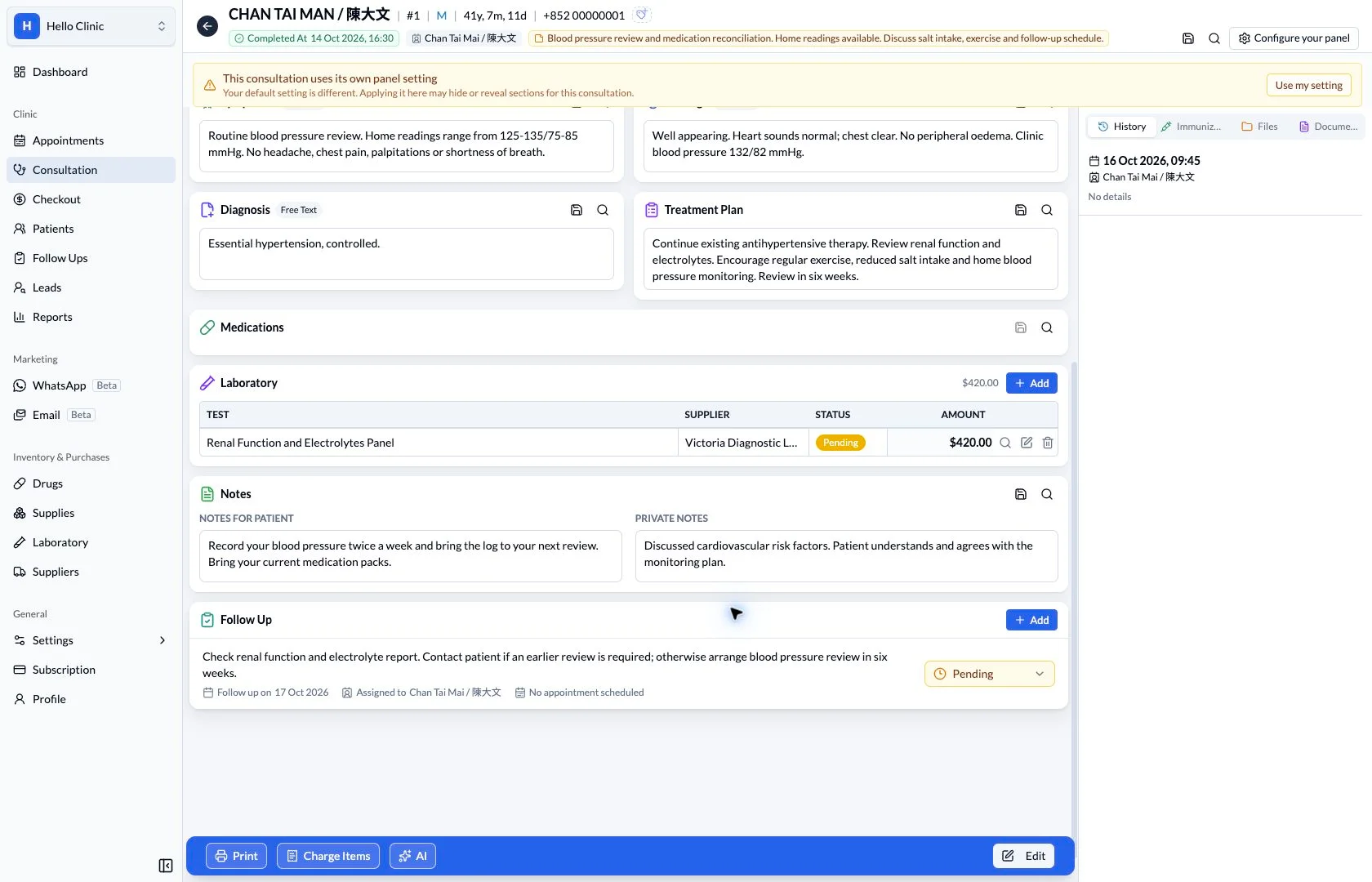
The investigation list shows names, dates, suppliers and processing status for daily coordination. Assistants can organise outstanding investigations from the list, then check the relevant consultation order and individual record when more context is needed.
- Verify the investigation, date and related consultation plan.
- Use status to identify records needing attention.
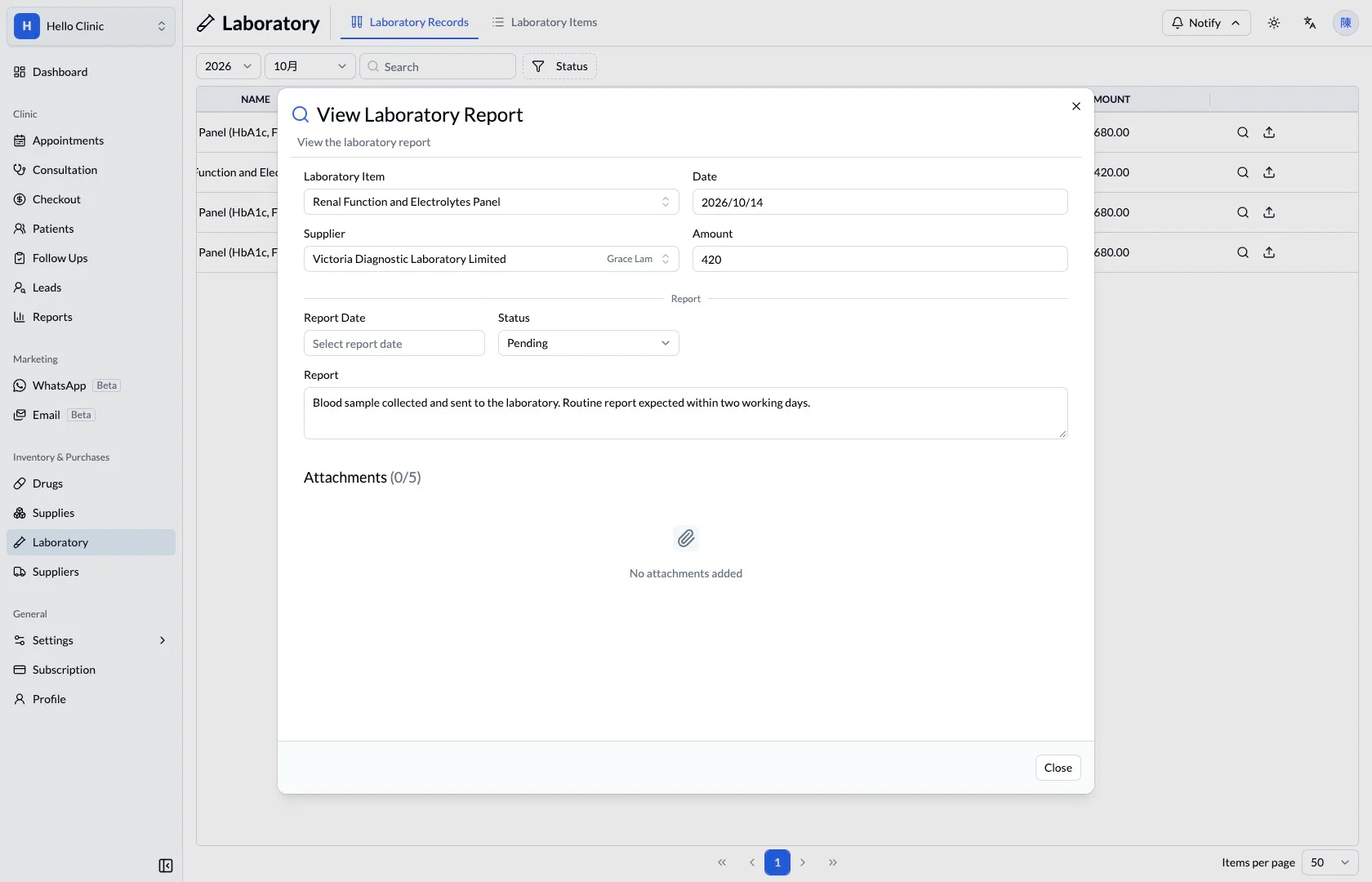
Make the result available for clinical review
Notes and attachments in the detail view keep received result material accessible. Once completeness has been checked, the assistant can arrange clinical review and any patient contact according to the clinic’s process.
- Match the result to the investigation and patient.
- Record a clear follow-up task for any next action.
How it fits the clinic day
Review the available service.
Confirm provider and pricing.
Use the service in the clinical workflow.
A catalogue that supports the order.
Service definitions hold the operational information; patient laboratory records hold the actual investigation. Keeping those roles clear helps staff review the right information.
What this helps you do
- Service catalogue
- Find the available laboratory investigation by name.
- Provider
- Keep the laboratory supplier beside the service.
- Cost and price
- Review purchase cost and the configured patient price separately.
Keep the next handover clear
Once service details are maintained, daily work continues in each patient’s investigation record. Track status, review reports and record patient contact in the relevant parts of the workflow.