
Switch to HelloClinic without closing your clinic. You can continue seeing patients. Agree the data scope, verification method and staff onboarding arrangements before the transition so everyone has a clear plan.
“The new system looks right for us, but can we bring over more than ten years of patient records?”
For doctors and clinic owners considering a new clinic management system, practical questions often determine the decision: can doctors still find historical records, how will reception handle appointments, and when will staff be comfortable with the new workflow?
Start with three things: what your current system holds, what you need to bring into the new system, and how the team will keep seeing patients during the switch. This checklist helps you discuss patient record migration and go-live with your current and new software providers.
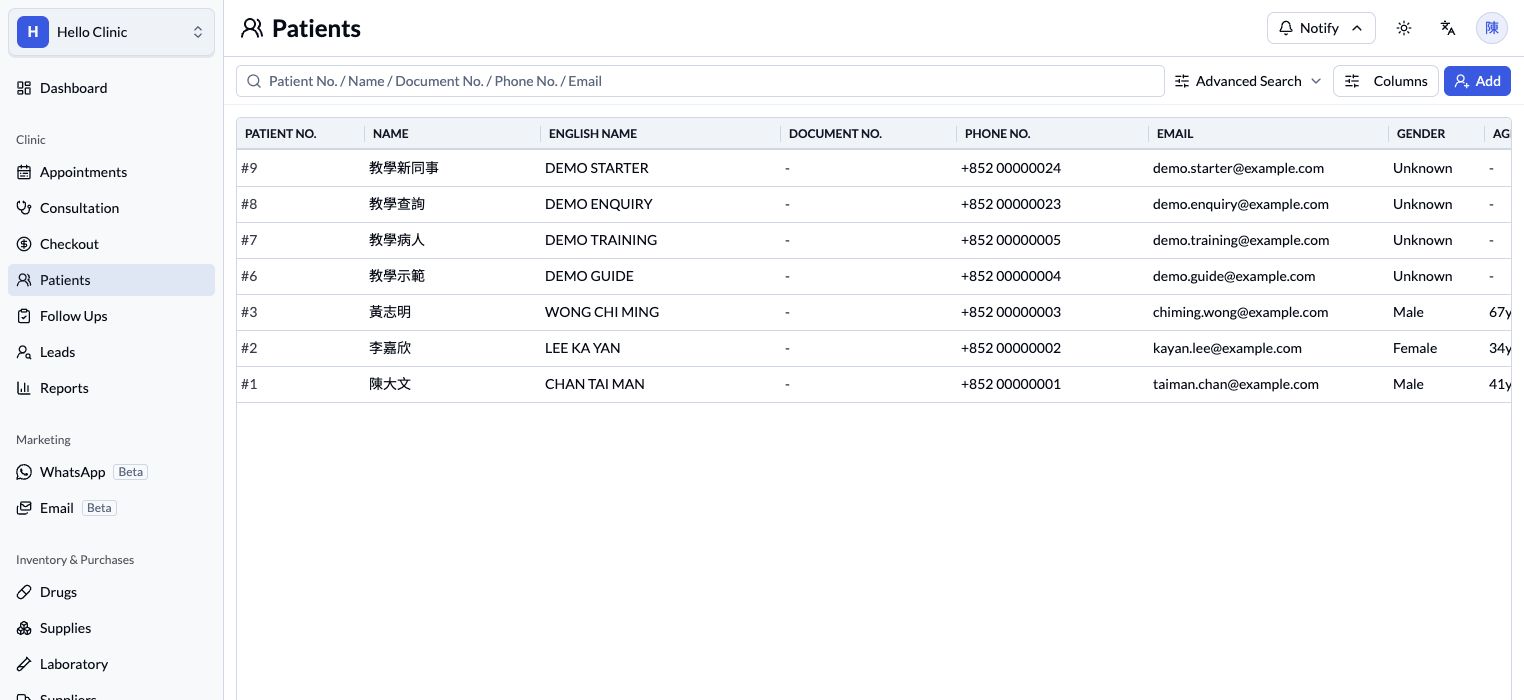
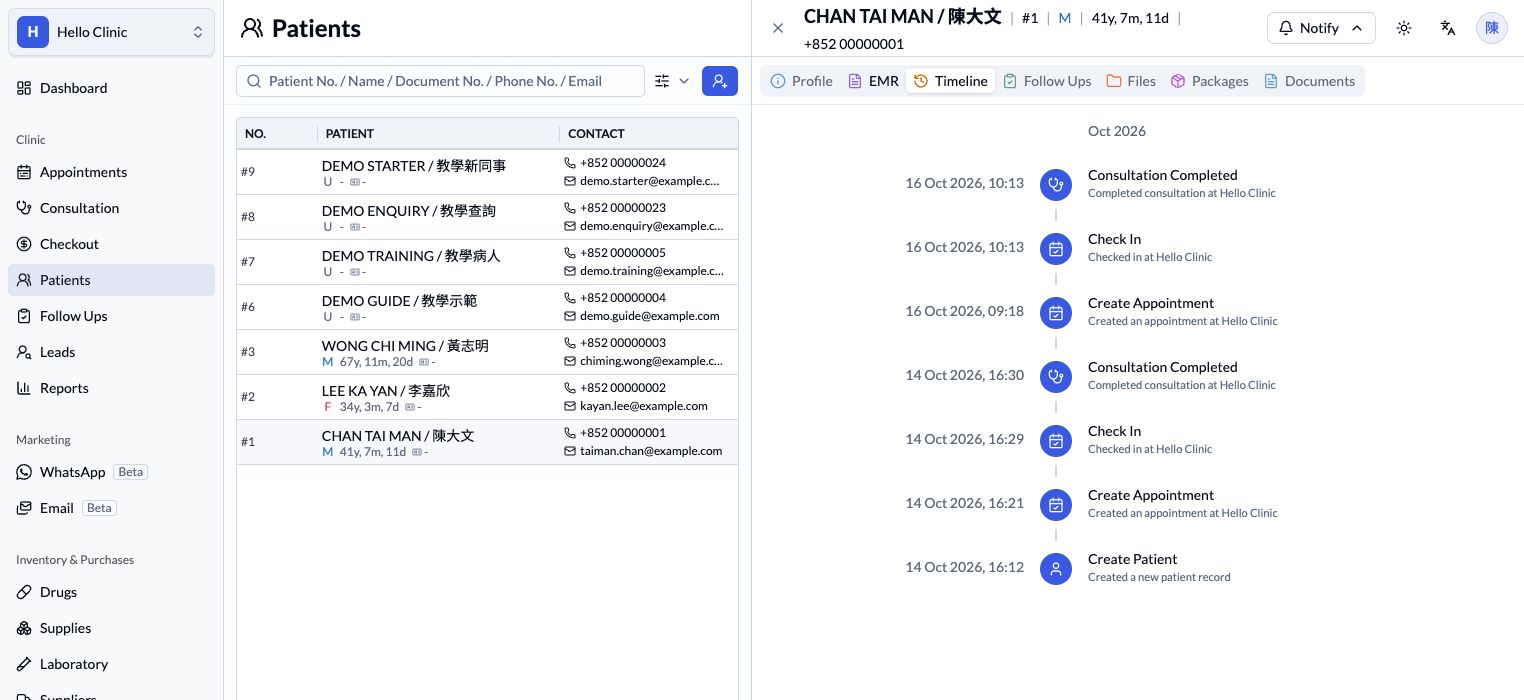
The cover is an AI-generated illustration of a clinic consultation. The screenshots in this article come from the HelloClinic sandbox. All patient and contact information is fictional and illustrates where records can be viewed and checked.
1. List the data your clinic uses every day
“Migrating patient records” can mean several different things. Patient details, consultation notes, prescriptions, reports and future appointments may each be stored and exported differently.
Ask doctors, reception staff and the person responsible for reconciliation to prepare a shared data inventory:
| Data category | What to confirm before migration |
|---|---|
| Patient details | Patient numbers, Chinese and English names, dates of birth, contact details and identity information. |
| Records and prescriptions | Consultation dates, doctors, notes, allergy records and prescription contents. |
| Reports and attachments | PDFs, photos, scanned documents and the patient or consultation linked to each file. |
| Appointments and follow-ups | Future appointments, assigned doctors, booking statuses and outstanding follow-up tasks. |
| Billing and treatment packages | Unpaid bills, payments and refunds, unfinished treatment packages and remaining sessions, where applicable. |
This is an assessment checklist. Whether each category can be migrated, and how it will appear, depends on the source data and the new system’s handling of it.
For example, an old consultation note might be converted into searchable fields or retained as a historical document. Each approach affects how staff find, read and use the information, so agree the intended result before migration.
2. Confirm export options with your current provider
Once you know which data you need, confirm how you can obtain it.
Ask your current provider:
- Which data can be exported, and what date range does it cover?
- Is the export available as Excel, CSV, PDF, a database backup or another format?
- Are attachments included, or must they be handled separately?
- Are patient and consultation identifiers retained so links can be rebuilt?
- How long will the export take, and are there any charges?
- How can the clinic access historical records after the contract ends?
Exporting data and restoring a backup are separate tasks. A backup that can restore the original system may require further processing before its data can be imported elsewhere. The format and field structure still need to be checked.
An initial assessment can use field lists, format descriptions or de-identified samples. Agree how production data will be transferred, who can access it and how it will be handled before sharing it.
3. Check the links between patients, records and attachments
After migration, check both record counts and whether the information belongs in the right place.
Suppose a patient has several consultations and reports in the old system. Checks in the new system should include:
- The patient’s details are correct, with no unintended duplicate profile.
- Historical consultations are linked to the correct patient.
- Dates, Chinese text and paragraph formatting display correctly.
- Reports and photos open and can be located under the appropriate record.
- Previously empty fields have not been filled with incorrect information.
Agree a verification method before the full migration. It can include comparing counts for each record type, checking relationships and reviewing a sample of the contents. Include older notes, records with multiple attachments, patients with the same name and more complex cases in the sample.
Keep a complete source backup and confirm that it can be read and restored as needed. Record discrepancies in one list that identifies the source record, the migrated result and the issue requiring attention.
The screenshot below shows where to view a patient’s timeline. During verification, check the record contents, dates and attachment links within the agreed migration scope, and document the results.
4. Arrange a trial import and walk through a clinic visit
Where feasible, use an agreed sample for a trial import so format and workflow issues can be identified early.
After the trial import, ask doctors and reception staff to complete a typical workflow using their usual responsibilities:
Find the patient → review historical records → create an appointment → record the consultation → handle billing.
This helps establish whether the information is easy to find and whether each team member understands the next step.
If a historical report has been migrated but a doctor cannot find it during a follow-up visit, its presentation or the operating instructions need attention. Resolve these issues before go-live to help the team prepare. You can also review HelloClinic’s patient record, appointment and billing features and list the workflows you would like to explore in a demo.
5. Keep seeing patients while you switch
You do not need to close your clinic to switch to HelloClinic. We will agree the migration scope, activation time and staff onboarding arrangements with you in advance, and coordinate how new or amended records will be handled during the transition.
As the clinic continues seeing patients, its data keeps changing. New patients, consultations, payments and appointment changes may be recorded after the first export. The go-live plan should therefore cover:
| Arrangement | What needs to be decided |
|---|---|
| Data cut-off | The point in time covered by the main migration. |
| Final updates | How data added or changed after the first export will be carried over. |
| Activation time | When the team starts entering new records in the new system. |
| Historical access | How the original system or backup can be accessed during the transition. |
| Issue follow-up | Who records discrepancies, contacts the provider and confirms the outcome. |
Preparation and verification time depend on the data volume, formats and attachments. Your clinic can continue seeing patients while data checks and staff training follow the agreed plan.
How does HelloClinic help assess a migration?
HelloClinic provides data migration support. The team first reviews the available exports, formats, fields and attachments, then confirms the migration scope and import arrangements. A demo is also an opportunity to discuss staff responsibilities and onboarding needs.
In the published Health Network Medical Center case study, the HelloClinic team helped carry over years of patient information and consultation records and map the data structures. You can read the patient record migration case study before discussing arrangements for your own source data.
What to prepare before a migration discussion
- Your current system’s name and version, if known.
- Approximately how long it has been used, with estimated patient and consultation counts.
- The data categories and date ranges you want to migrate.
- Available export formats and how attachments are stored.
- How outstanding appointments, bills or treatment packages need to be carried forward.
- Your preferred activation date and staff training needs.
You can start the discussion even if some details are missing. Begin with the current system’s name and the records you most need to retain. For an initial enquiry, share data categories and format descriptions, then agree the arrangements for transferring production data with the team.
Planning a switch? Find out how your records can be carried over
Bring your current system’s name, available export formats and the workflows you want to improve to a discussion with HelloClinic. Talk through patient record migration, staff onboarding and activation arrangements. Your clinic can stay open and continue seeing patients while the switch follows the agreed plan.
HelloClinic’s public plan includes a free data migration service. The applicable data and processing scope will be confirmed with you before migration. You can review plans and pricing, then book a demo to discuss your needs.