
Customisation
Set the workspace around the clinic’s day.
Review clinic details, opening times, patient-number prefixes and related reference settings to fit the team’s daily workflow.
System settings
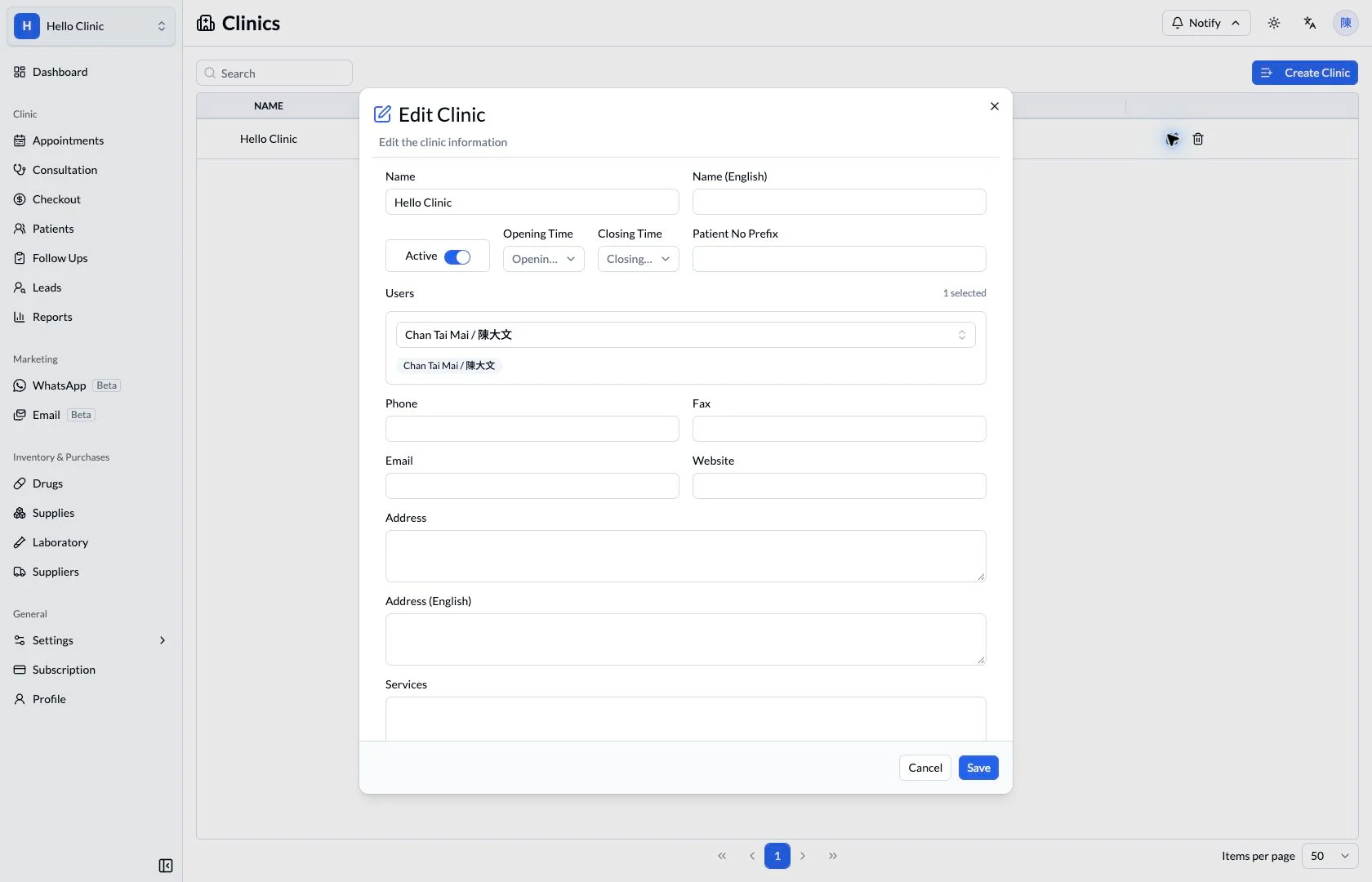
Configure the details the clinic uses every day
Clinics differ in their services, departments and equipment arrangements. Start with the everyday catalogues and resources, then review the consultation panels so reception and clinical staff work with a familiar context.
- Manager or designated administrator
- Maintain services, departments and equipment settings.
- Clinical staff
- Review consultation panels against documentation needs.
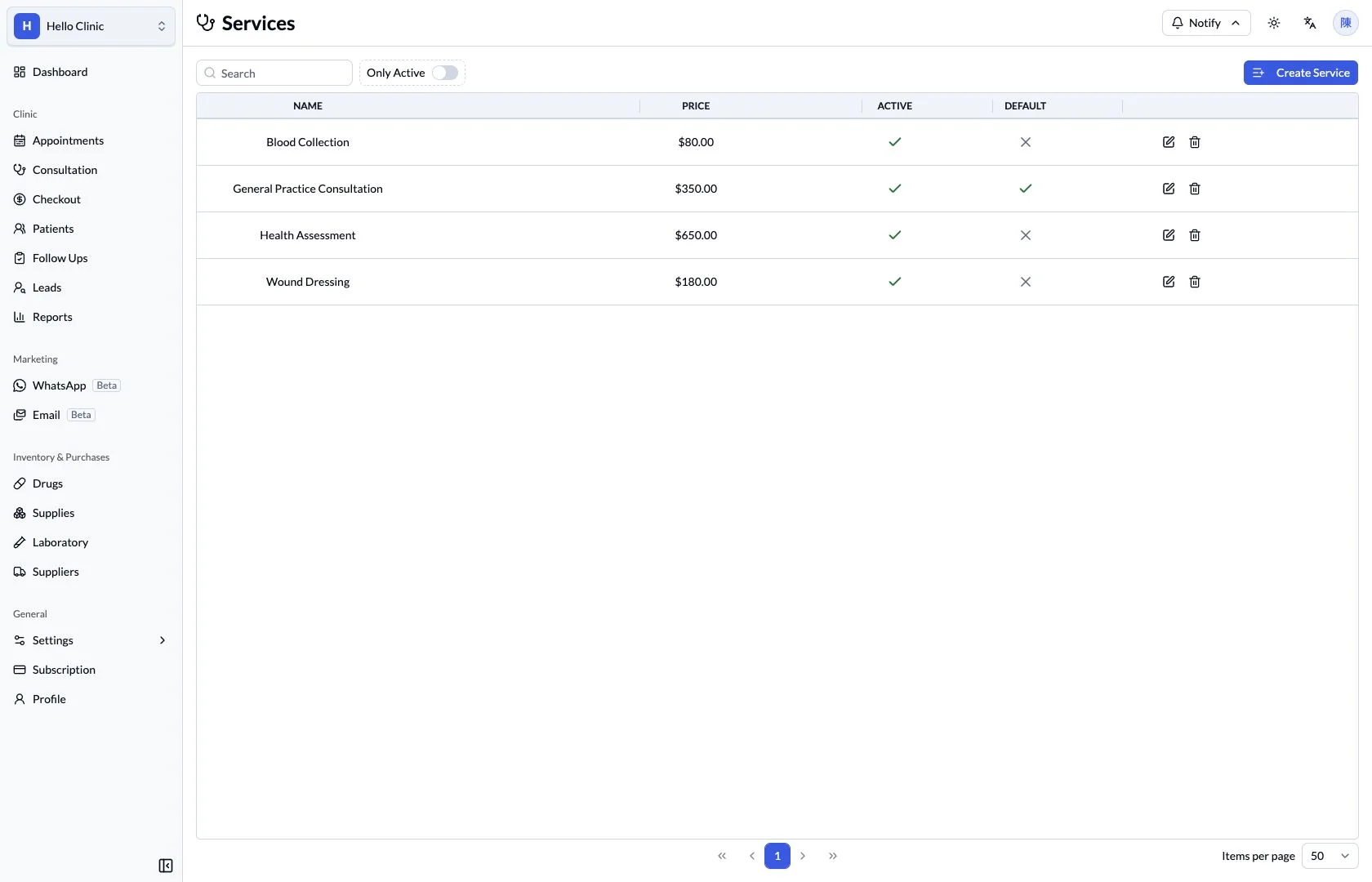
Organise the services the clinic offers
The service list brings the clinic’s offerings together and gives reception and checkout staff consistent names to use. Managers can review the routine catalogue and maintain it to reflect the clinic’s arrangements.
- Use names the team and patients can understand.
- Review existing services before adding or changing items.
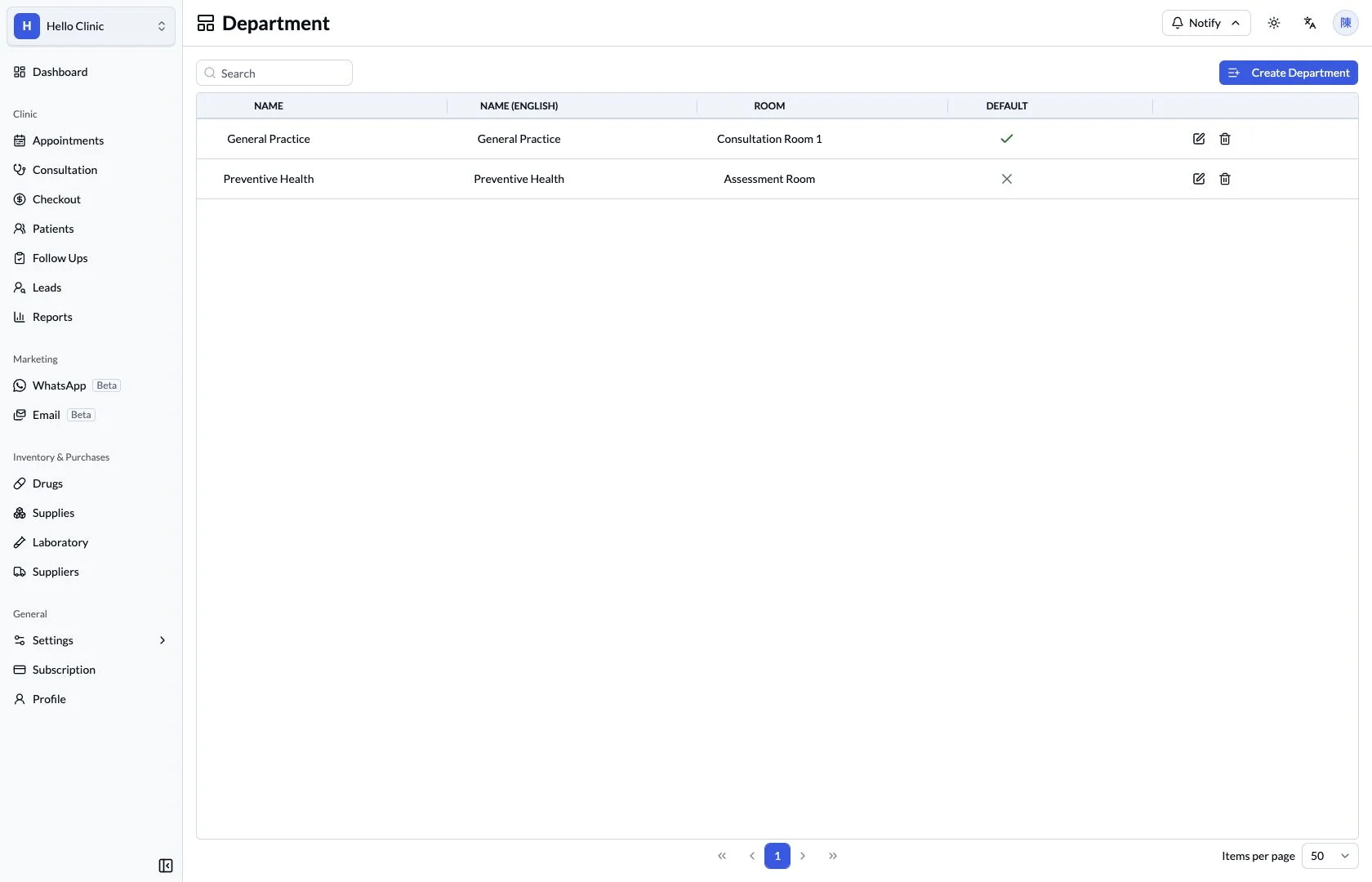
Align departments with how the clinic works
Department settings provide a basis for organising clinic work. Maintaining names that reflect the actual team structure gives bookings and doctor arrangements a consistent organisational context.
- Maintain departments that reflect actual service responsibilities.
- Use names understood by reception and clinical staff.
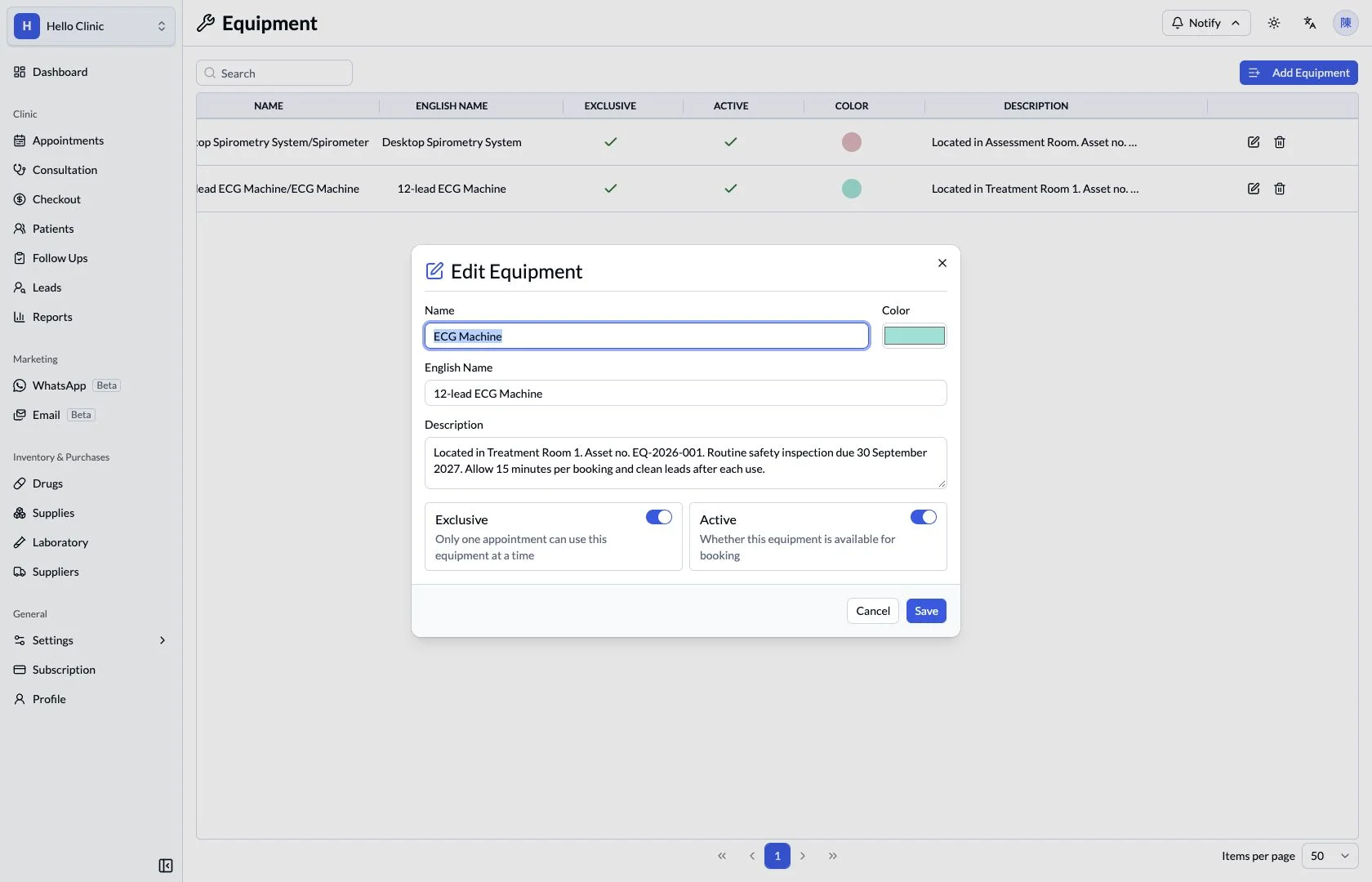
Check equipment rules against booking needs
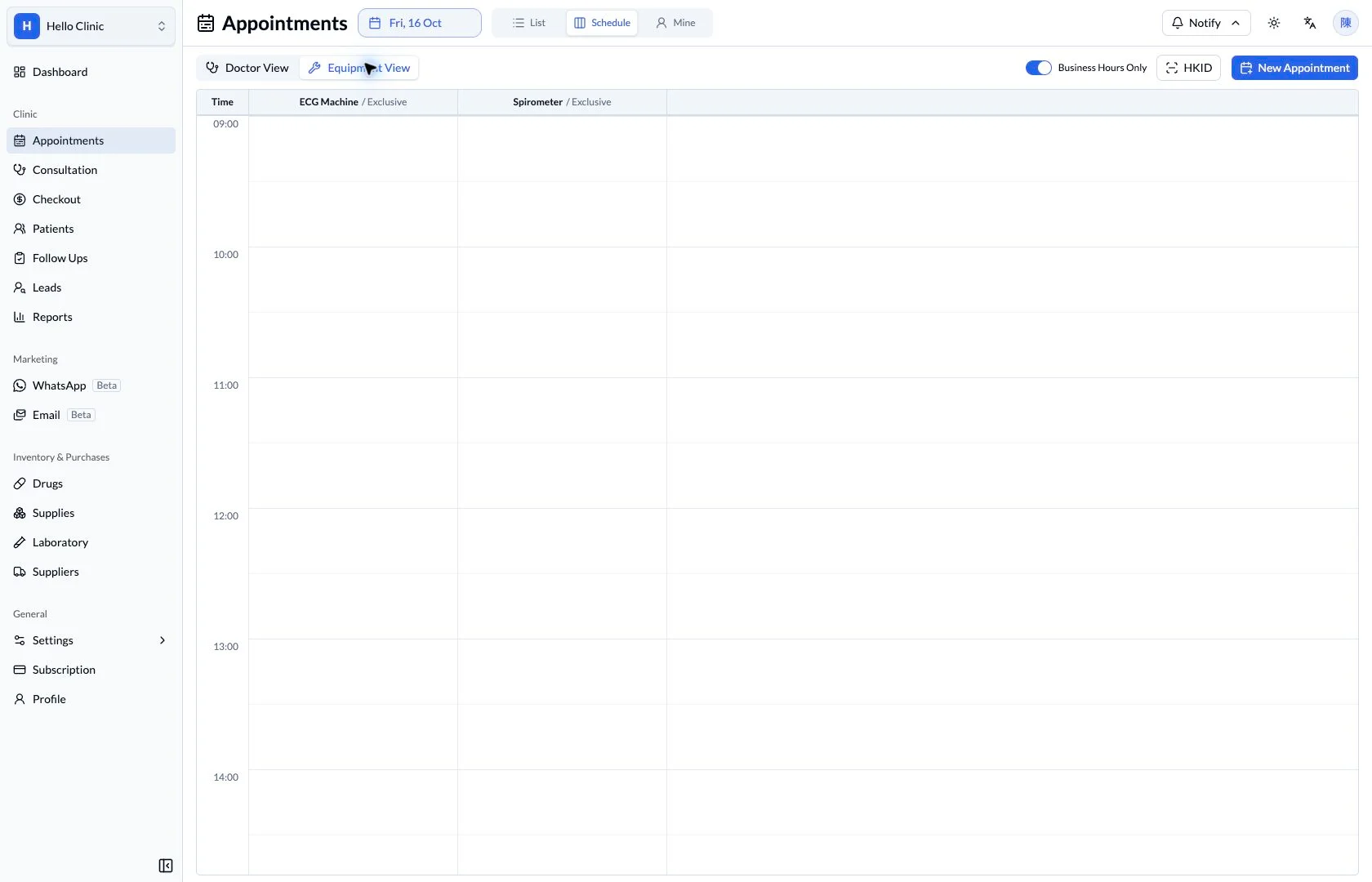
The equipment editor shows resource details and settings such as exclusive use and active status. Managers can review the equipment’s actual purpose and availability before reception uses it in appointment scheduling.
- Check the equipment name and usage rules.
- Review the equipment schedule after configuration.
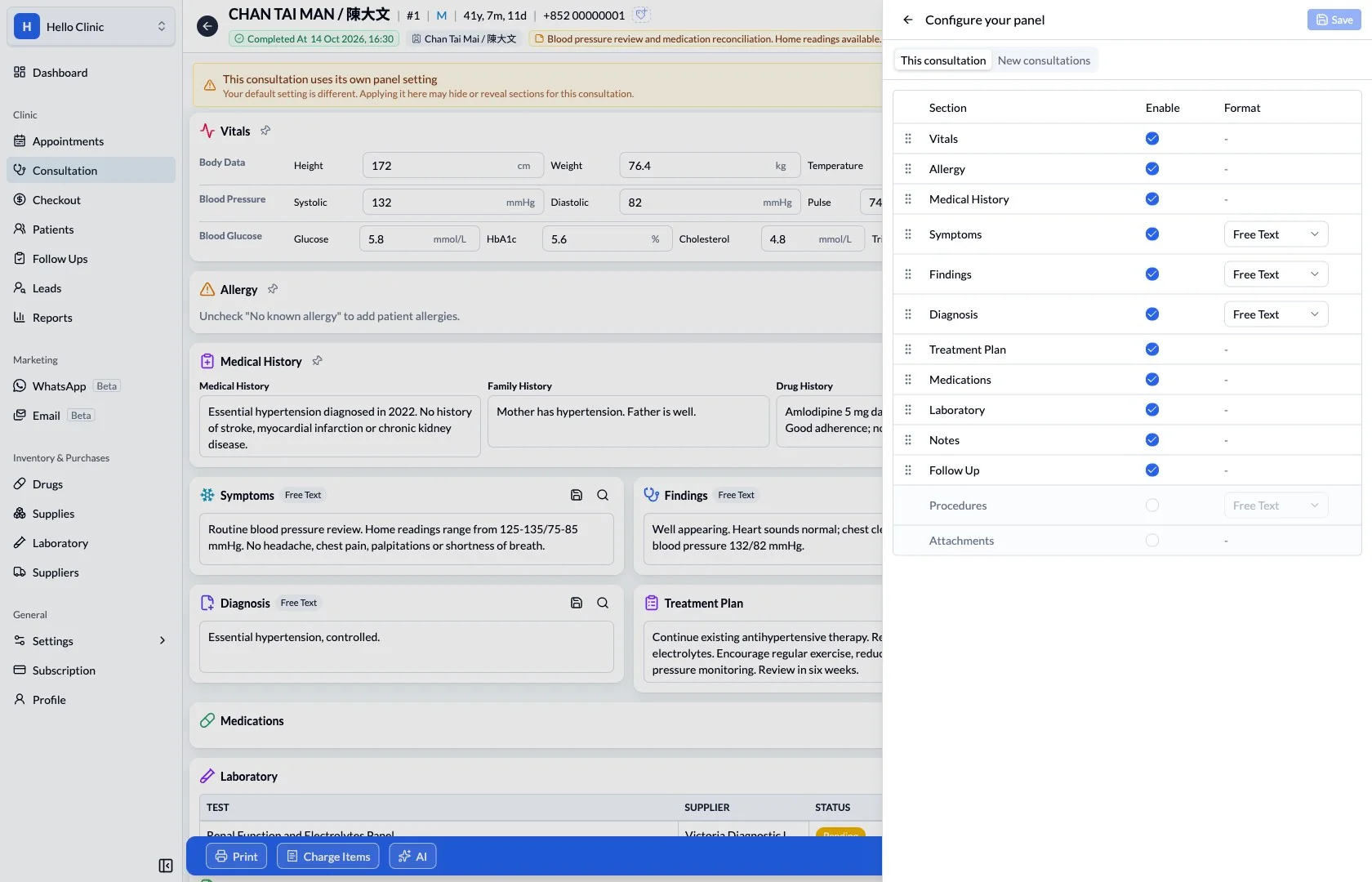
Review panels against documentation needs
Panel settings show the available sections and formats for the consultation workspace. Doctors can review the arrangement against documentation needs while retaining the clinical information the team must check.
- Start with routine documentation and review needs.
- Check that important sections remain easy to find.
Practical settings, close to daily work.
Configuration should reflect how the clinic operates. Review related scheduling, reference data and role permissions when planning a change.
What this helps you do
Clinic details
Keep the clinic name, contact details and addresses together.
Working hours
Review opening and closing times used by the clinic.
Reference settings
Coordinate departments, services, tags and equipment through the relevant settings areas.
How it fits the clinic day
Review the clinic’s operating needs.
Check the relevant setting and its effect.
Verify the workflow after an approved change.
Keep the next handover clear
After configuration, review a real clinic scenario across booking, consultation and checkout. Apply the same checks when adding services or equipment later, keeping daily use consistent for the team.