
Equipment Scheduling
Give shared equipment its own place in the day.
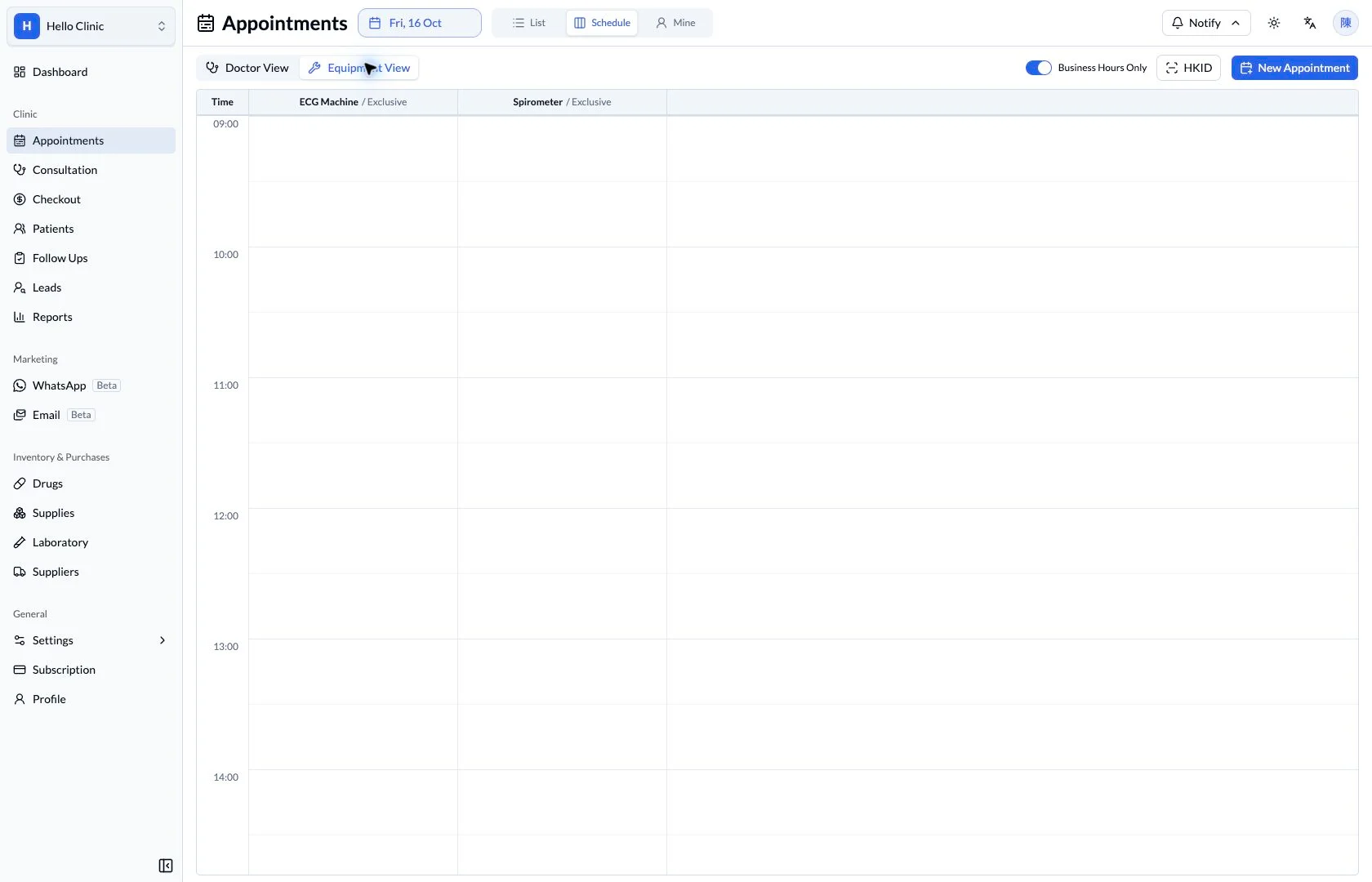
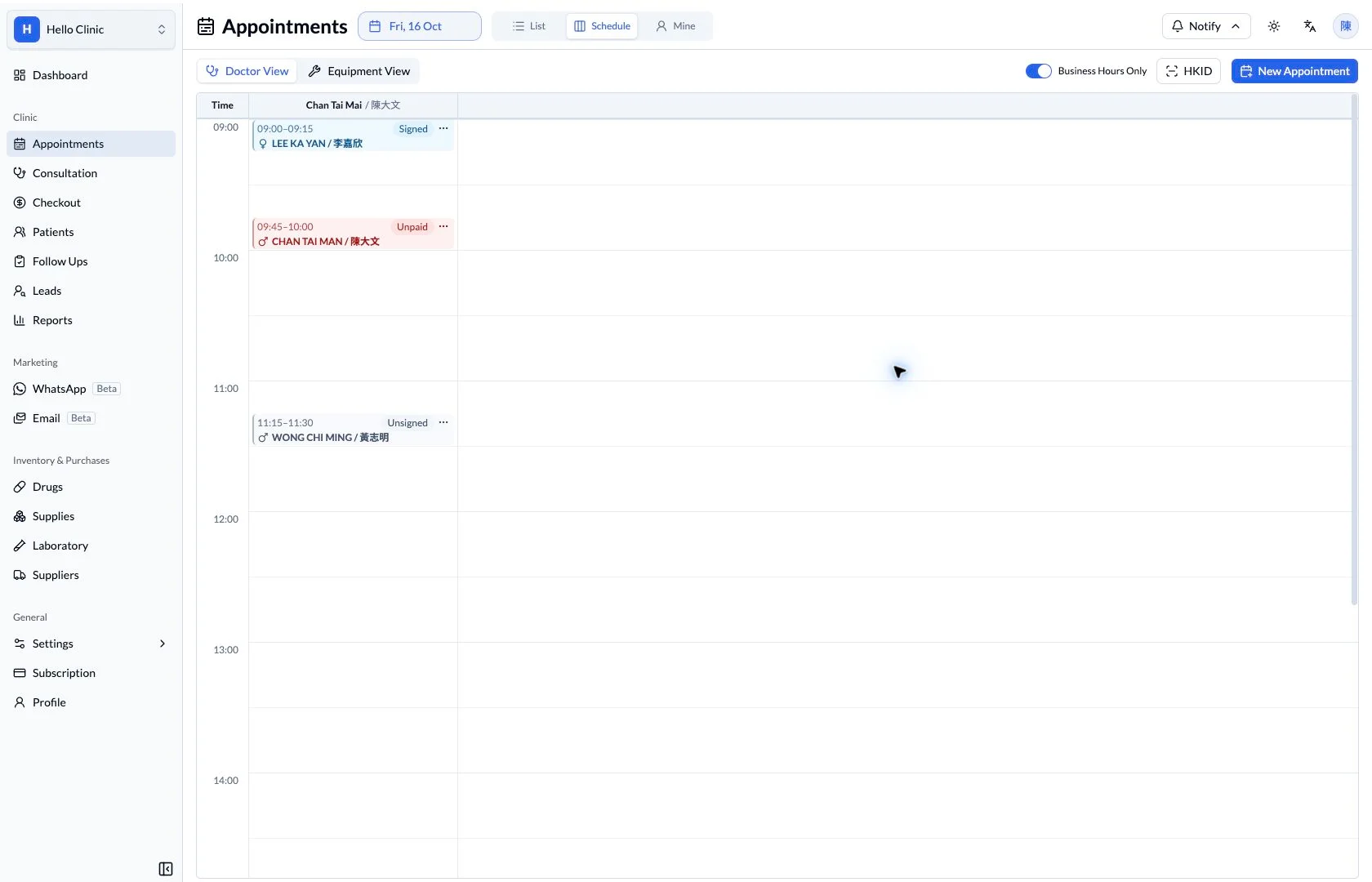
Review clinic equipment on a time-based schedule. See each resource in its own column when planning appointments that need more than a doctor’s time.
Appointments & front desk
Plan the device as well as the clinician
A device may be shared by several clinicians and nurses. When arranging an ECG or spirometry visit, the front desk needs to know which resource is required, whether it is exclusive and when it will be used, alongside the clinician’s availability.
- Clinic managers
- Maintain the equipment register, descriptions and usage settings.
- Front desk and nurses
- Coordinate the device and time slot with the investigation workflow.
Start with a usable equipment register
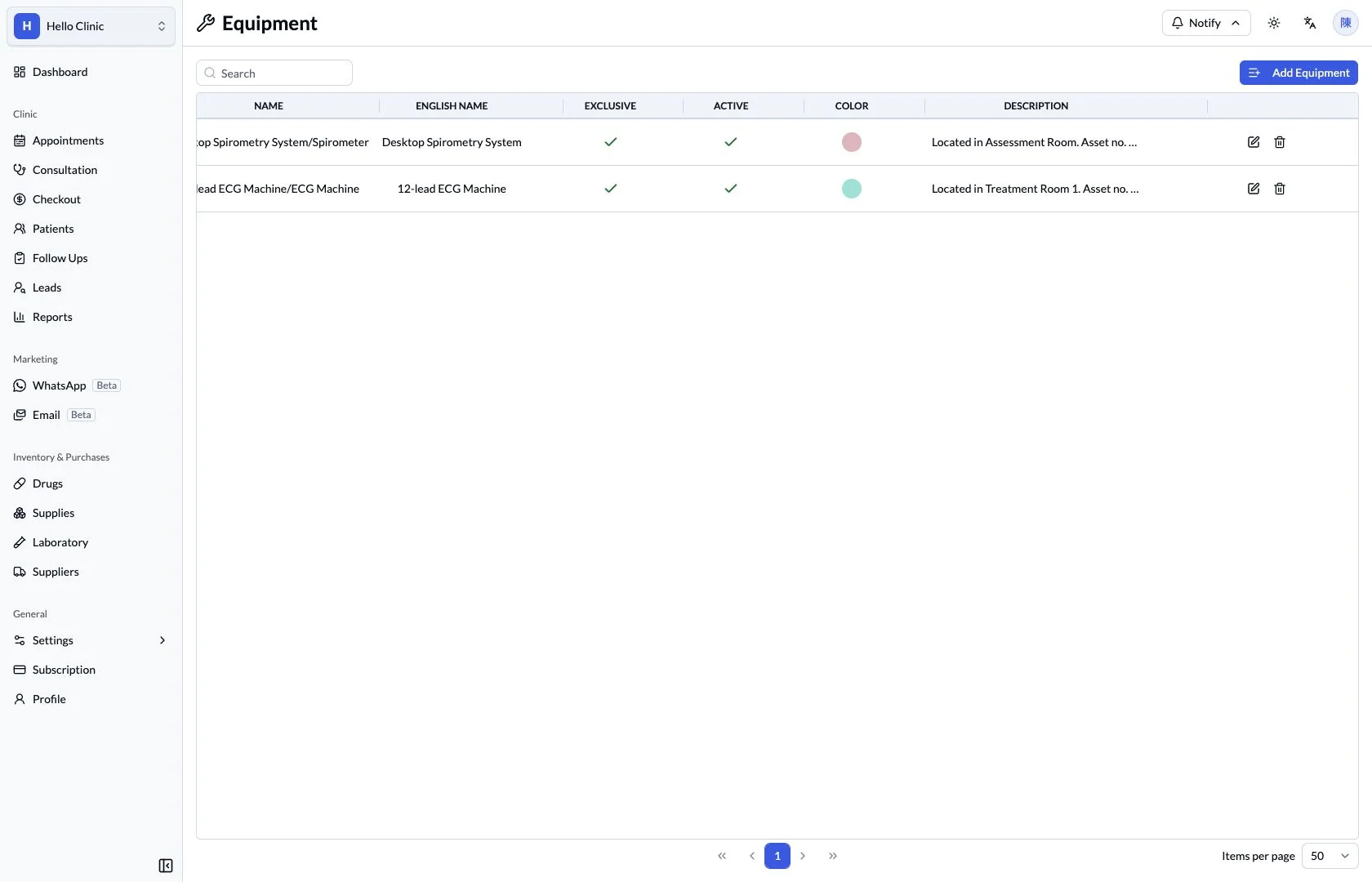
The register keeps names, active status, colour and descriptions together. A description can record location, an asset number or practical usage arrangements, helping staff connect the name on the schedule to a real resource in the clinic.
- Choose names that distinguish one resource from another.
- Keep practical resource information in the description.
Match exclusive use to the actual resource
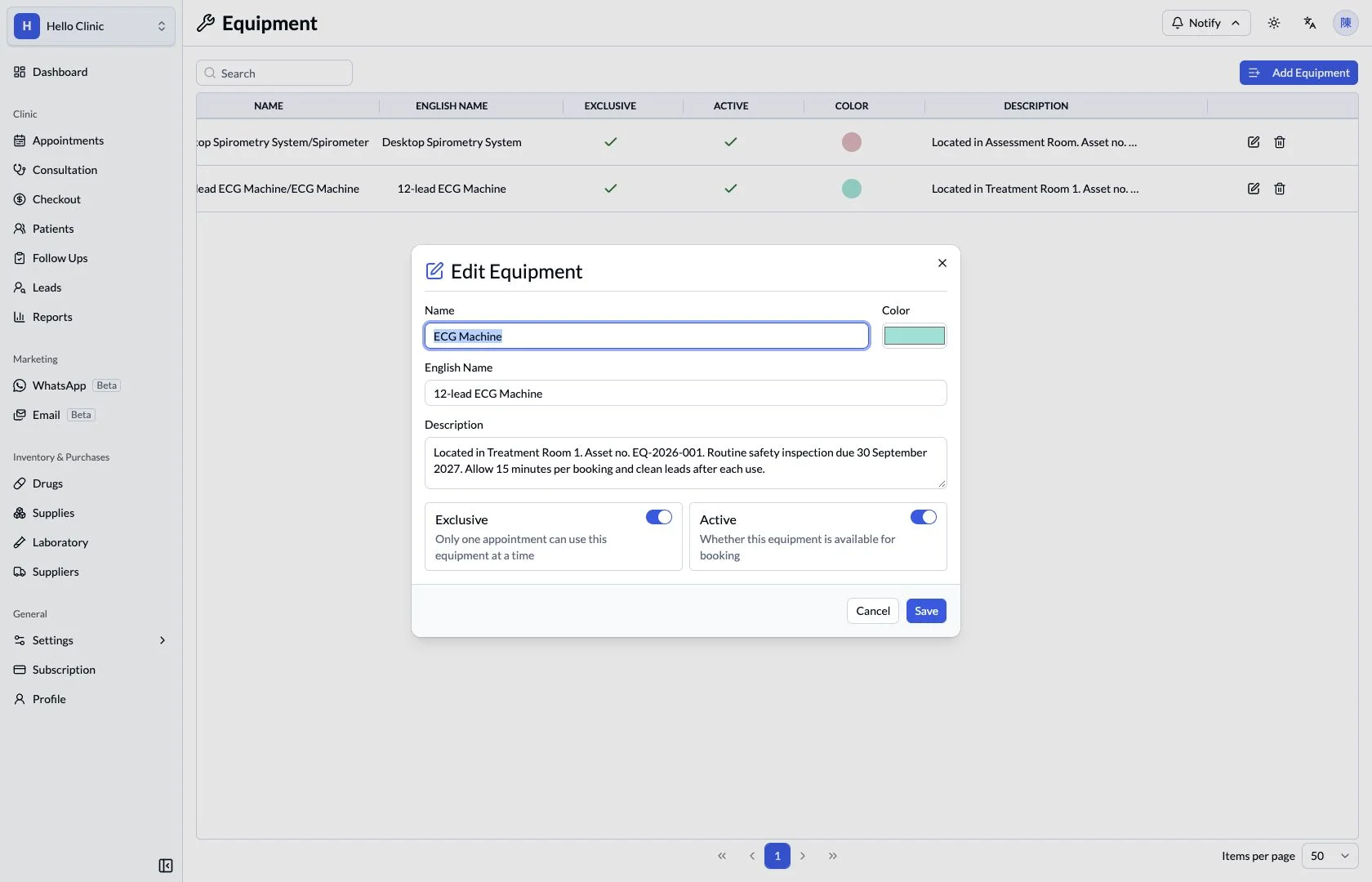
The equipment form exposes exclusive-use and active settings. Exclusive use means the resource is used by one appointment at a time; active status controls whether it is available for booking. Managers can maintain these settings according to how the clinic shares its equipment.
- Confirm whether the resource is actually available for use.
- Coordinate system settings with the clinic’s equipment maintenance arrangements.
Check equipment within the appointment
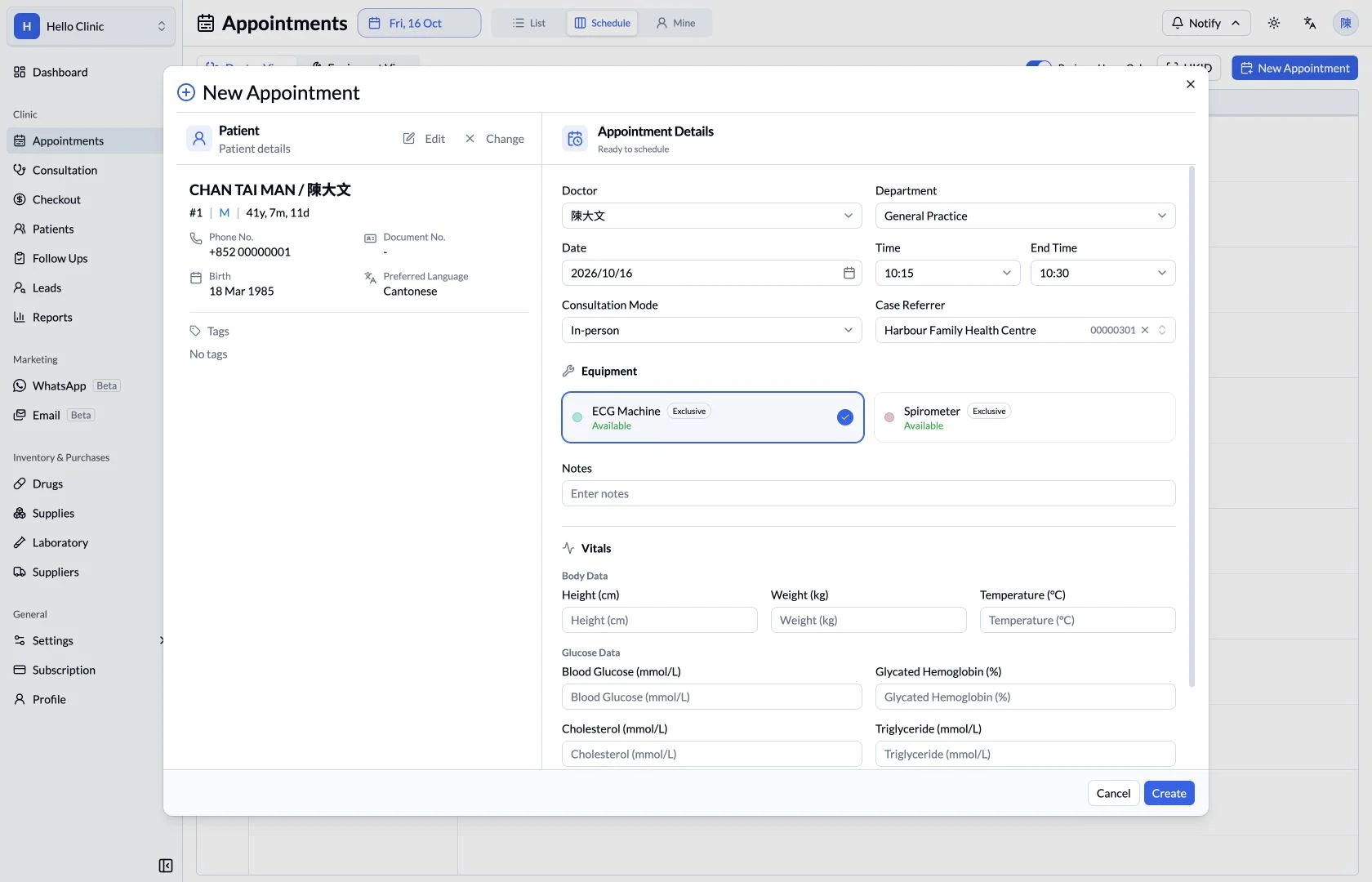
The appointment form places equipment beside the doctor and time fields, so staff can review the overall requirements of a visit. Used with the equipment schedule, it connects the shared resource to the patient’s appointment.
- Confirm the resource type before reviewing the time slot.
- Pass practical notes and preparation requirements to the colleague performing the investigation.
What this helps you do
- Resource columns
- Review equipment such as an ECG machine or spirometer separately.
- Time slots
- Compare availability across the clinic’s working day.
- View switching
- Move between equipment and doctor views within appointment scheduling.
Plan people and resources together.
A consultation may depend on both clinician availability and a shared device. Equipment view makes the resource side of that booking visible before the appointment is arranged.
How it fits the clinic day
Choose the appointment date.
Switch to equipment view.
Review the resource and required time slot.
Keep the next handover clear
The equipment register defines the resource, the schedule shows its use over time, and the appointment identifies the patient who needs it. Together they give the team a clearer reference for coordinating people, equipment and time.