
Prescriptions & Orders
Keep the medicine and its instructions together.
Review medication details within the consultation: medicine, dose, frequency, timing, duration, instructions and quantity.
Consultations & clinical tools
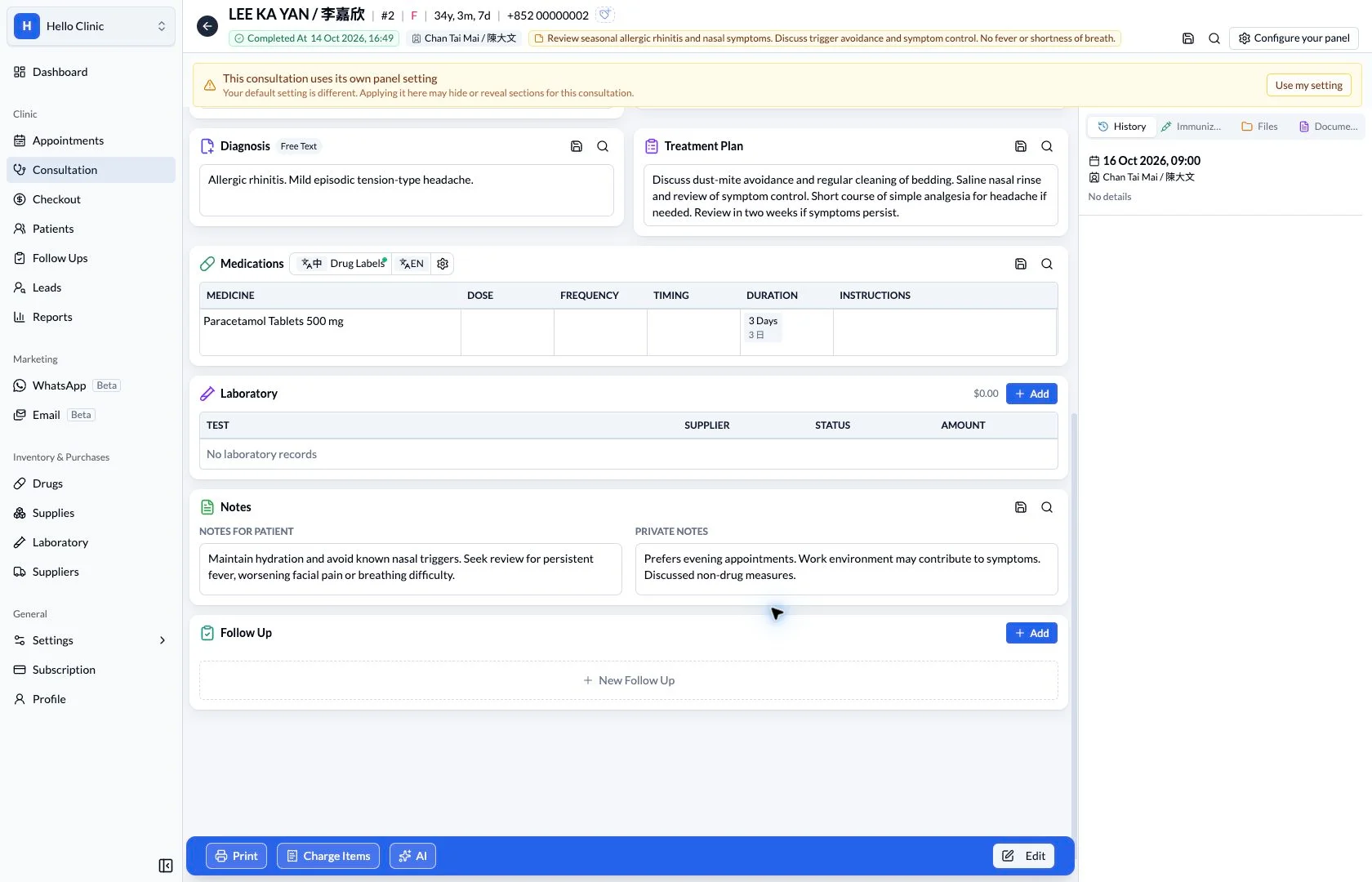
Take the prescription from consultation to dispensing
After the consultation, dispensing staff need a clear medication order and the relevant stock information. The doctor prepares the order within the visit, giving the next colleague a record to check rather than relying on a verbal handover.
- Doctor
- Confirm the medicine, directions and treatment duration.
- Dispensing staff
- Check the order and batch before preparing medicines and labels.
Make each medication order explicit
The prescription section places the medicine, strength, quantity and duration together. The doctor can review each row and resolve missing dose, frequency or timing before passing the order to dispensing staff.
- Check the selected medicine and strength, not just its name.
- Confirm dose, frequency, duration and instructions for every row.
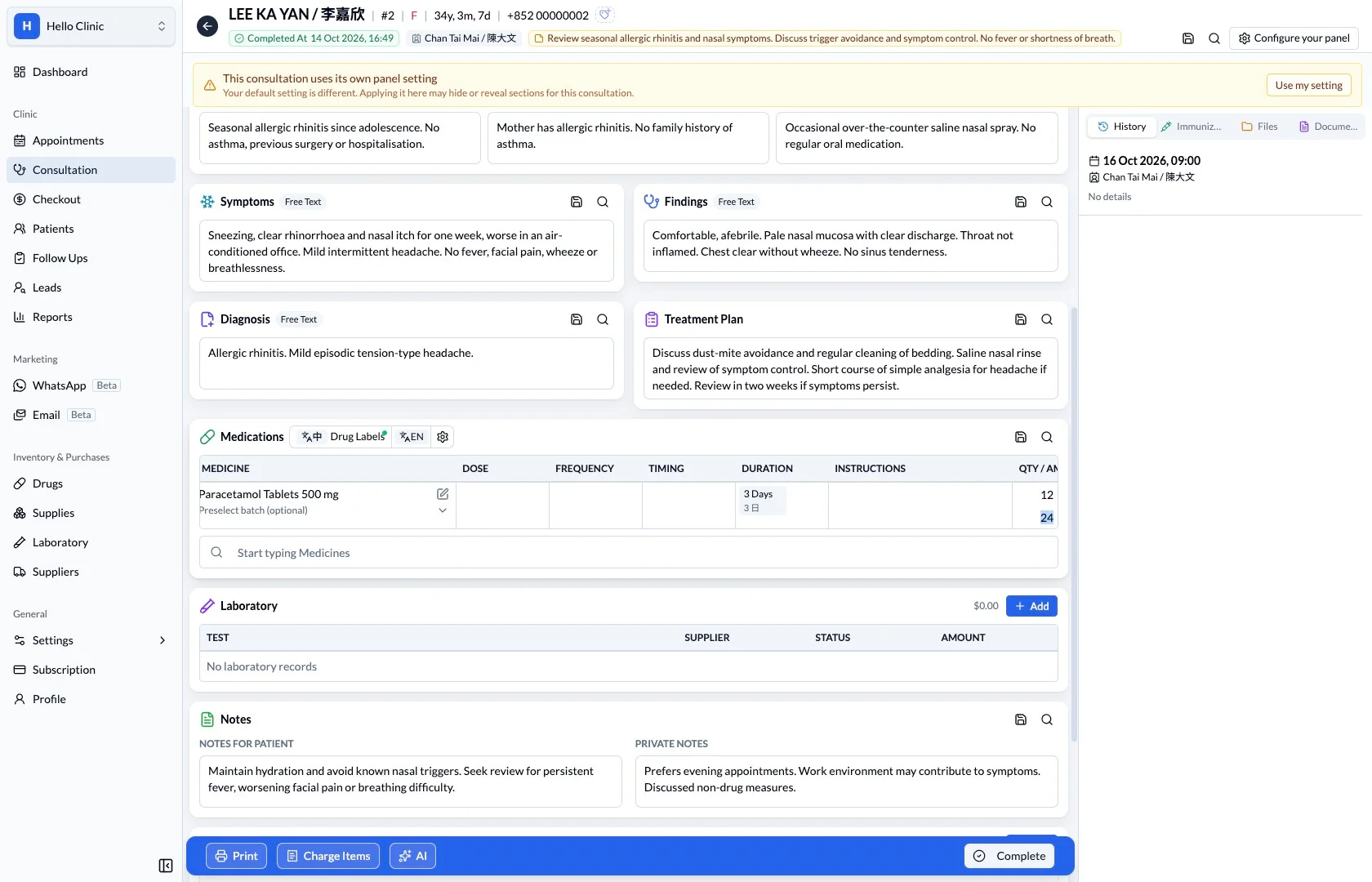
Check available stock batches
The batch selector shows the batch reference, supplier and remaining quantity. Dispensing staff can compare that information with the physical stock being prepared, keeping the medication order connected to the inventory record.
- Identify the physical stock by its batch reference.
- Resolve availability questions against the inventory record.
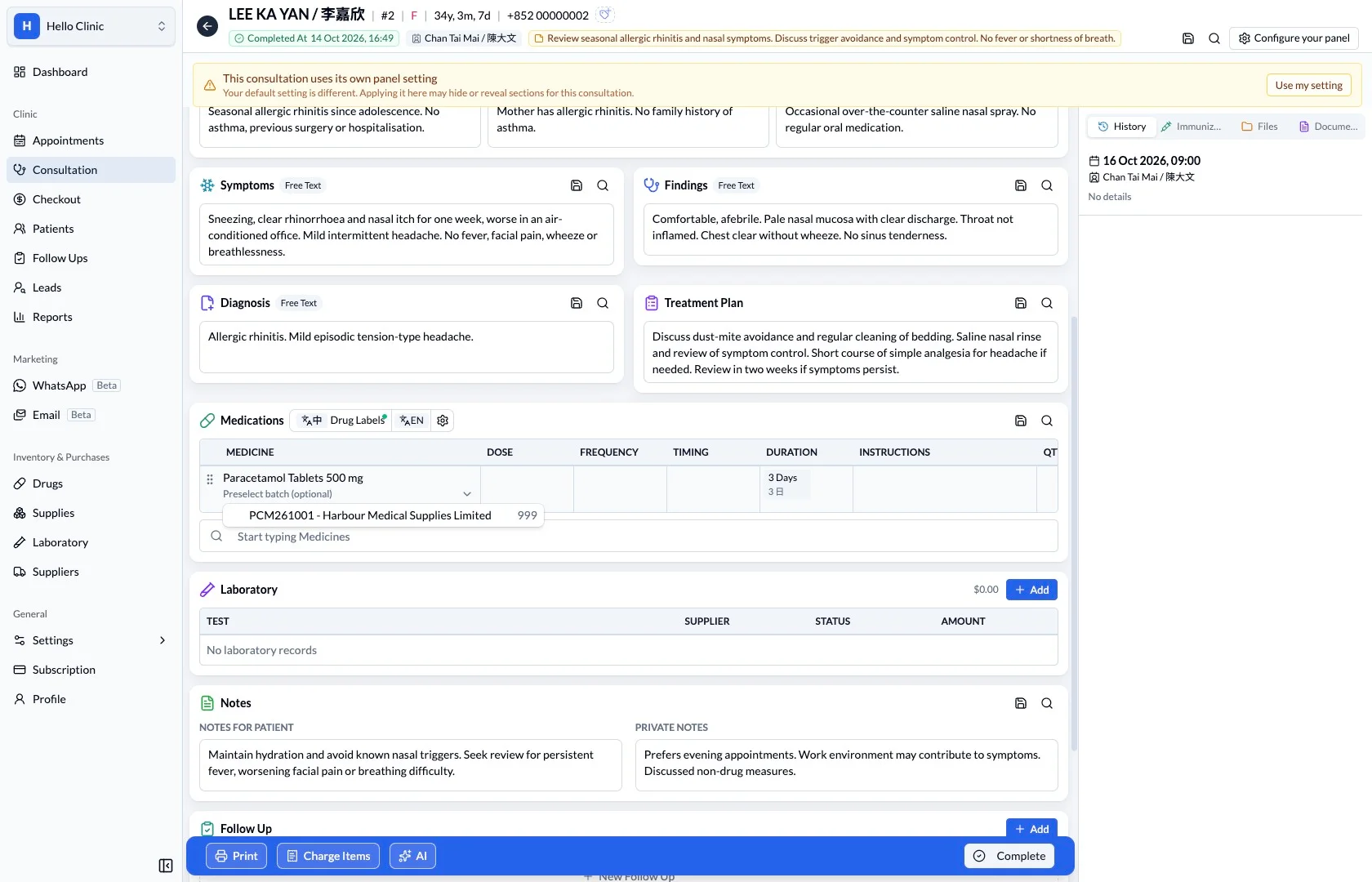
Keep routine directions consistent
The medication record includes usage settings for routine directions. These provide a consistent starting point for the clinic, while the doctor still checks that the directions suit the current patient and visit.
- Have staff familiar with dispensing maintain routine directions.
- Check suitability independently for each consultation.
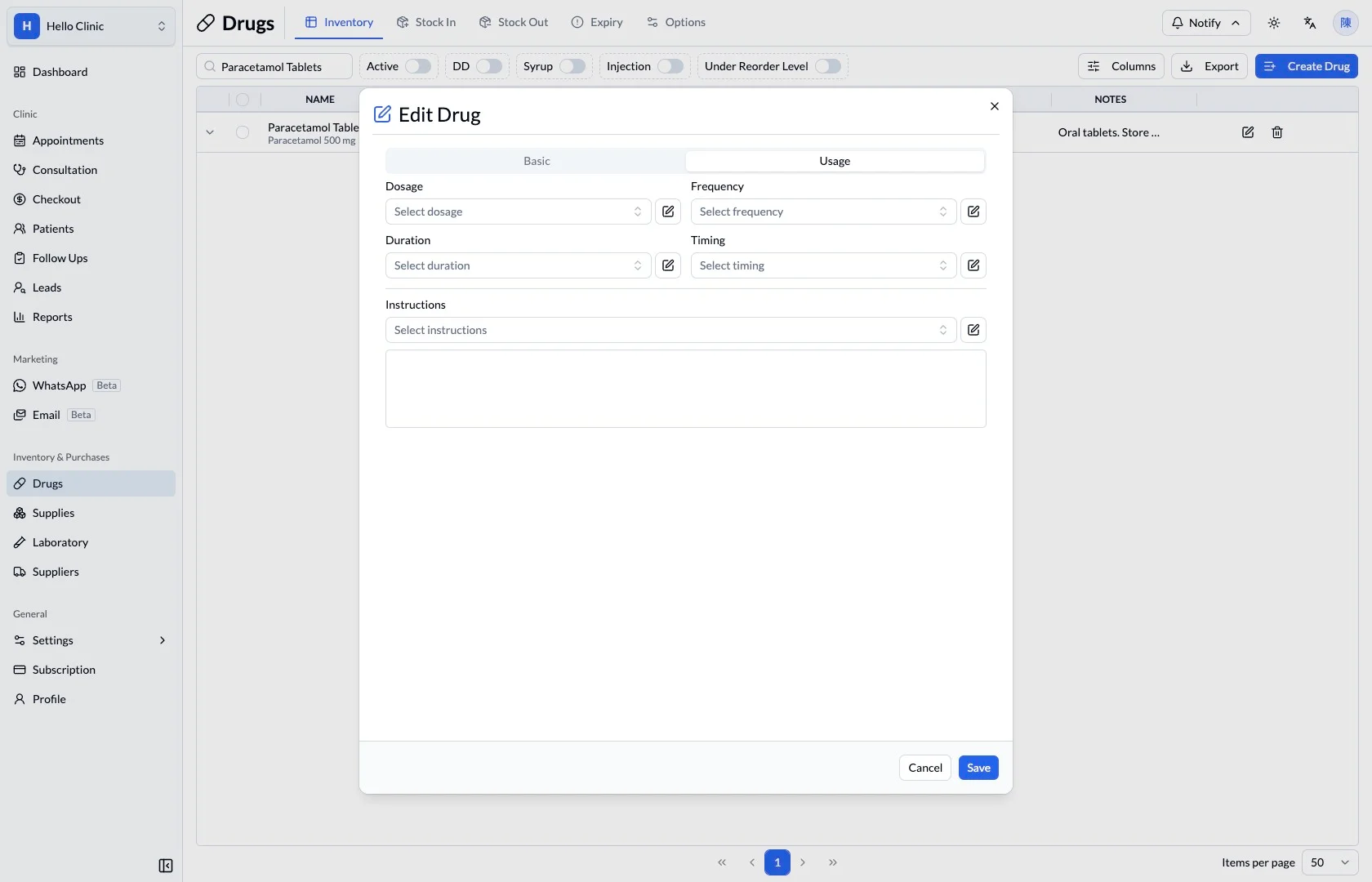
What this helps you do
Directions
Keep dose, frequency and timing in distinct fields.
Quantity and duration
Review the course length alongside the quantity and amount.
Label handover
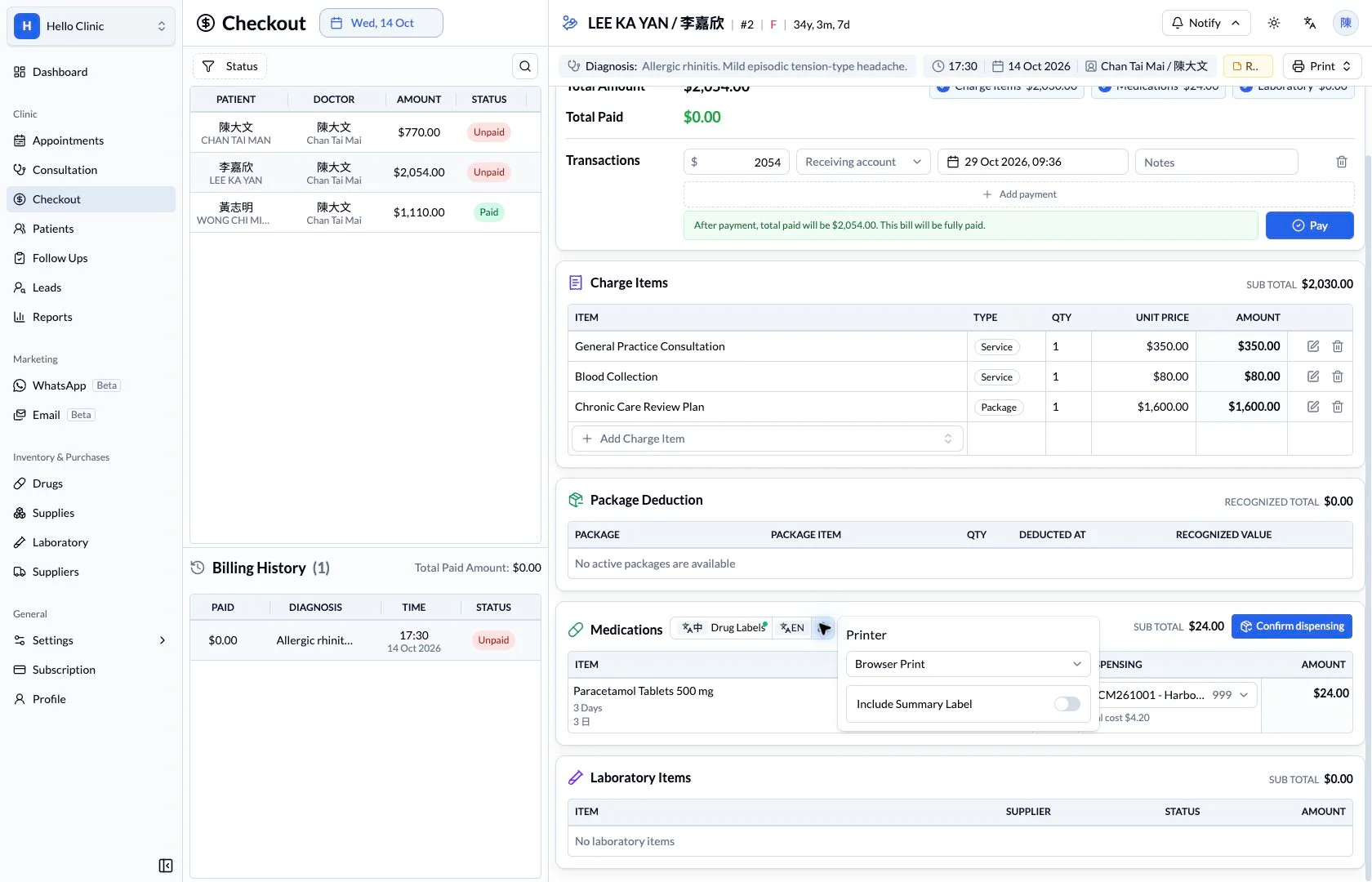
Access Chinese and English medication-label controls from the same workflow.
A clear handover to dispensing.
The prescription carries more than a drug name. Keeping instructions and quantity together supports the next person reviewing, dispensing or explaining the medication.
How it fits the clinic day
Select and review the medication.
Check directions, duration and quantity.
Review the prescription and label language.
Keep the next handover clear
Before dispensing, check the actual medicine, quantity and patient against the confirmed order. Resolve unclear directions with the doctor before continuing to labels and checkout.