
Referrer & Source Tracking
Give each referral a traceable source.
Maintain a referrer directory with contact details and notes, then review case-referrer information in appointment and financial workflows.
Billing & operations
Carry referral context from booking to operational review
Referral context helps reception coordinate visits and managers understand where patients came from. Maintain referrer details, record the source on the booking and review bills using the same source context.
- Front desk
- Confirm and record the source for the booking.
- Manager
- Maintain source details and review source-filtered reports.
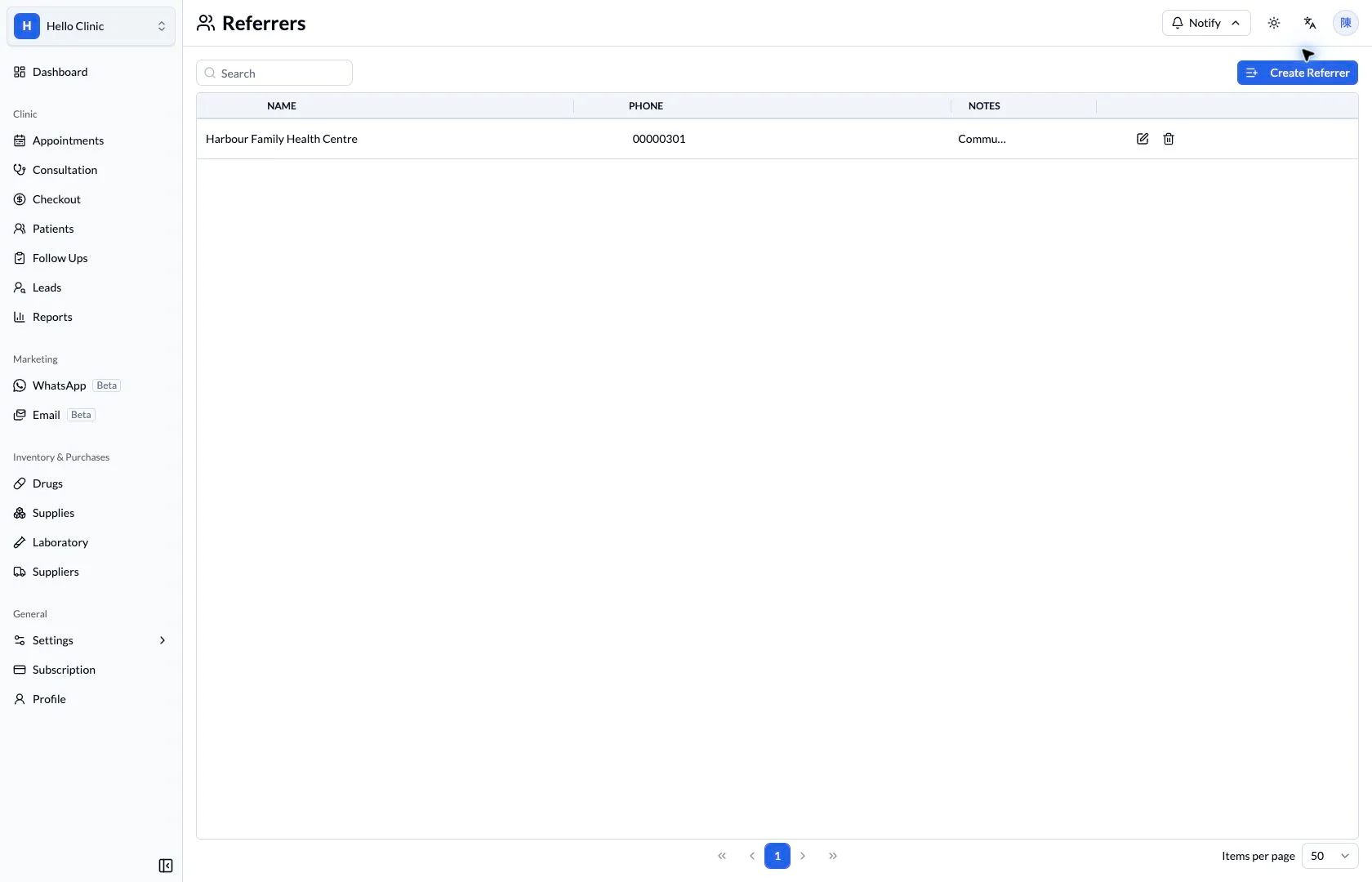
Maintain a consistent referrer record
The referrer editor keeps the organisation’s details together. A consistent record helps reception select the same source when handling a call or referral, reducing ambiguous or duplicate naming.
- Use a source name the team can recognise.
- Review relevant contact details and notes periodically.
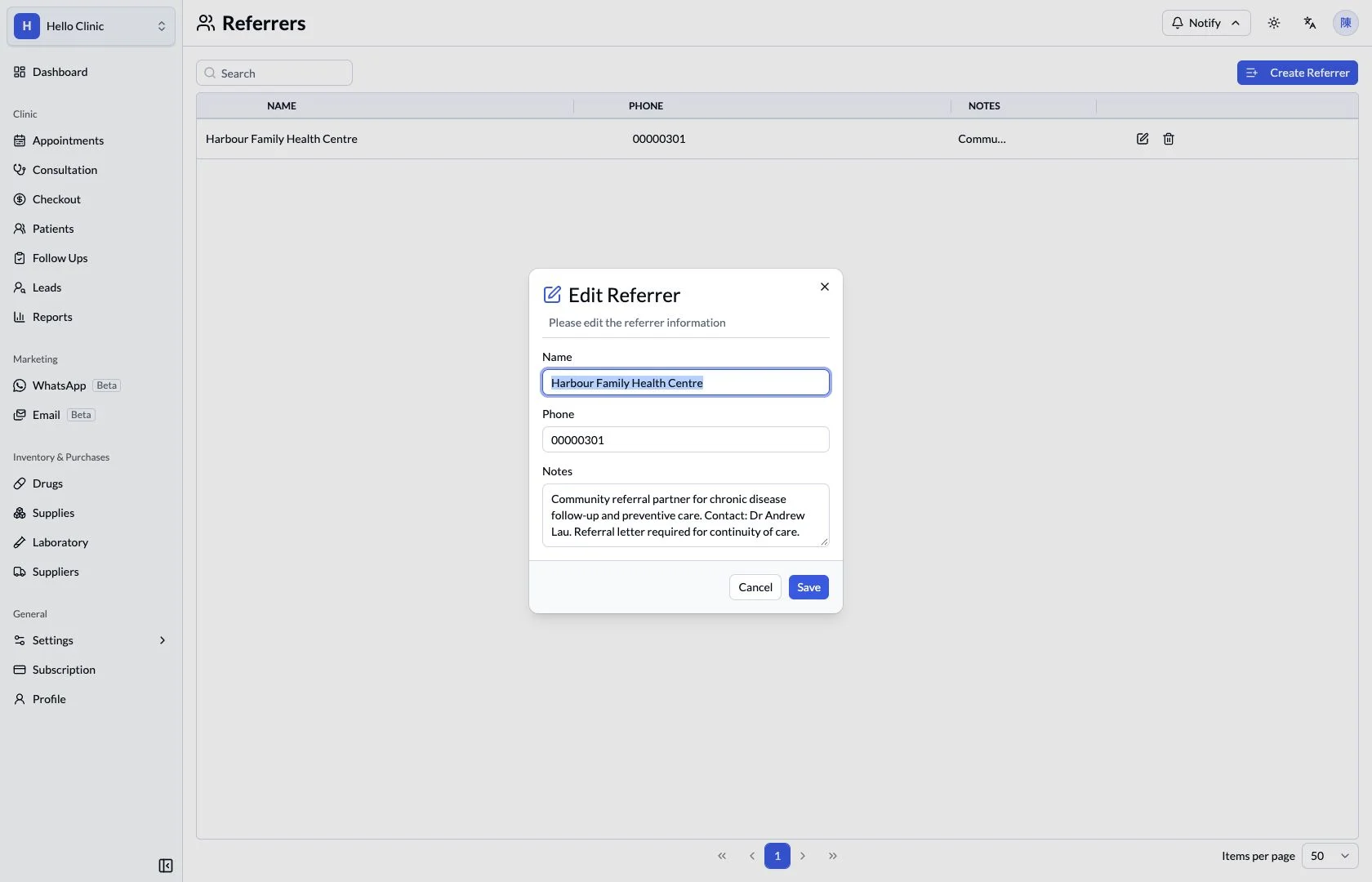
Confirm the source on this booking
The appointment form includes a referrer selector. Reception can confirm the source with the patient or referring organisation and record it with the booking for later reference.
- Choose the source that applies to this referral.
- Check it with the patient, doctor and appointment details.
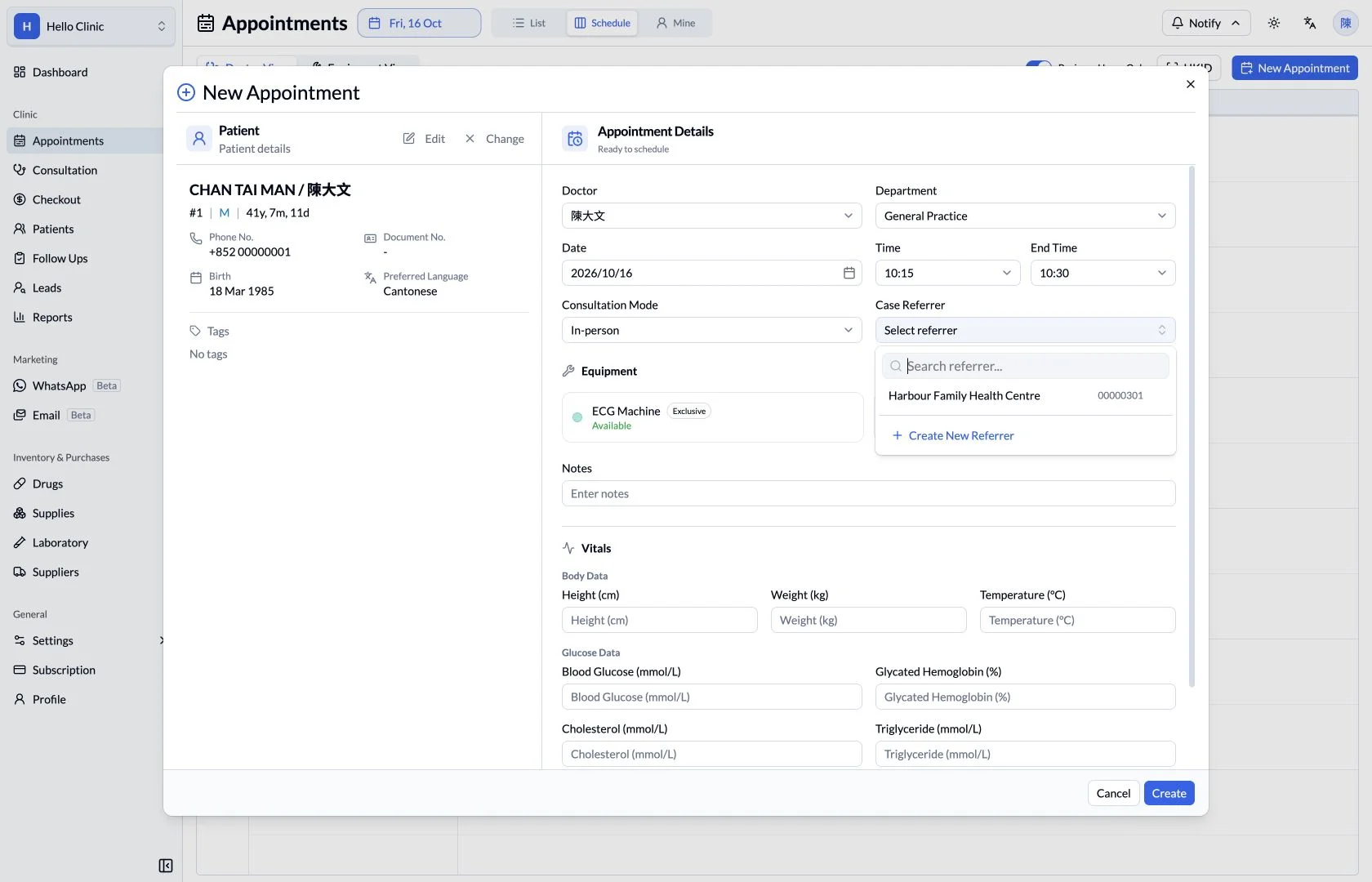
Review bills for a selected source
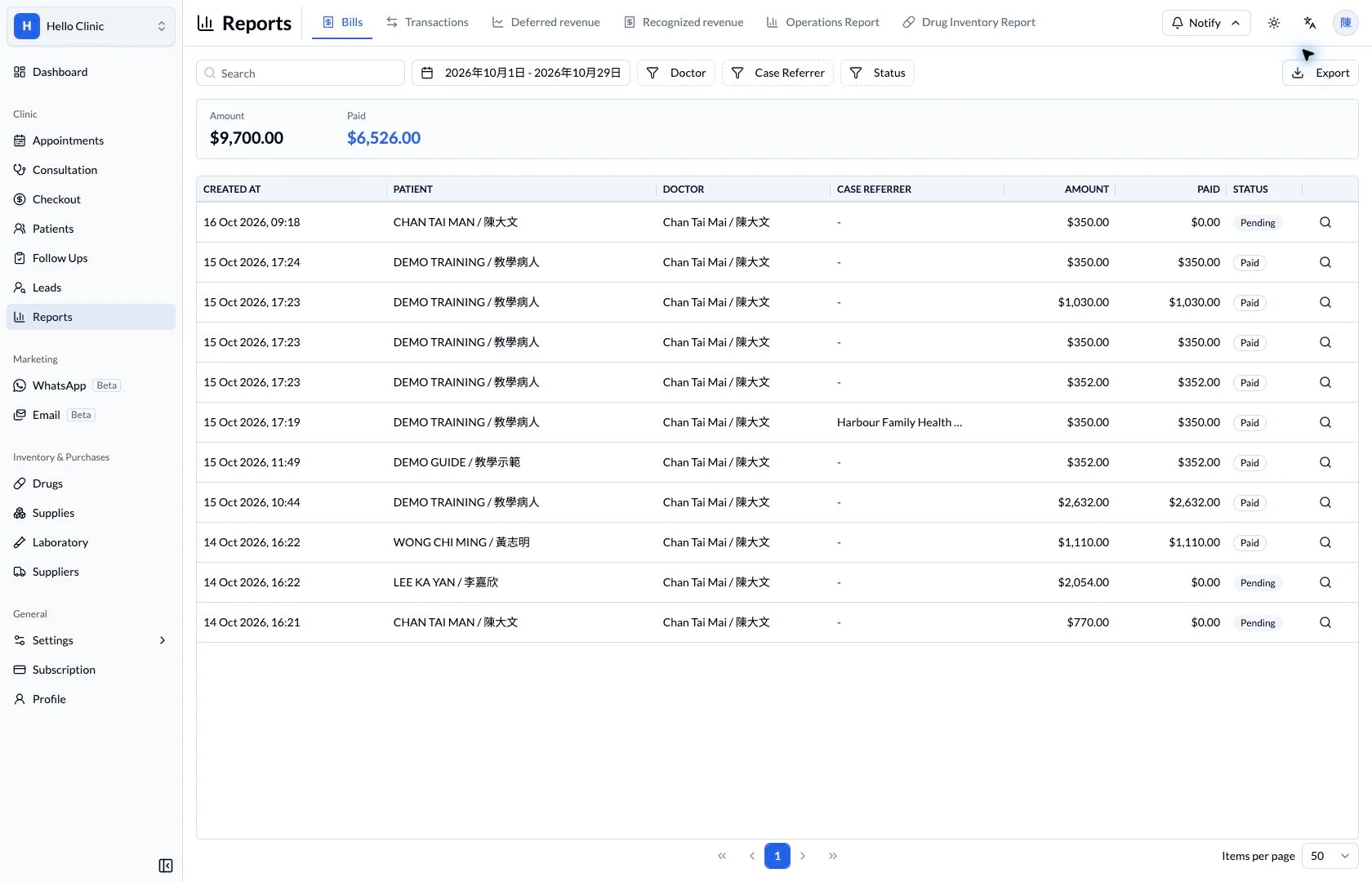
The bill report can be filtered by referrer to show matching records. Managers can review the related bills and amounts for the same period and open individual details when figures need explanation.
- Confirm the period and selected referrer.
- Read amounts together with bill status.
Keep source and clinical context distinct.
The referrer directory records where a relationship comes from. The consultation record separately documents clinical findings and care decisions.
How it fits the clinic day
Find the referrer entry.
Review the source attached to the visit.
Use report filters to review related activity.
What this helps you do
- Directory
- Keep referrer names and contact information together.
- Relationship notes
- Retain the context staff need for a referral relationship.
- Report context
- Review case-referrer fields in bill reports.
Keep the next handover clear
Source information should reflect the actual referral for the visit. When reviewing reports, confirm dates and filters first, then inspect individual bills to understand the figures.