
Treatment Package Management
Keep sessions, validity and payment in context.
Define treatment packages with prices, total units and validity, then connect package use with the patient and checkout workflow.
Billing & operations
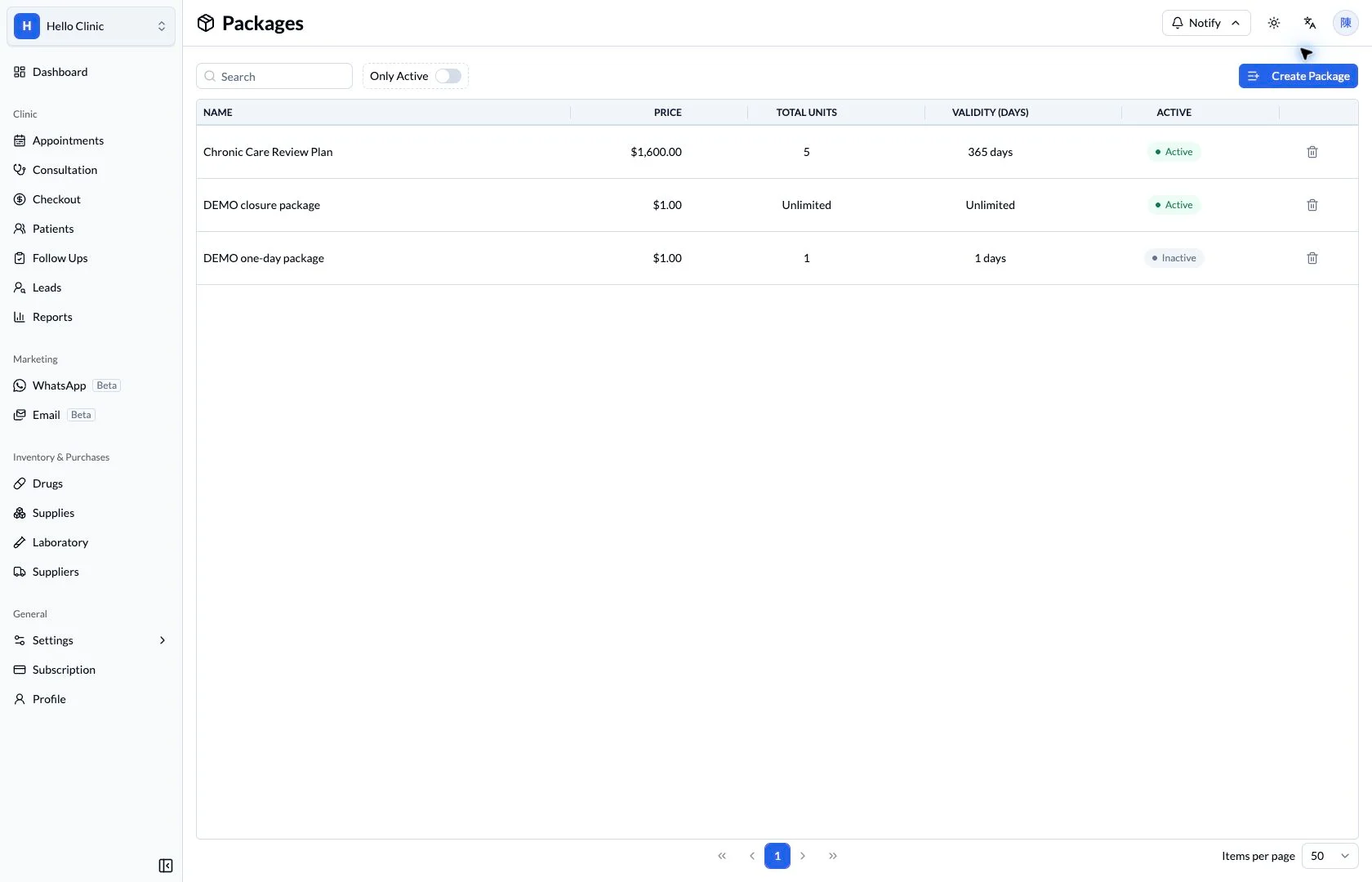
Follow a package from setup to each use
A care package involves more than a single payment. The clinic defines its contents and validity, checks each patient’s remaining uses and history, and reviews how package revenue is represented over time.
- Manager
- Define package contents, price and validity.
- Reception and operations
- Check patient usage and the related revenue records.
Define the package rules first
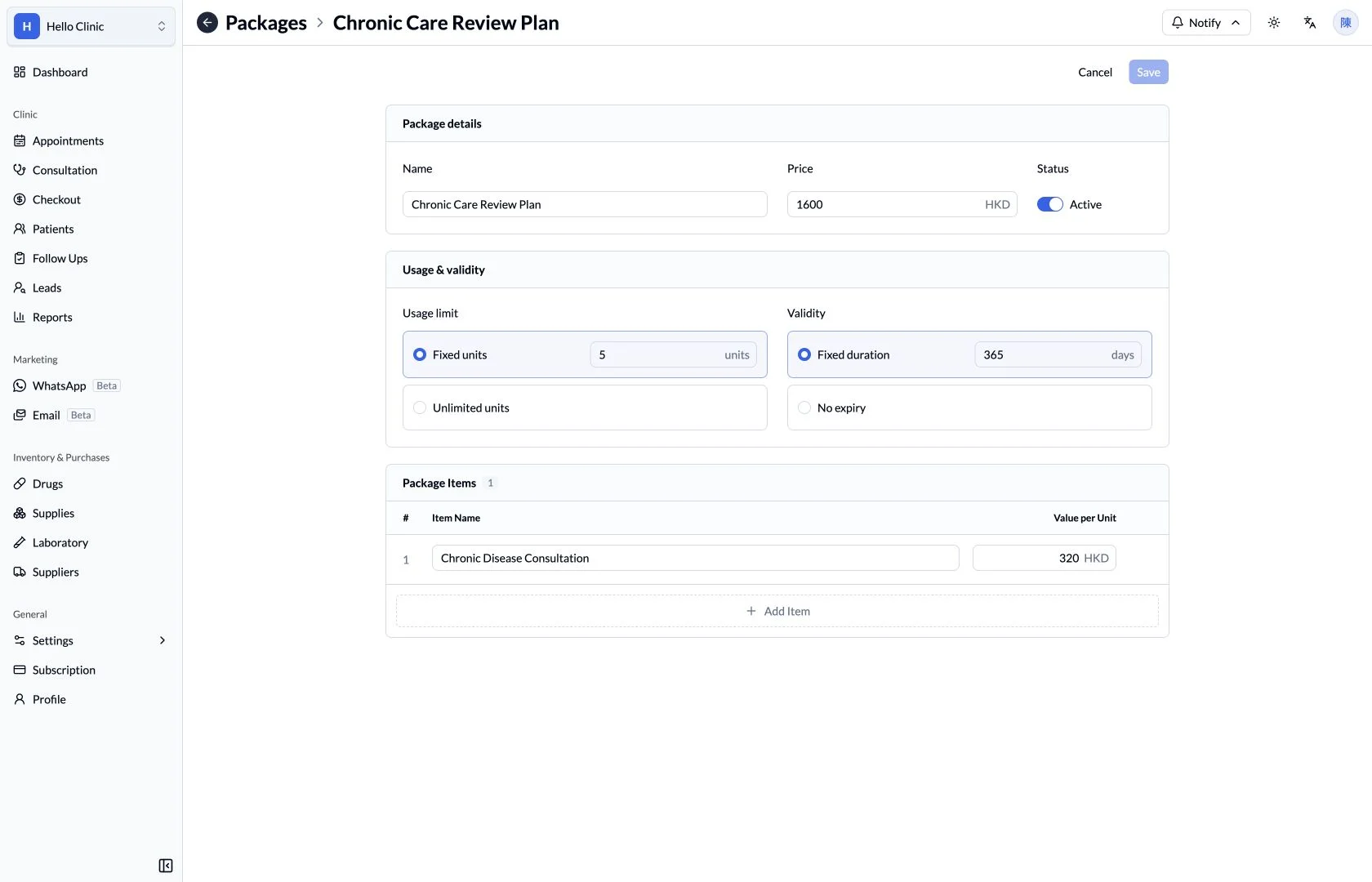
Package settings show the price, total uses, validity period and included items. Reviewing these before offering the package gives reception a consistent basis for explaining it to patients.
- Check that contents, uses and validity are consistent.
- Review the configured value of each included item.
Check the patient’s available package
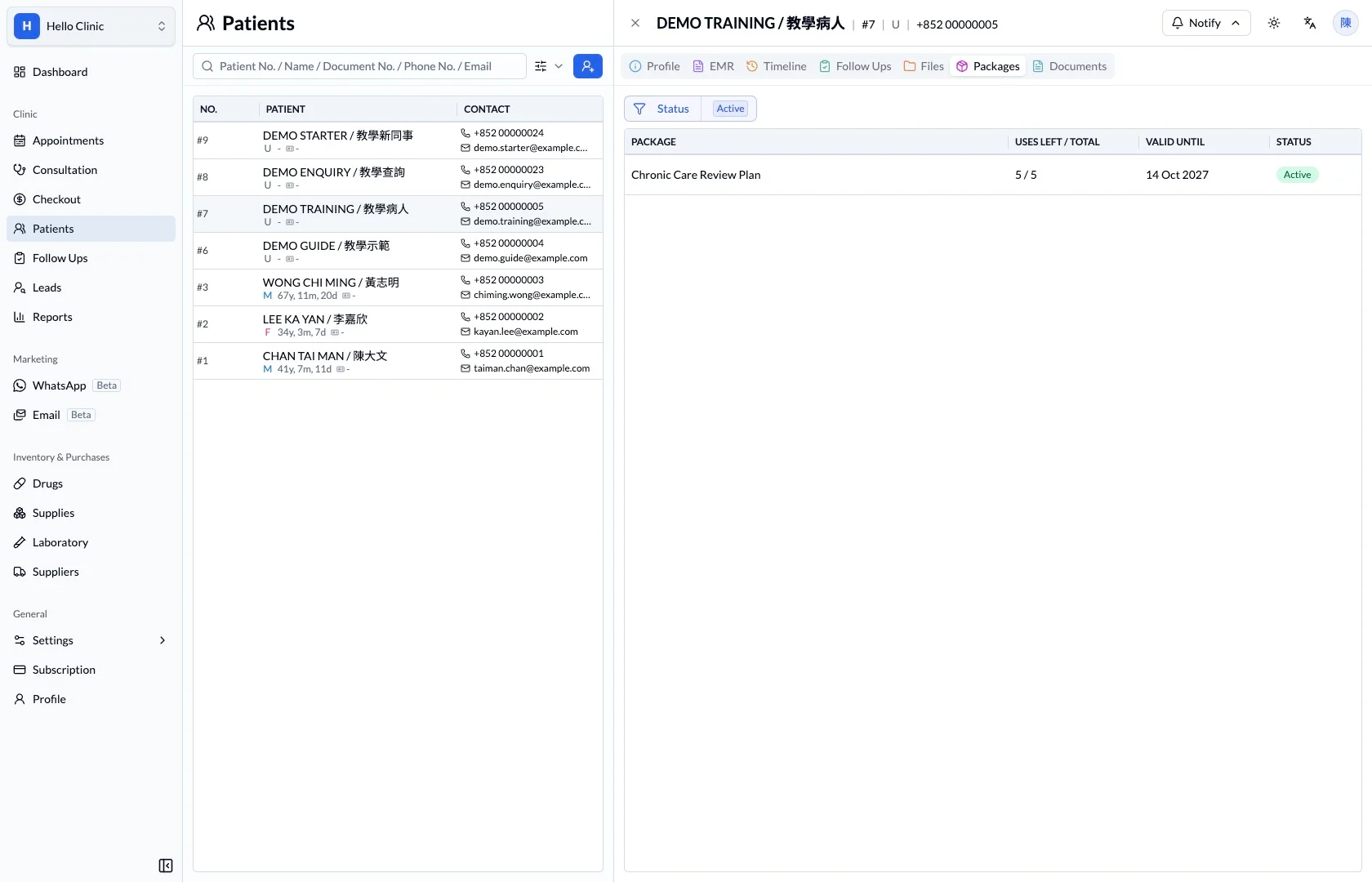
The patient’s package view shows the plan, remaining uses and expiry date. Reception can verify the applicable package with the patient before arranging the current service or return visit.
- Confirm the package belongs to the correct patient.
- Check remaining uses and expiry before applying it.
Trace purchases and usage when questions arise
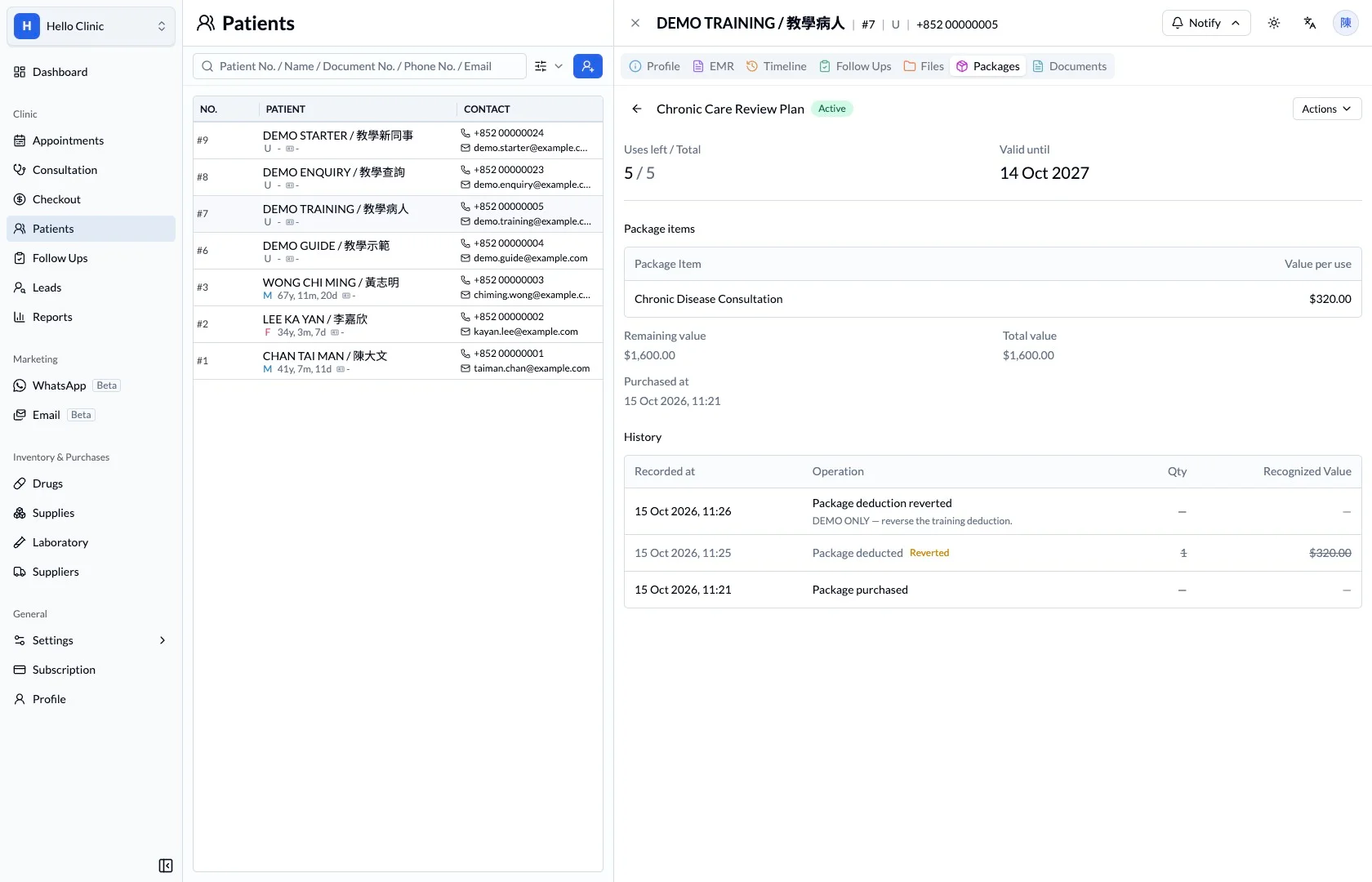
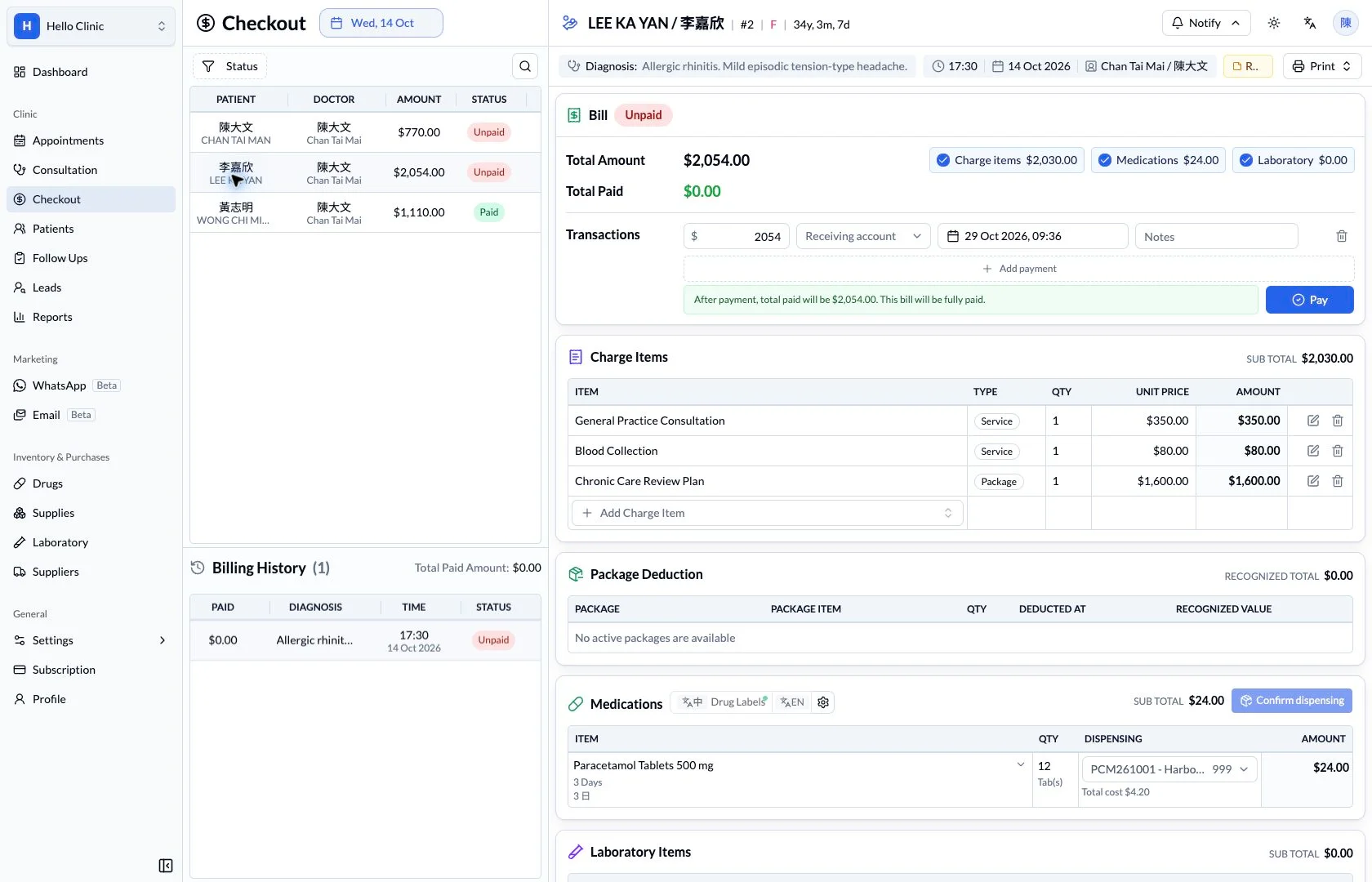
Package history includes purchase, deduction and reversal events. When a patient asks about the balance, or staff need to investigate a correction, the history provides the sequence behind the count.
- Distinguish deductions from reversed entries.
- Check usage against the relevant dates and visits.
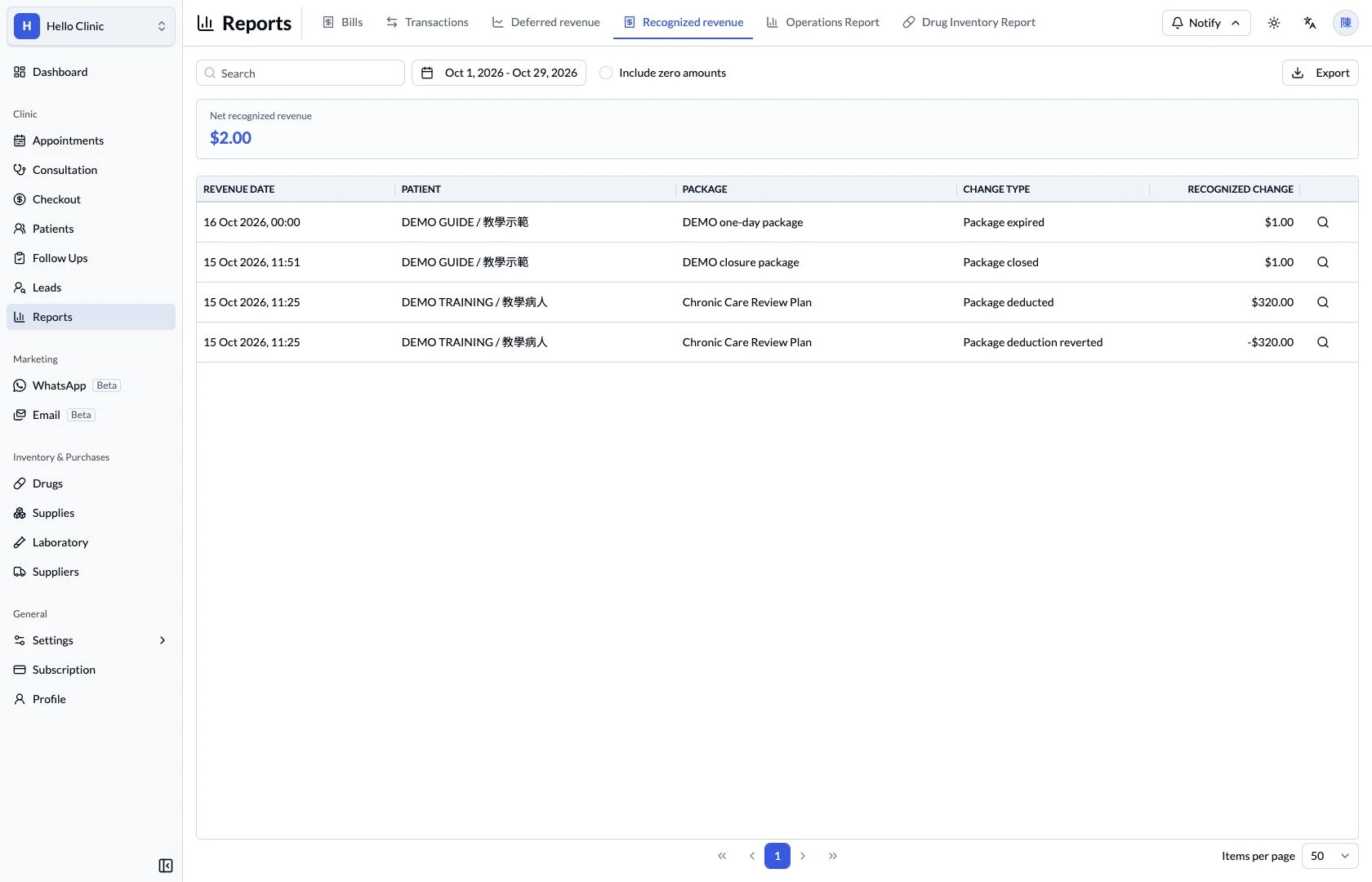
Review revenue associated with package use
The recognised package revenue report provides an operational view of usage-related revenue. Managers can review it alongside patient usage history and transactions to understand the different timing of collection and service delivery.
- Use the same reporting period when comparing figures.
- Trace questions back to package and bill records.
What this helps you do
- Package definition
- Review the package name, price and available units.
- Validity
- Keep the validity period visible alongside the package.
- Use and reporting
- Connect deductions with checkout and package revenue reports.
A package is more than a sale.
The package definition, patient entitlement and use records answer different questions. Review them together when explaining remaining sessions or checking a deduction.
How it fits the clinic day
Review the package definition.
Check the patient’s package status.
Review deductions and remaining entitlement.
Keep the next handover clear
Before each service, check the patient’s package validity and remaining uses, then review the history afterwards. Payments, usage counts and revenue reports serve different purposes and should be considered together during reconciliation.