
This HelloClinic Product Update introduces more complete payment alerts, drug inventory analysis, patient follow-up management, and consultation template workflows, together with improved controls for appointment and stock-in records.
1. Email Notifications in Settings
Settings now includes Email Notifications. Clinics can enable individual notification rules and configure the recipient email address for each rule.
As shown below, enter a recipient email address for each notification, turn on the rule, and select Save Changes to apply it.
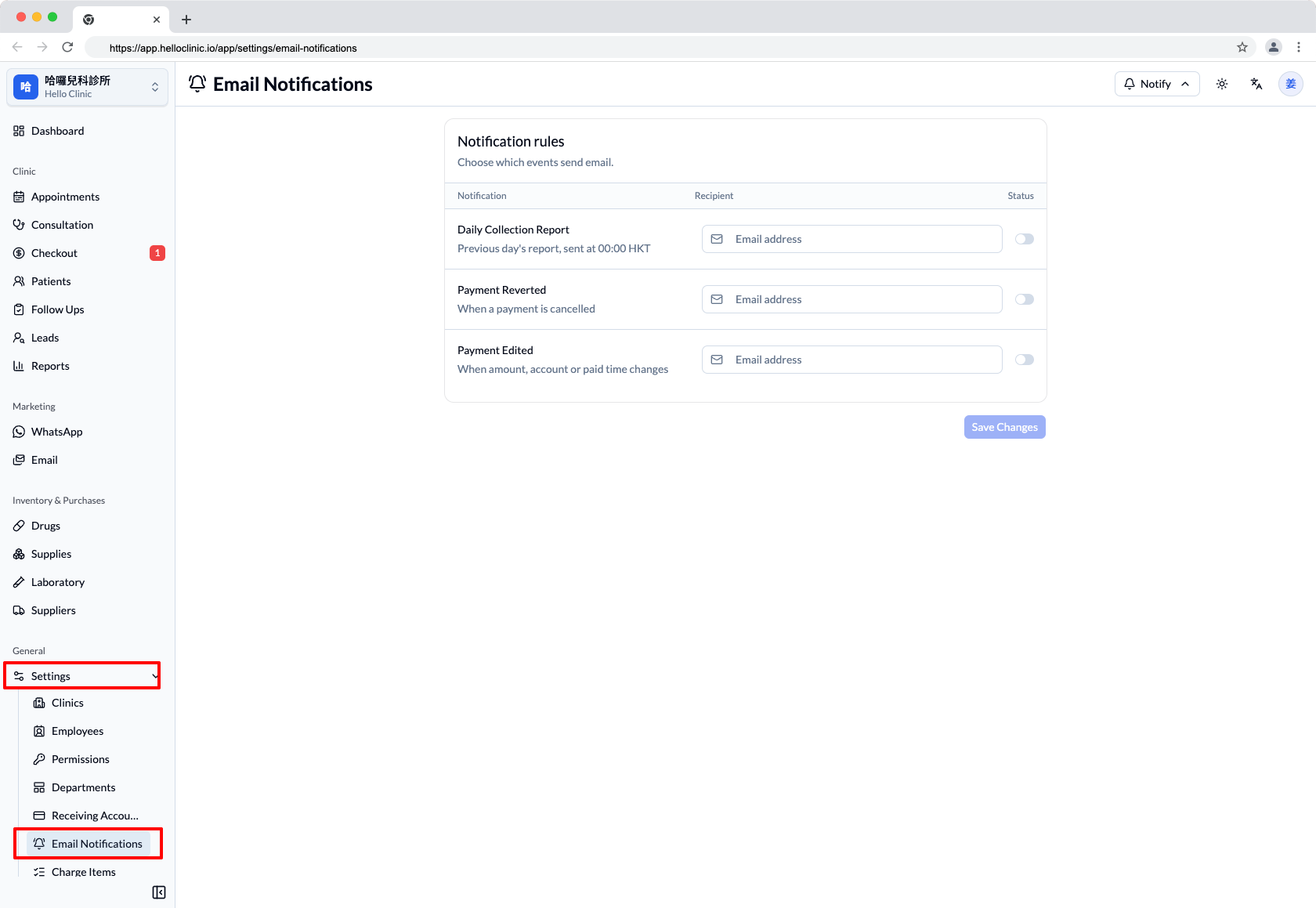
This makes it easy to route daily reports and payment changes to the appropriate clinic inbox.
- Daily Collection Report: The previous day's collection report is sent at 00:00 HKT with CSV attachments.
- Payment Edited: Sent when the payment amount, receiving account, or paid time changes.
- Payment Reverted: Sent when a payment is reverted.
2. New Drug Inventory Report under Reports
Reports now includes a monthly Drug Inventory Report covering stock-in cost, stock-out cost, loss cost, and opening and closing inventory value.
The report also provides daily inventory trends, a stock-out type breakdown, and the Top 20 drugs by stock-out records with calculable cost, helping clinics monitor inventory movement, stock-out frequency, and cost.
As shown below, open Reports, select Drug Inventory Report, and choose the year and month to review a complete analysis for the selected period.
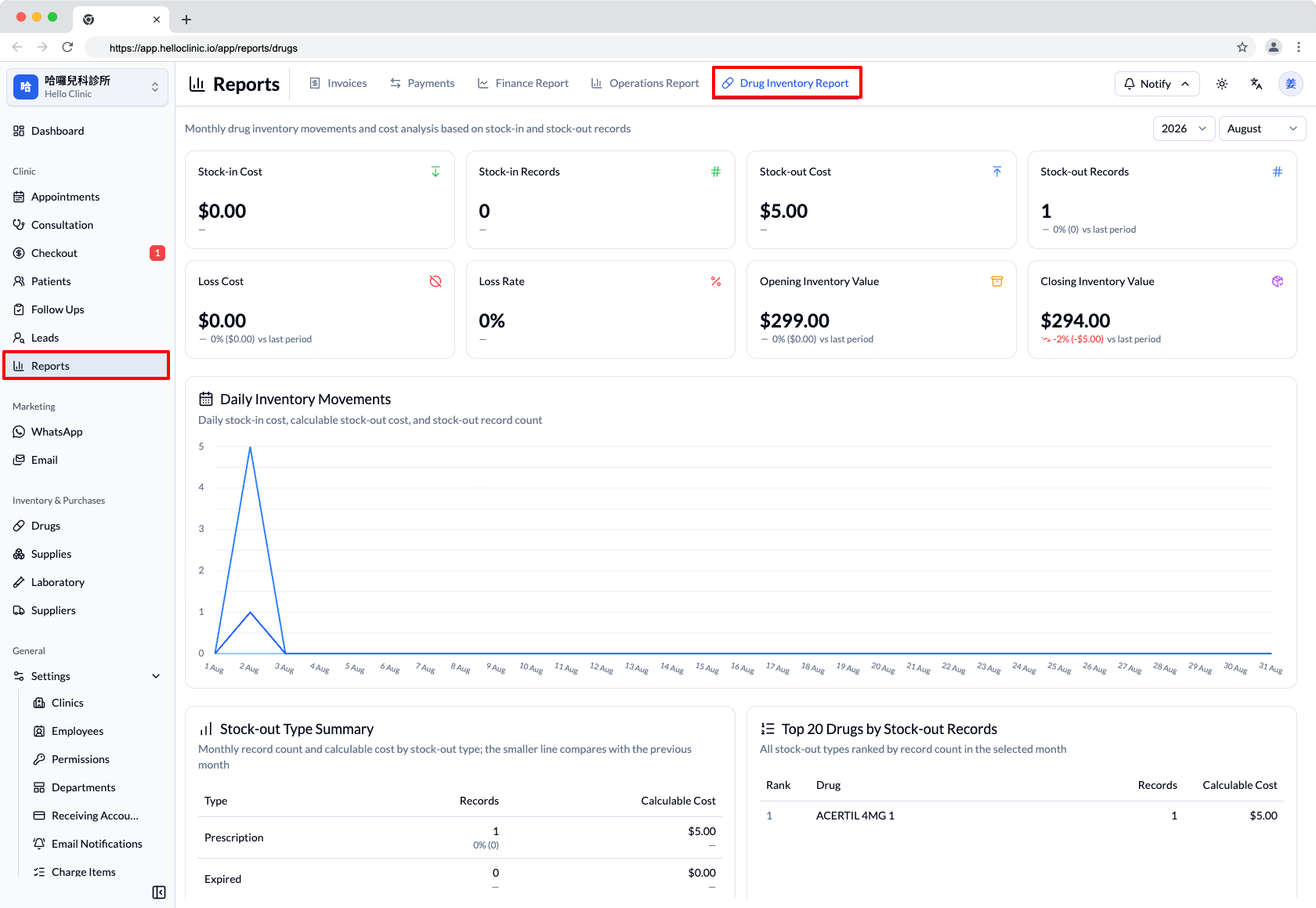
The summary cards compare the selected period with the previous one, while daily movements, stock-out types, and the drugs with the most stock-out records appear together on one page, making it easier to spot changes in cost, loss, and inventory value.
3. New Follow Up Workspace
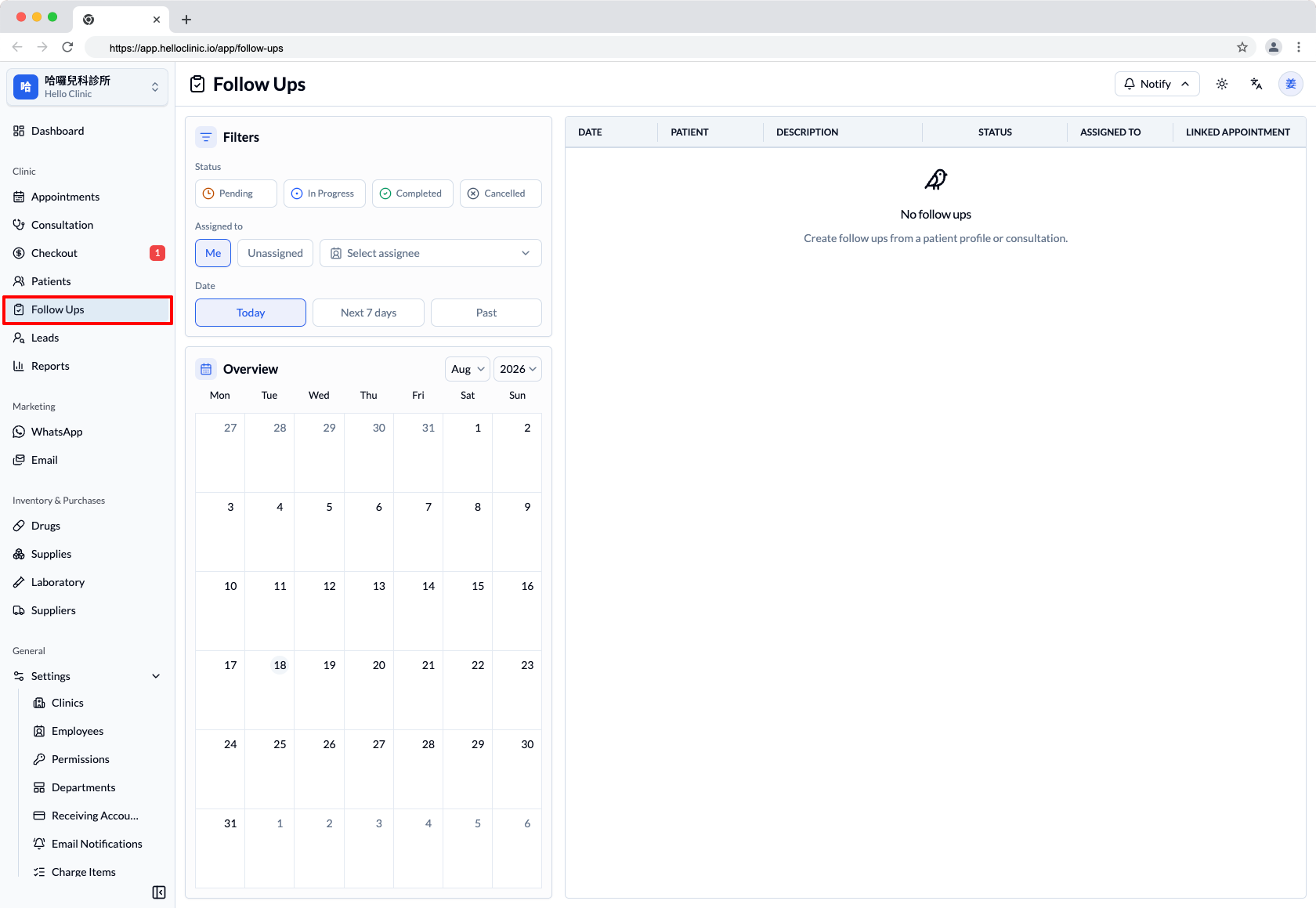
The new Follow Up workspace centralizes patient follow-up management. It supports a calendar, status/assignee/date filters, list view, a detail drawer, status updates, notes, a timeline, and appointment linking.
Open Follow Ups from the left navigation to filter tasks by status, assignee, and date. The calendar and list update together, helping teams plan the follow-up work that needs attention each day.
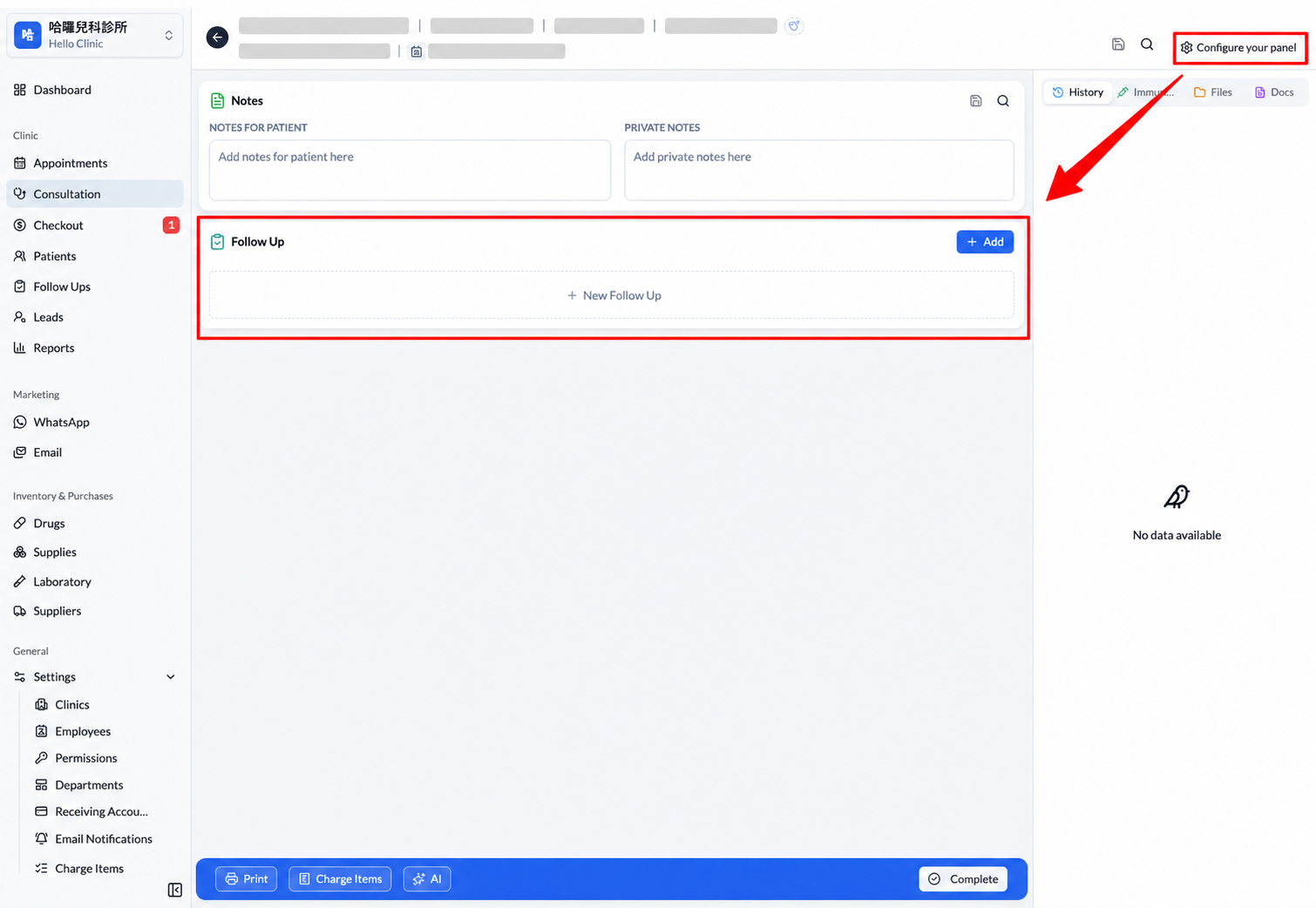
To use Follow Up in Consultations, doctors should select Configure your panel in the upper-right corner of Consultations and add Follow Up.
Once configured, a Follow Up panel appears in the consultation, allowing doctors to create new follow-up work directly and keep it connected to the consultation record.
4. Medication Templates Replace Drug Packages
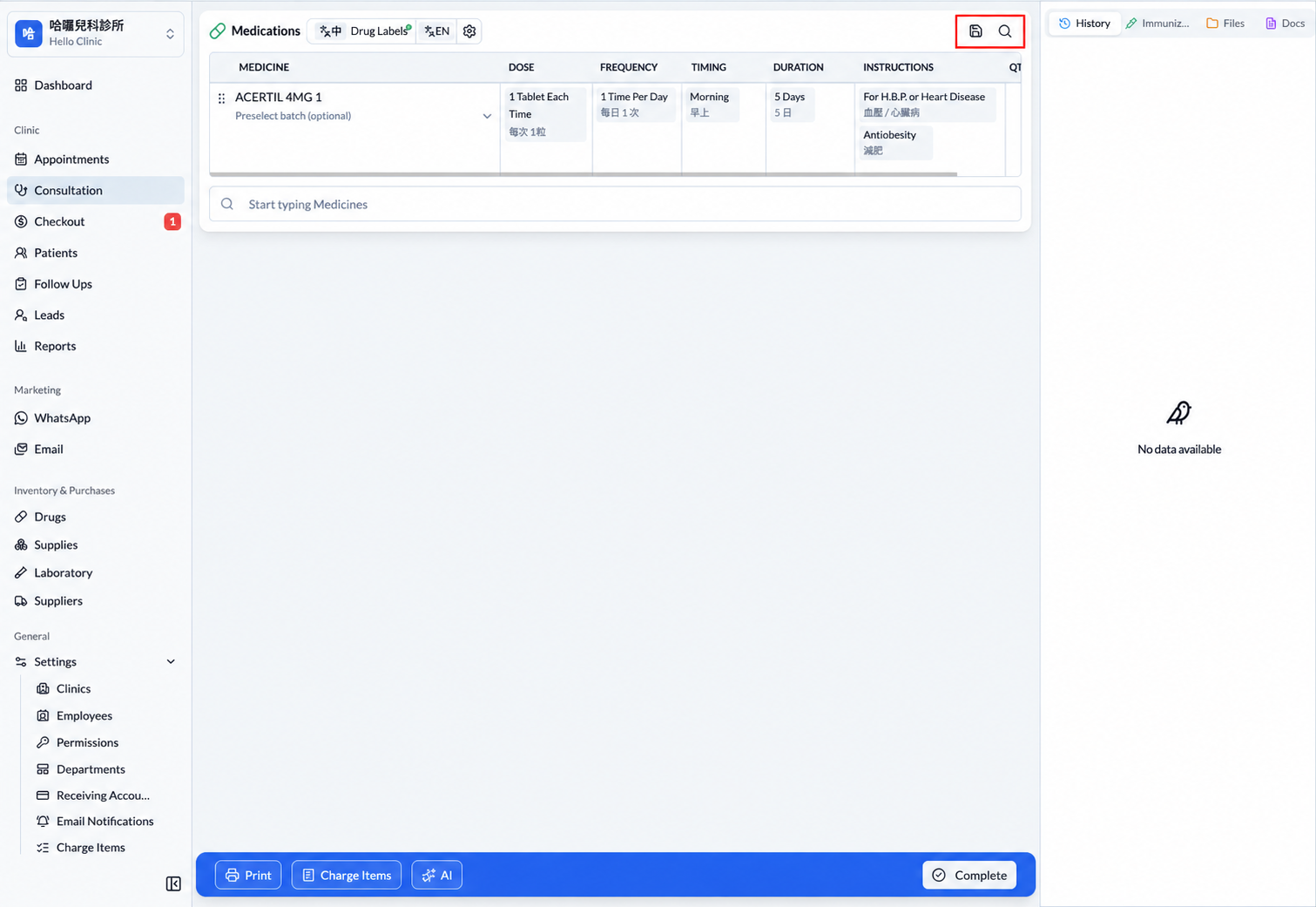
Drug > Drug Packages has been removed and replaced by Consultations > Medication Templates. Each user's Medication Templates are stored separately and are not shared with other users.
Medication Templates are now part of the Medications workflow in Consultations. Doctors can reuse their own frequently used medication sets while documenting a consultation, reducing repeated prescription entry.
Bug Fixes
- 8/3|Stock-in quantity validation: Stock-in quantities must now be positive integers. The minimum is 1 when creating or editing a record, while the existing rule preventing quantities below the consumed quantity remains in place.
- 8/11|Appointment editing permissions: Only appointments in UNSIGNED or SIGNED status can be edited. Edit and scheduling actions are no longer shown for VISITING, VISITED, or CANCEL appointments.
- 8/11|Follow Up appointment checks: Strengthened Follow Up appointment status checks and expanded the related UI and test coverage.
Coming Soon: Network Printing
We are currently developing network printing, allowing users to print without requiring a local-area network connection to the printer. More details will be shared when the feature is ready.
These are the main highlights of the 2026-08-18 update. This release also includes additional interface, stability, and workflow improvements. Thank you for your continued support and feedback.
For questions about these features or to share a suggestion, contact us on WhatsApp at (852) 3500 7677.
The HelloClinic Team / KAKI TECH LIMITED