
Consultation History
Pick up where the last visit left off.
Browse previous consultations by date and clinician, then review the recorded findings, diagnosis, plan and follow-up context.
Patient records & documents
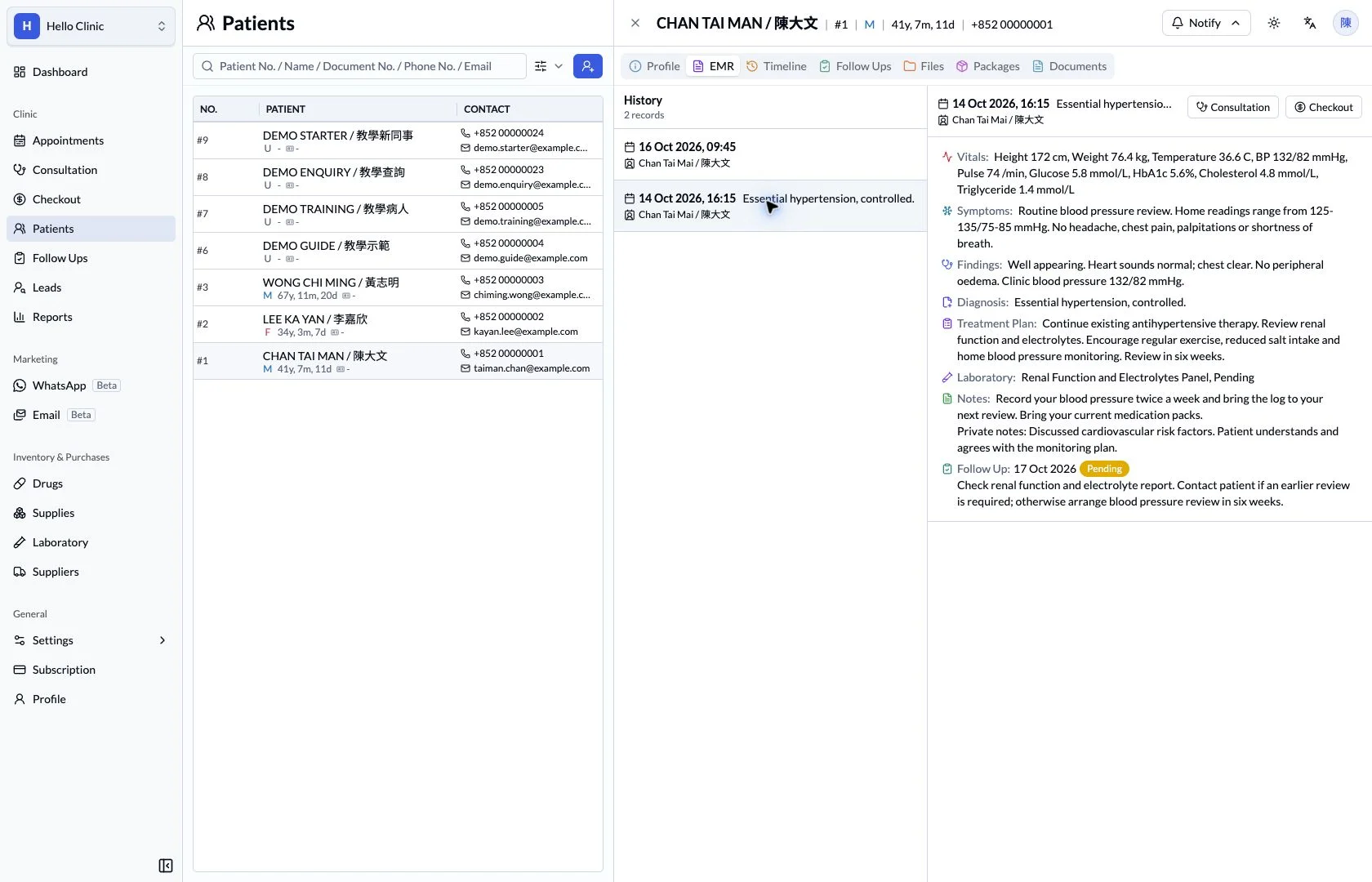
Pick up where the previous consultation ended
At a return visit, the doctor needs to know what was recorded, what was planned and what still needs checking. Dated consultations provide the starting point, with current background and follow-up tasks supporting continuity.
- Doctor
- Review the previous visit and check what has changed.
- Assistant
- Prepare the reports and follow-up context needed for review.
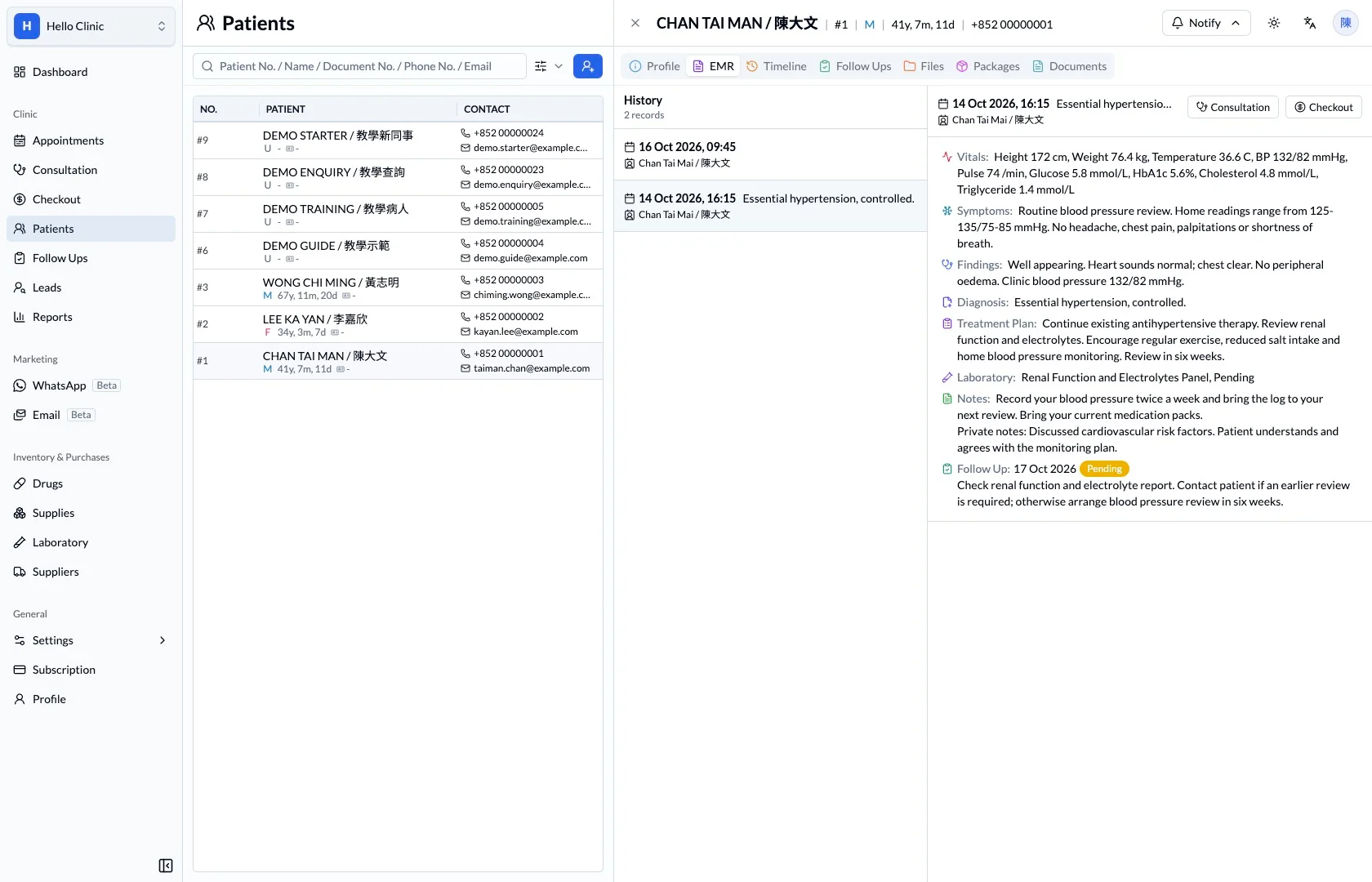
Select the relevant previous consultation
The dated record list lets the doctor open a specific consultation. Reading the earlier management and plan helps focus the return visit on unresolved questions rather than asking the patient to reconstruct the entire sequence.
- Identify the record by its visit date.
- Review symptoms, management and the return-visit plan.
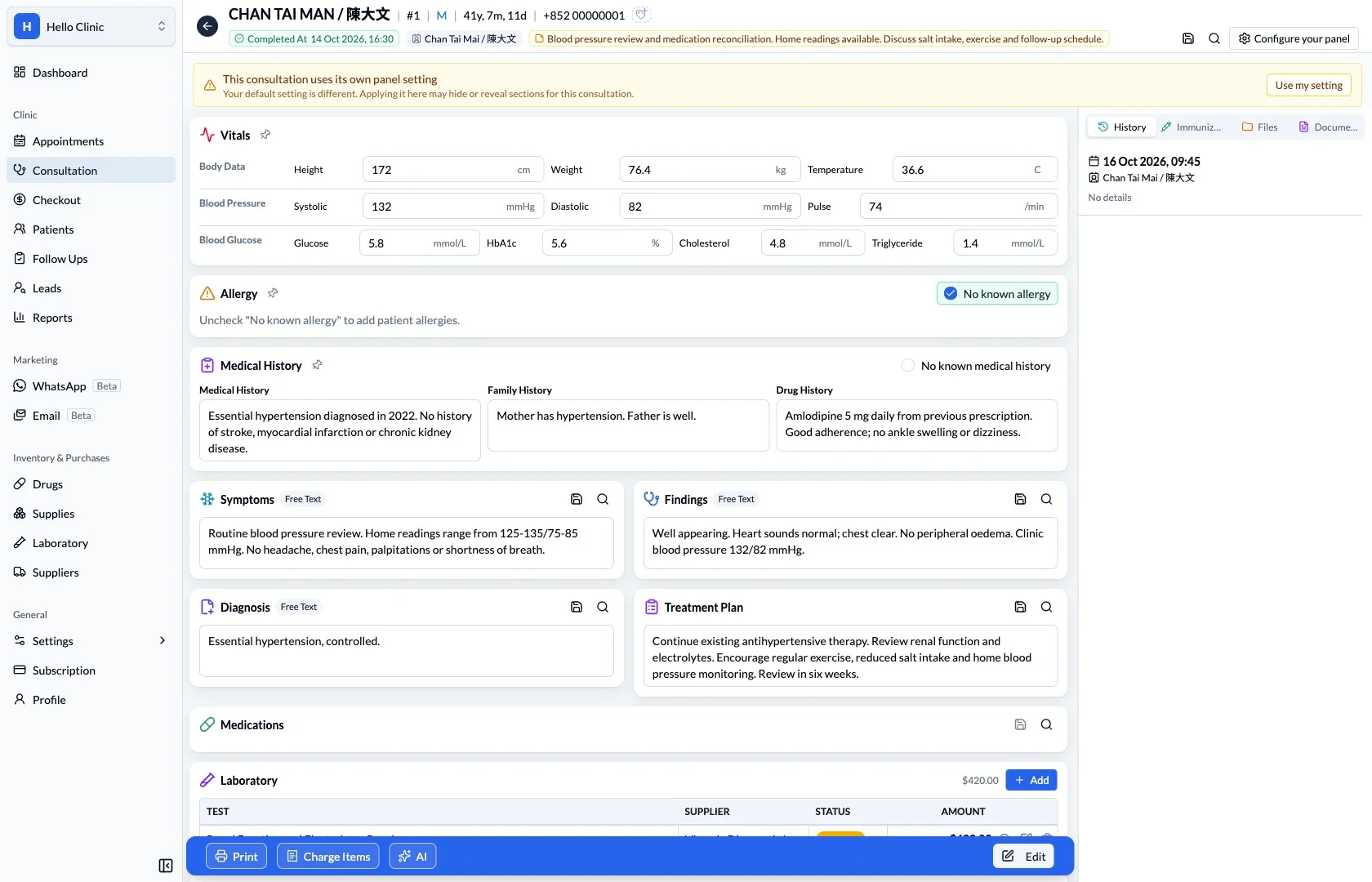
Compare the record with current context
Within the consultation workspace, history and observations remain available for reference. The doctor compares the earlier record with the patient’s current account, distinguishing ongoing issues from changes and information that needs updating.
- Check for changes in medication and history.
- Reconfirm information relevant to the current visit.
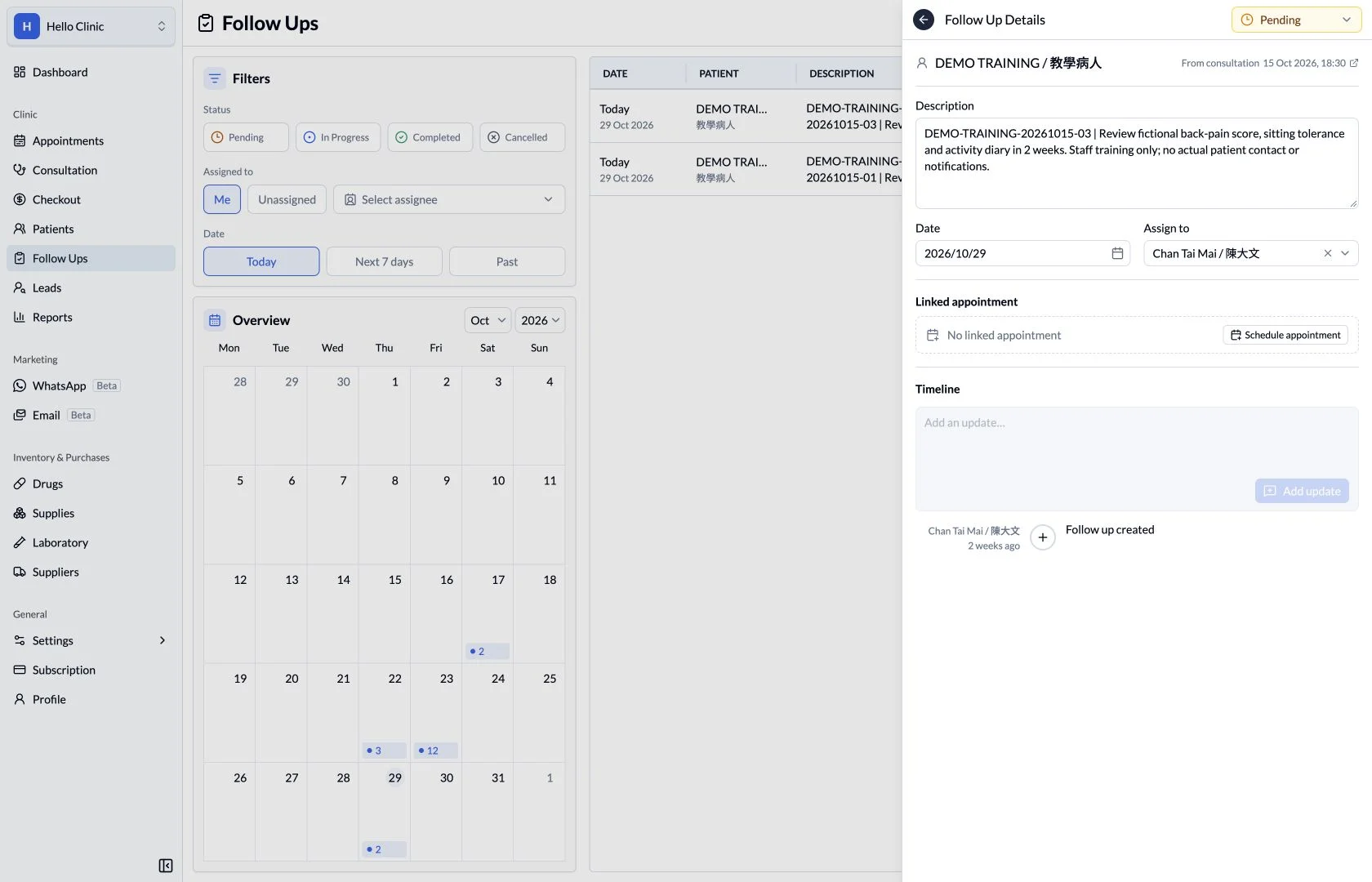
Check what was arranged after the visit
Open relevant follow-up tasks to check any contact, investigation or other work arranged after the previous visit. The doctor and assistant can establish what has been handled and what still needs attention during the current visit.
- Read the task detail as well as its status.
- Record any new follow-up work clearly.
How it fits the clinic day
Locate the relevant date.
Read the documented assessment and plan.
Use the history to prepare for the next visit.
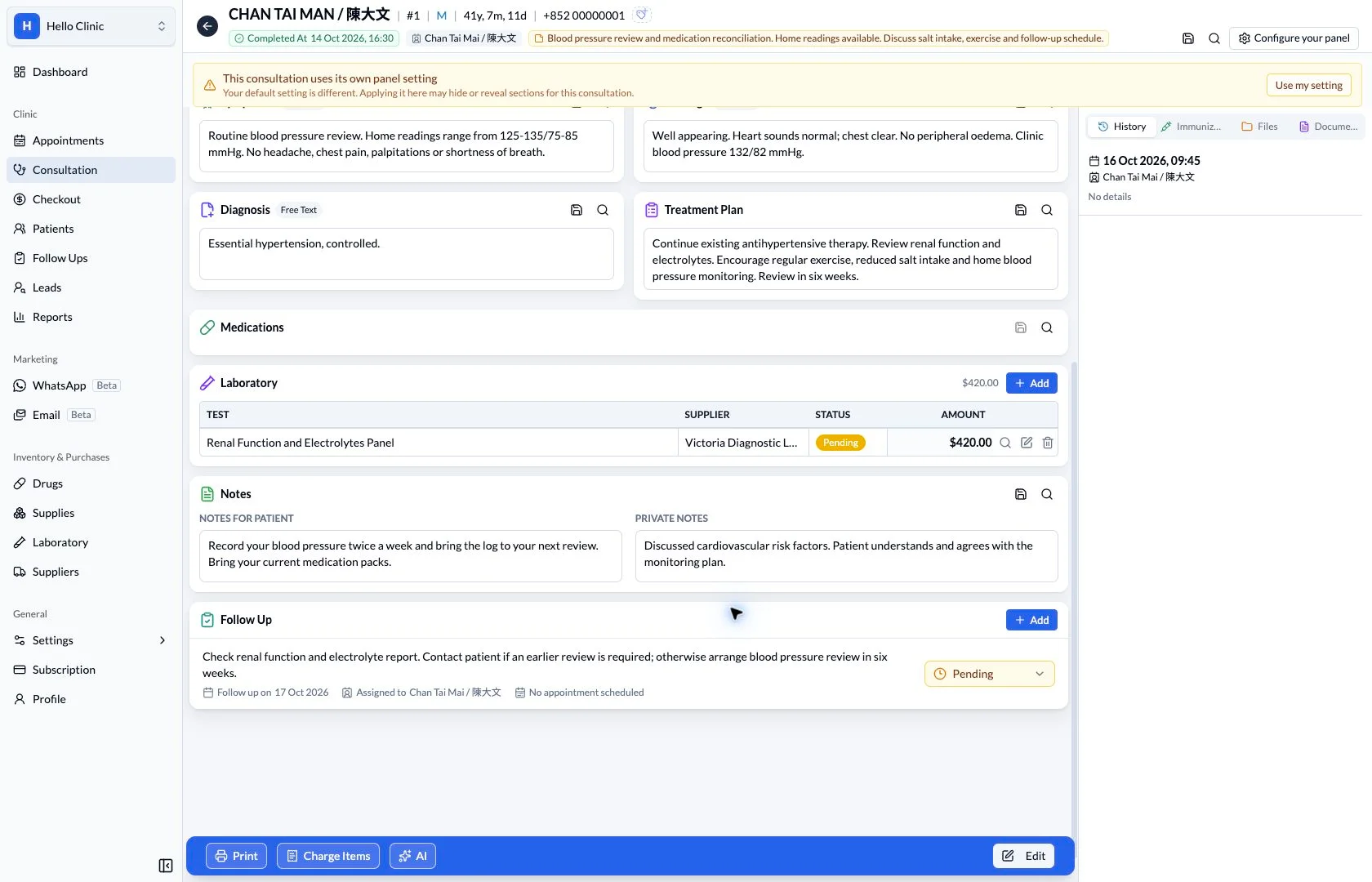
See what was documented, when.
A previous visit provides context for change over time. The history view keeps the selected visit’s date and clinician alongside its clinical content.
What this helps you do
- Chronological visits
- Find the relevant visit in the patient’s history list.
- Clinical summary
- Read the documented details for the selected consultation.
- Visit connections
- Open the related consultation or available checkout record.
Keep the next handover clear
After reviewing the history, the doctor documents the current assessment and plan as a new visit. Clear dated records help future reviews distinguish when each decision was made and in what context.