
Stock & Inventory Management
Keep stock visible before it becomes a shortage.
Search the medication catalogue and review remaining quantity, reorder level, stock movements and expiry-related work.
Billing & operations
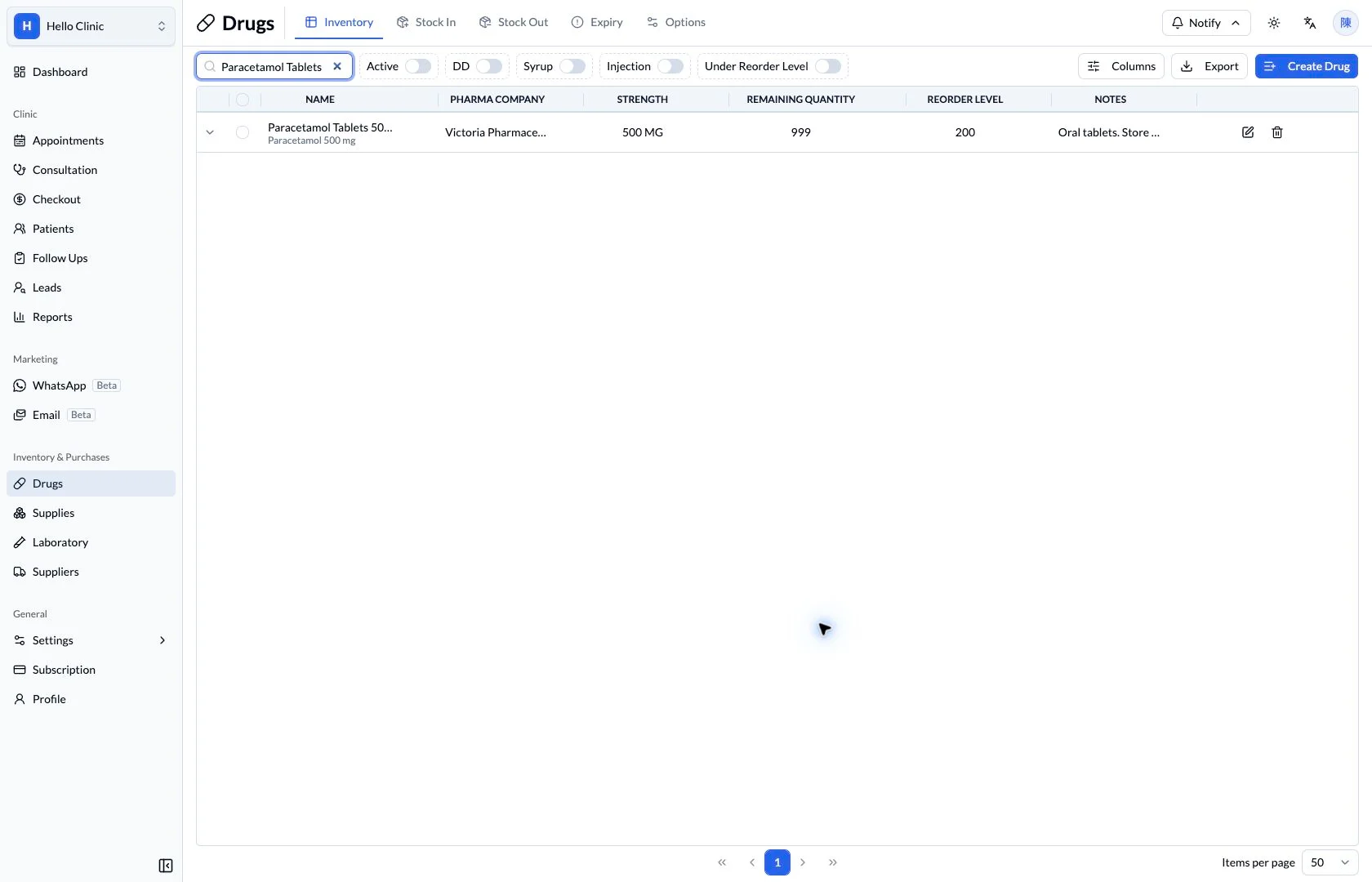
Give dispensing a traceable stock context
A clinic needs to know more than the stock balance: which batch is available, when it expires and how it has moved. Medication details, batches and movements support dispensing, replenishment and routine stock checks.
- Dispensing staff
- Check medicines, available batches and supply.
- Stock staff or manager
- Maintain replenishment information and review stock movements.
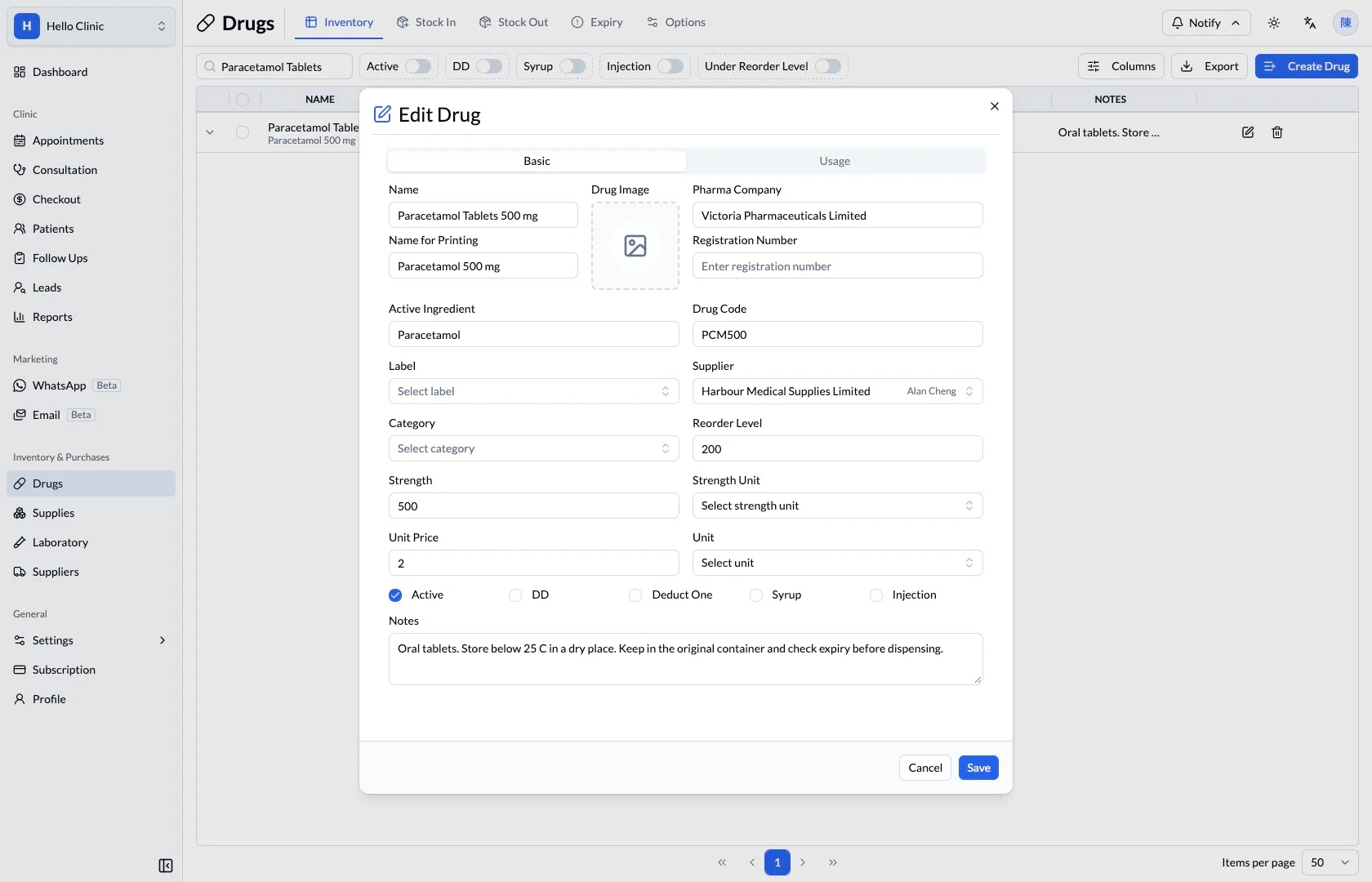
Maintain useful medicine records
The medicine record includes strength, supplier, price and reorder-level fields. Clear maintenance gives dispensing and purchasing staff a consistent reference for the same item.
- Verify strength, unit and supplier.
- Maintain a reorder reference appropriate to the clinic’s usage.
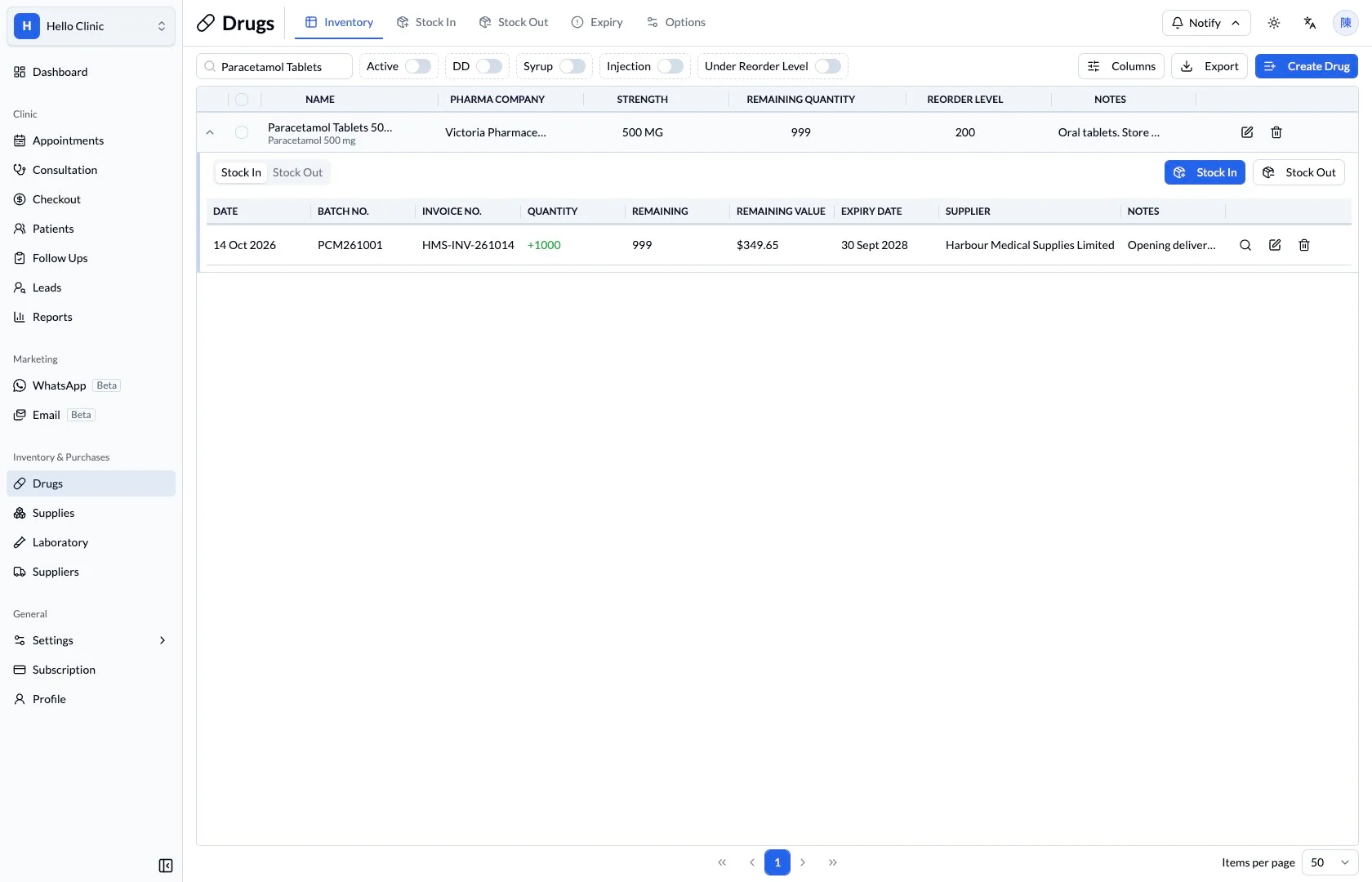
Review quantities and expiry by batch
Expanded stock-in records show batch references, received quantities, remaining stock and expiry dates. Staff can compare these details with physical packs when dispensing or carrying out a stock check.
- Match the batch reference to the physical pack.
- Review remaining quantity and expiry together.
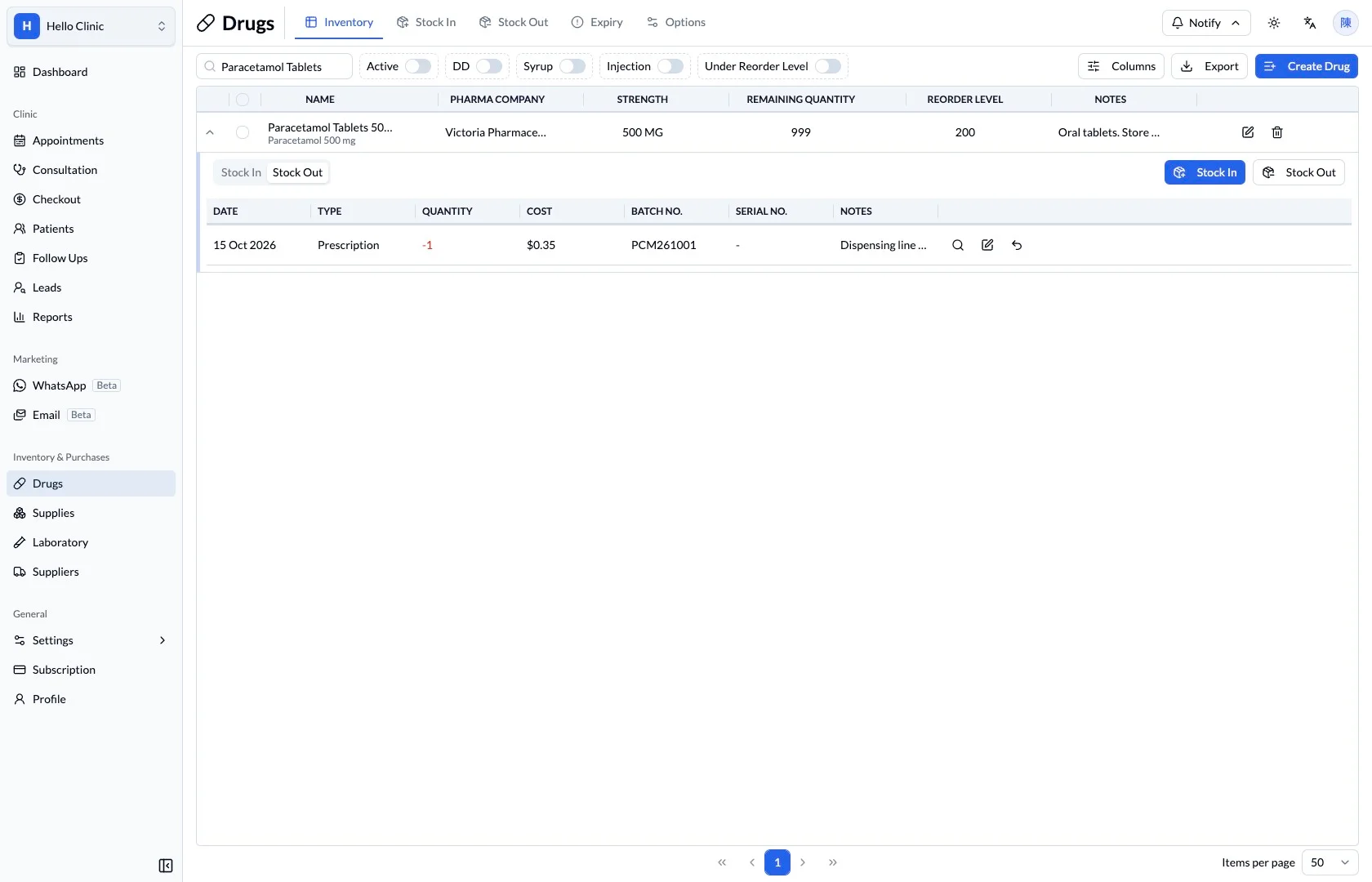
Trace stock-out records when balances need checking
Stock-out records show movements out of inventory. When a quantity needs explanation, staff can review the relevant medicine and batch and compare the entries with dispensing or other recorded activity.
- Trace the same medicine and batch.
- Check movement times and quantities.
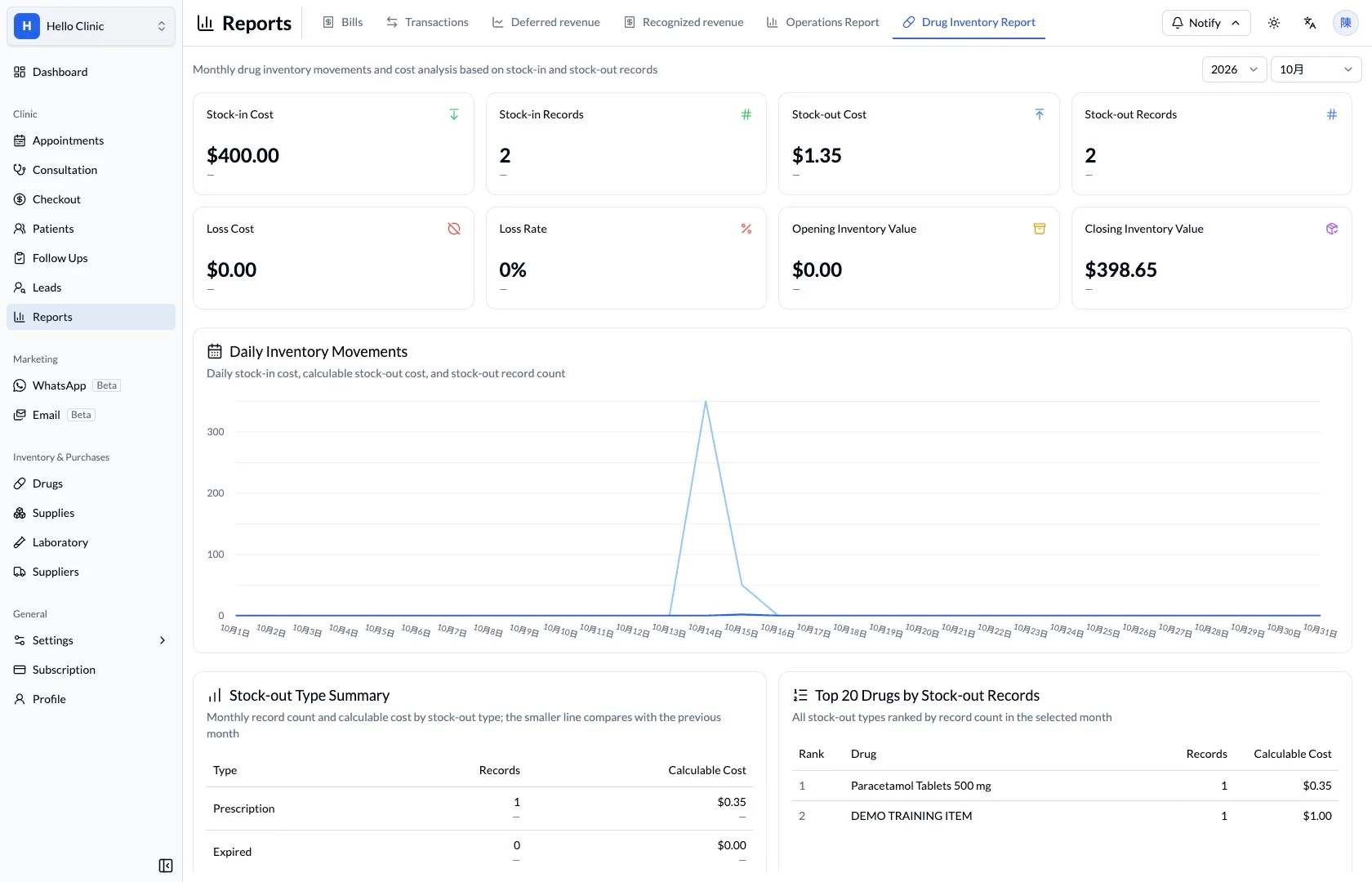
Review usage and cost at an operational level
The medicine report provides a period-based view of stock and cost for operational review. If an individual figure needs explanation, return to the medicine, batch and transaction records to check its detail.
- Confirm the reporting period first.
- Review summary figures separately from batch detail.
How it fits the clinic day
Find the medication or supply.
Review quantity, batches and expiry context.
Plan the required stock action.
What this helps you do
- Remaining quantity
- Check the recorded quantity for the selected medication.
- Reorder level
- Compare stock with the configured reorder threshold.
- Stock lifecycle
- Move between inventory, stock-in, stock-out and expiry views.
Connect stock to daily dispensing.
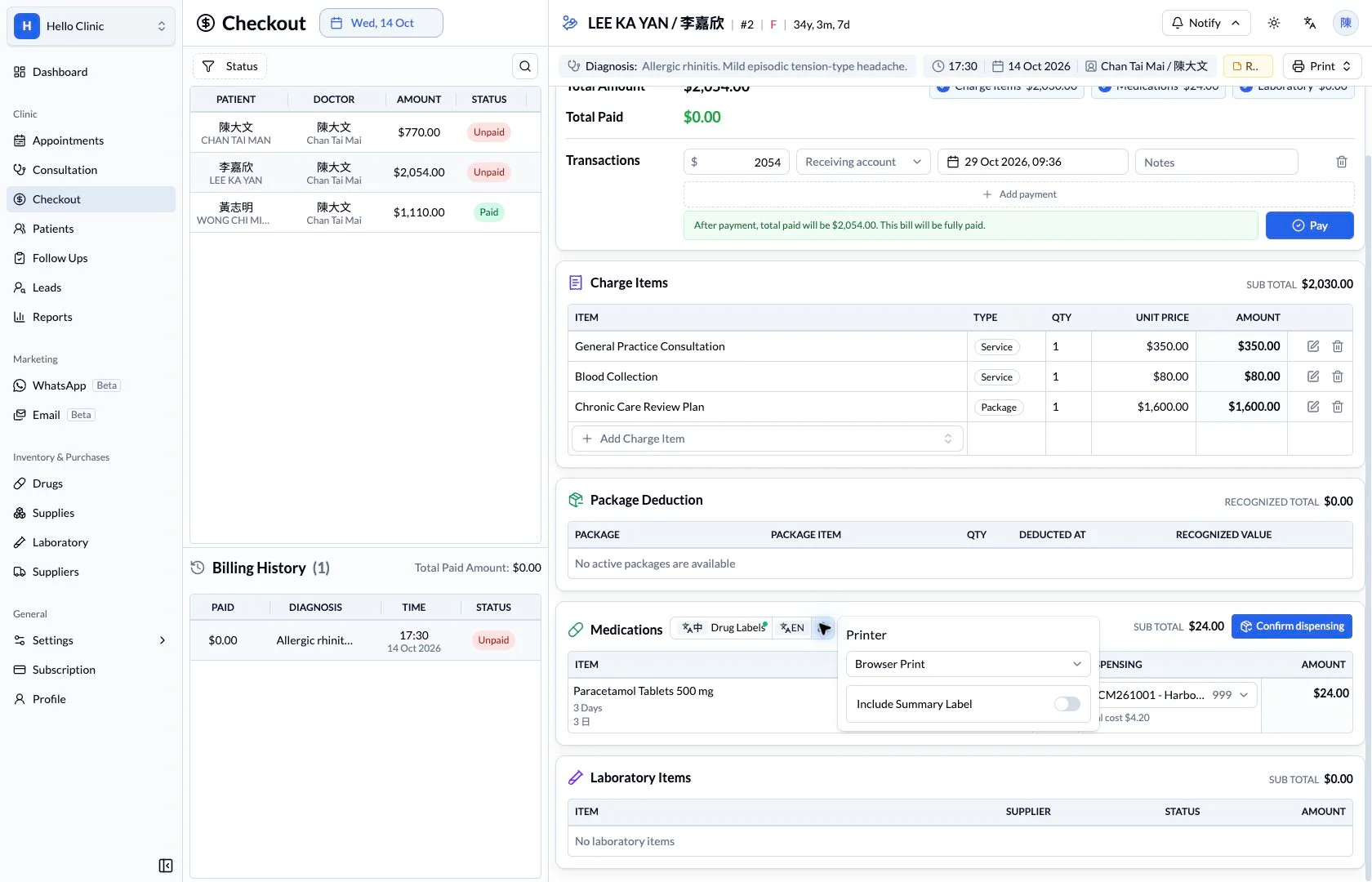
Inventory information supports replenishment planning and medication handover. Review the selected batch and its expiry before dispensing.
Keep the next handover clear
When dispensing or stocktaking reveals a difference, trace the batch and movement records and compare them with physical stock. Reports provide an overview; specific questions should be checked against the medicine and batch records.