
Reports & Analytics
Read the numbers with their detail attached.
Review bills, transactions, package revenue, operations and medication inventory through the reporting workspace.
Billing & operations
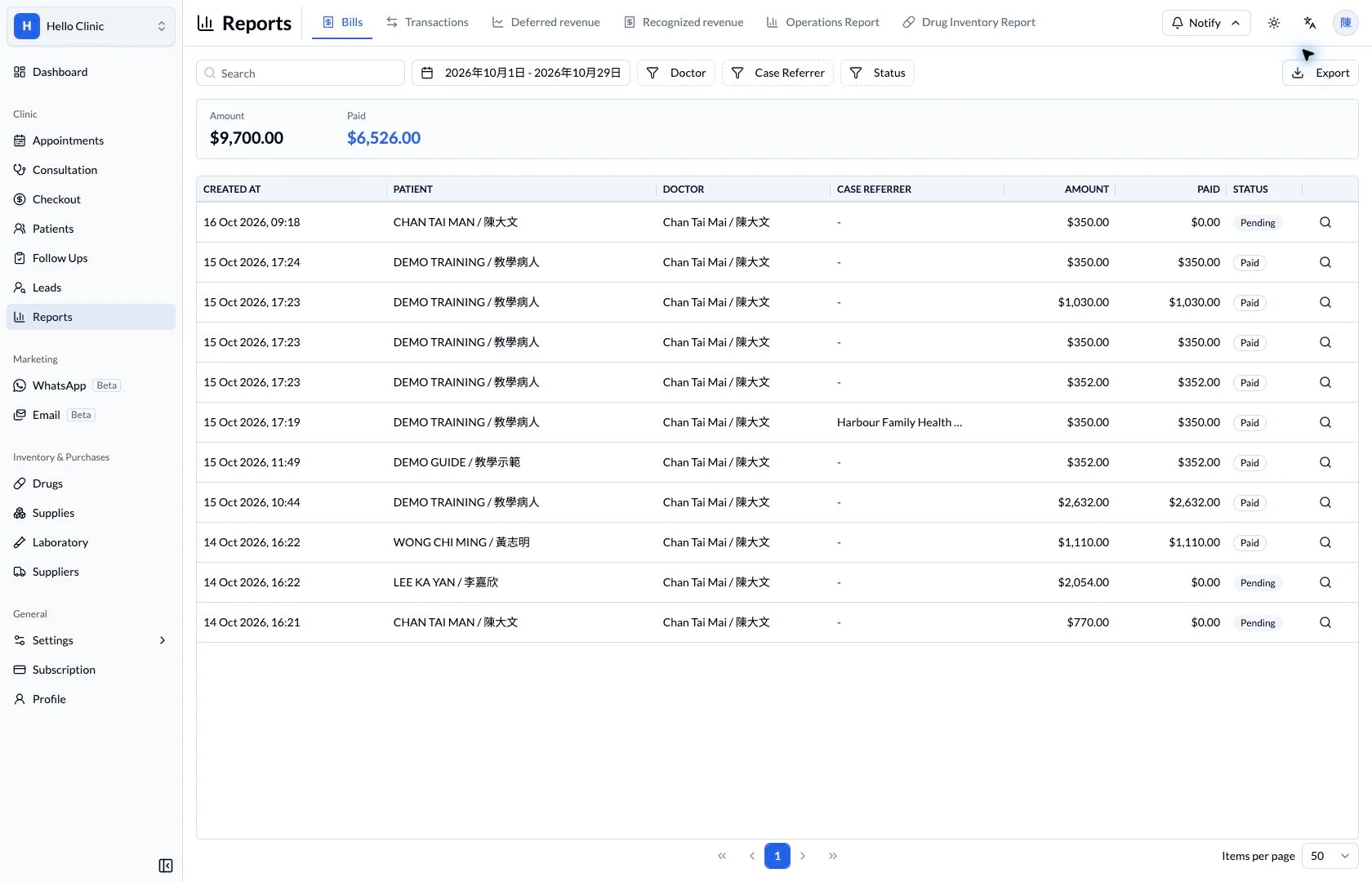
Use the right report for each reconciliation question
End-of-day work focuses on receipts, while month-end review may also involve packages and medicine costs. Each report answers a different question, so managers start with the task and then choose the relevant period and records.
- Checkout or accounts staff
- Check transaction accounts, times and amounts.
- Manager
- Review period-based package revenue and medicine costs.
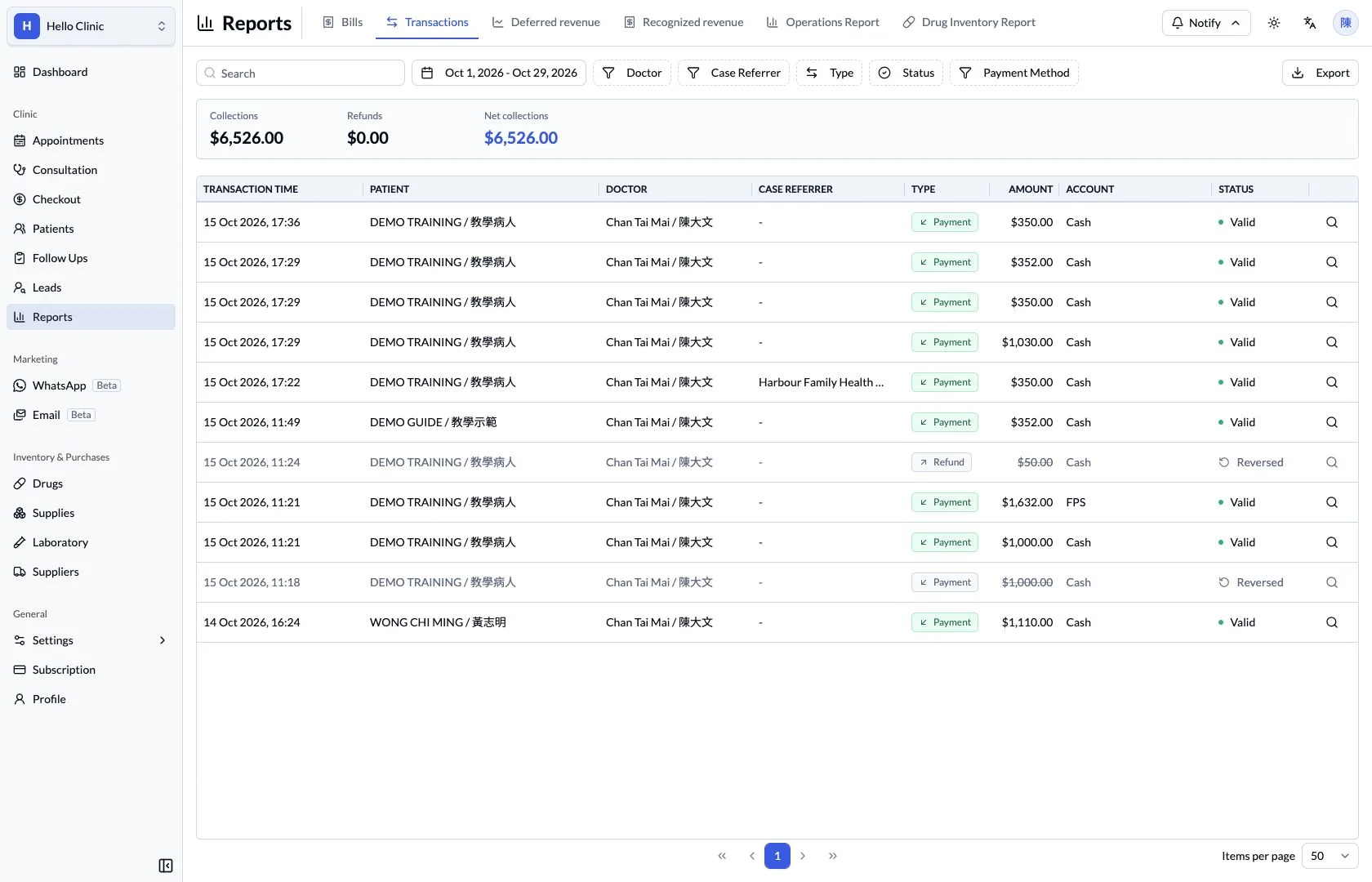
Start the day-end check with transactions
The transaction report brings payment-related records together for review by time and account. Checkout staff can compare the selected period with actual receipts and return to a bill when an entry needs explanation.
- Confirm the reporting period and receiving account.
- Review amounts alongside transaction status.
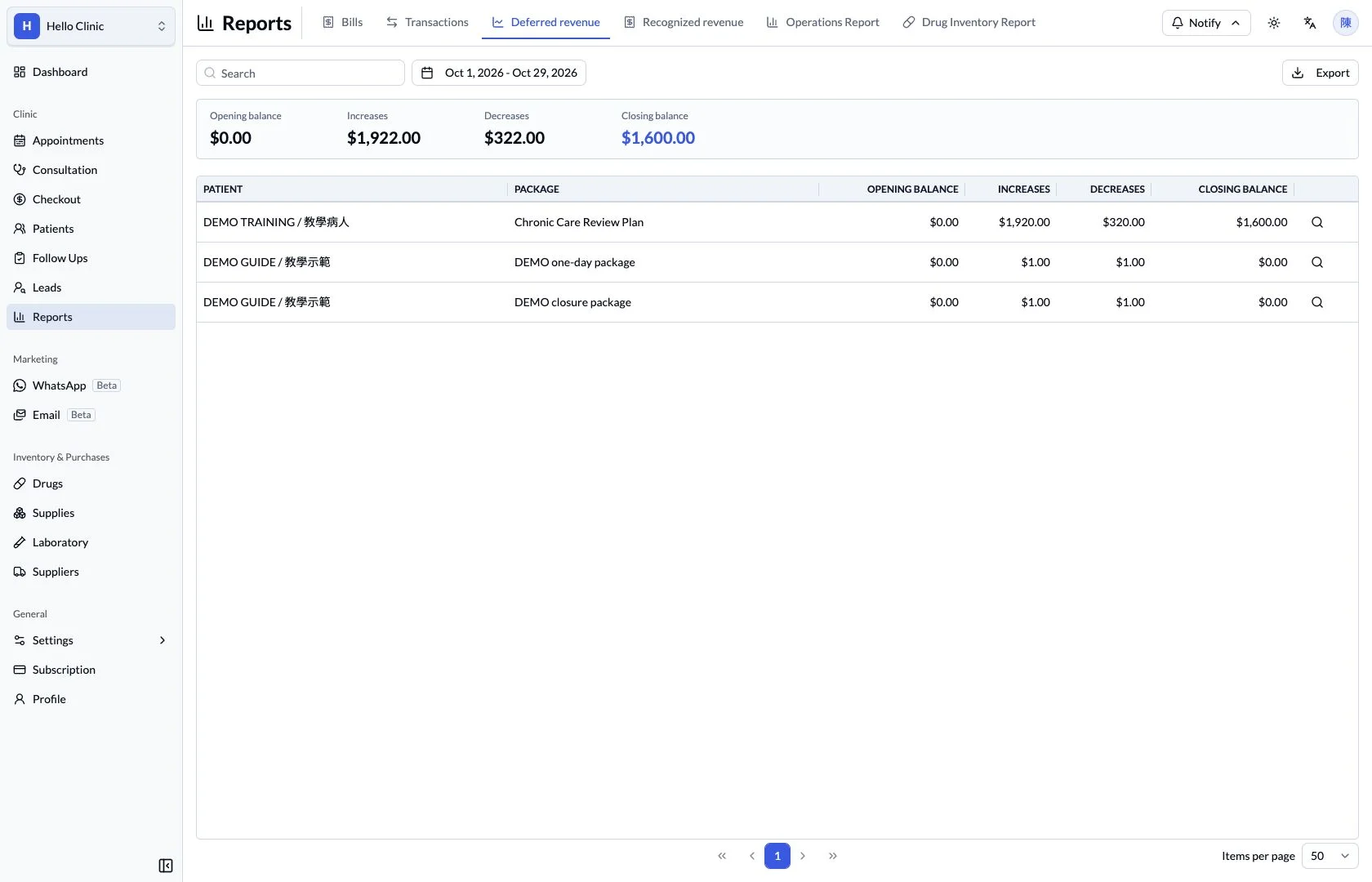
Review the remaining package value separately
The deferred package revenue report provides a view of value associated with services still outstanding. Review it with package definitions and patient usage rather than inferring service delivery from the day’s receipts alone.
- Use a consistent period and package scope.
- Trace questions to the patient’s package history.
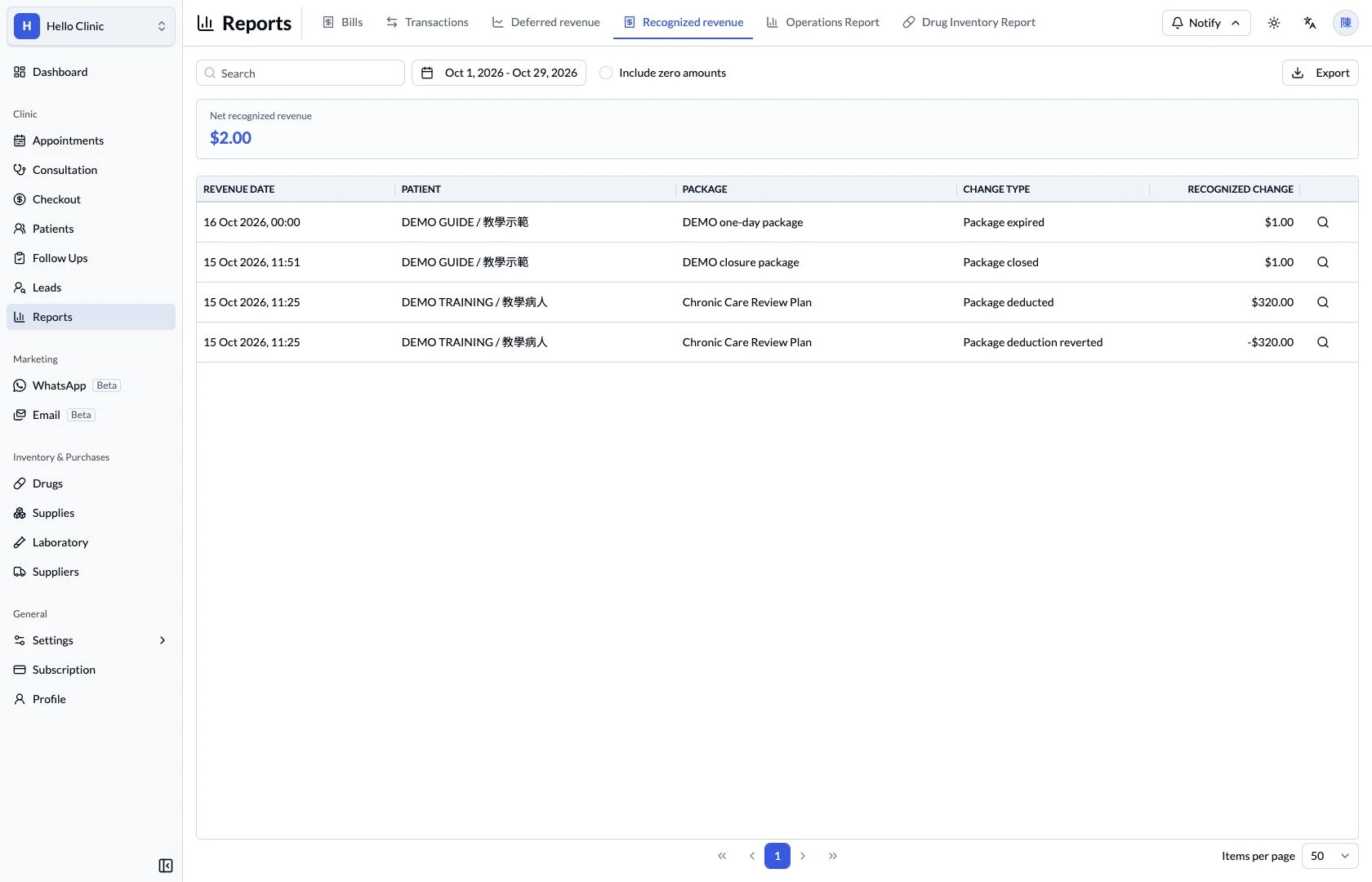
Review recognised revenue as services are used
The recognised revenue report adds the usage-related view of packages. Comparing it with deferred revenue, transactions and usage history helps distinguish when money was collected from when services were used.
- Compare package reports using the same period.
- Refer to usage history to explain individual entries.
Review medicine cost in its own context
The medicine report provides period-based stock and cost information for operational review. For a difference involving a specific item, use the batch and movement records to investigate the cause.
- Check the period and overall movement first.
- Investigate individual differences by medicine and batch.
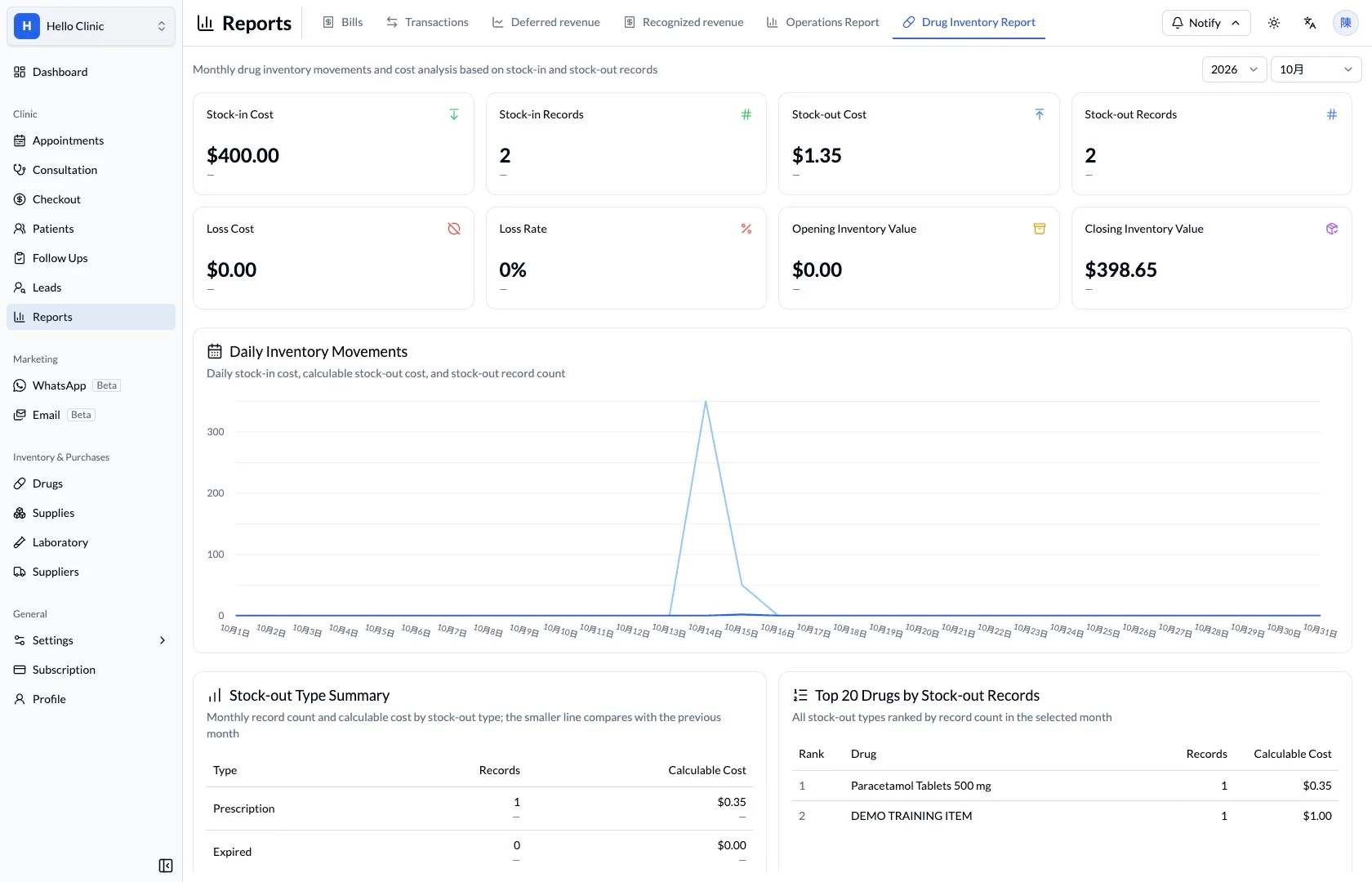
A total is easier to assess with its rows.
Reports bring summary amounts and individual records into one view. Staff can check the scope of the report before using the result for management review.
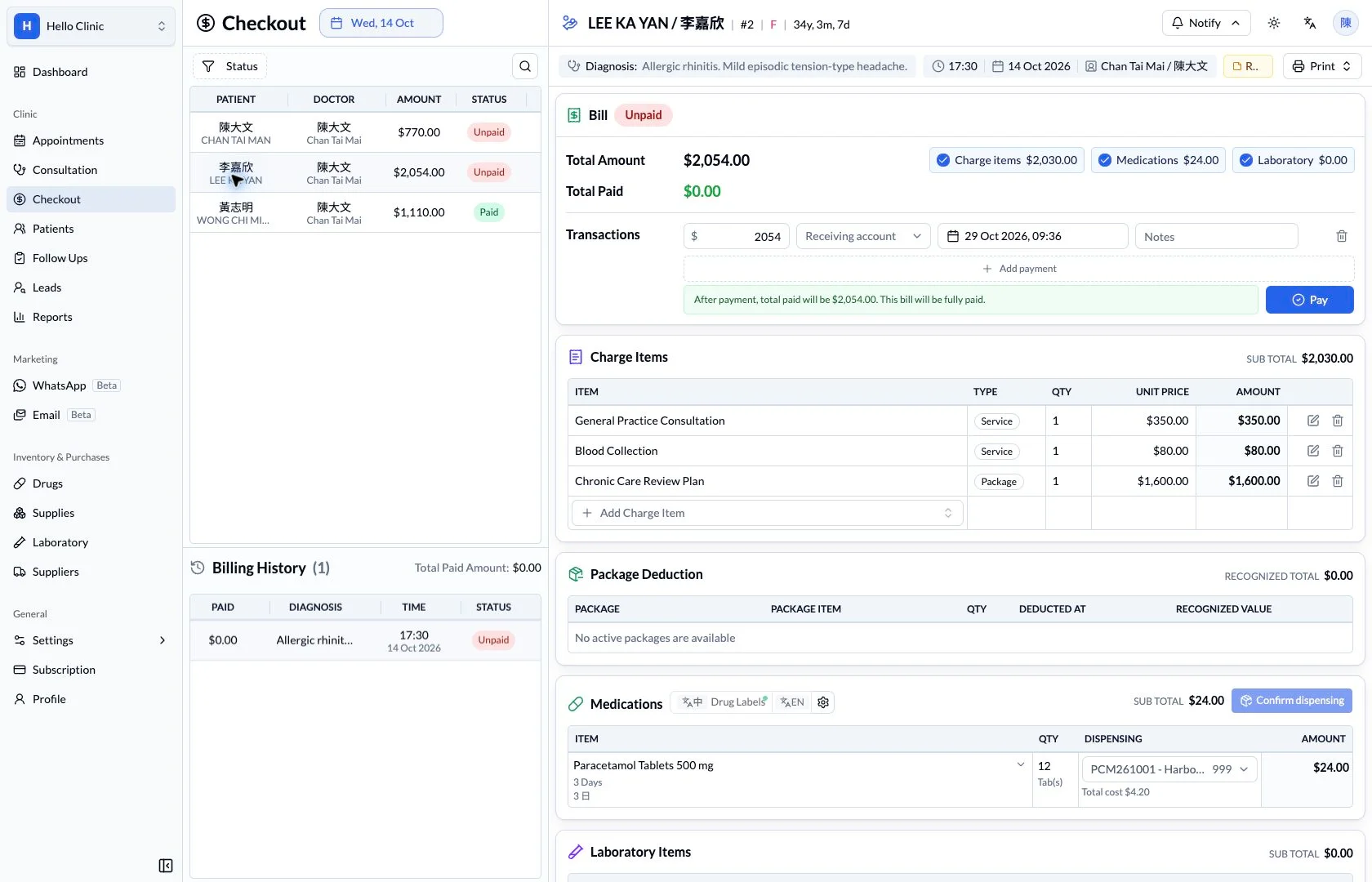
What this helps you do
- Financial detail
- Review bill amounts, paid amounts and transaction records.
- Package revenue
- Access deferred and recognised package revenue reports.
- Filters and export
- Use the available date, doctor, referrer and status filters before exporting.
How it fits the clinic day
Choose the report and period.
Apply the relevant filters.
Review the underlying rows before exporting.
Keep the next handover clear
Reports provide a summary and review perspective. Investigate differences in the corresponding bills, transactions, packages or medicine records, using consistent periods and clear filters for repeatable reconciliation.