
SOAP Consultation Notes
Give each part of the clinical story a clear place.
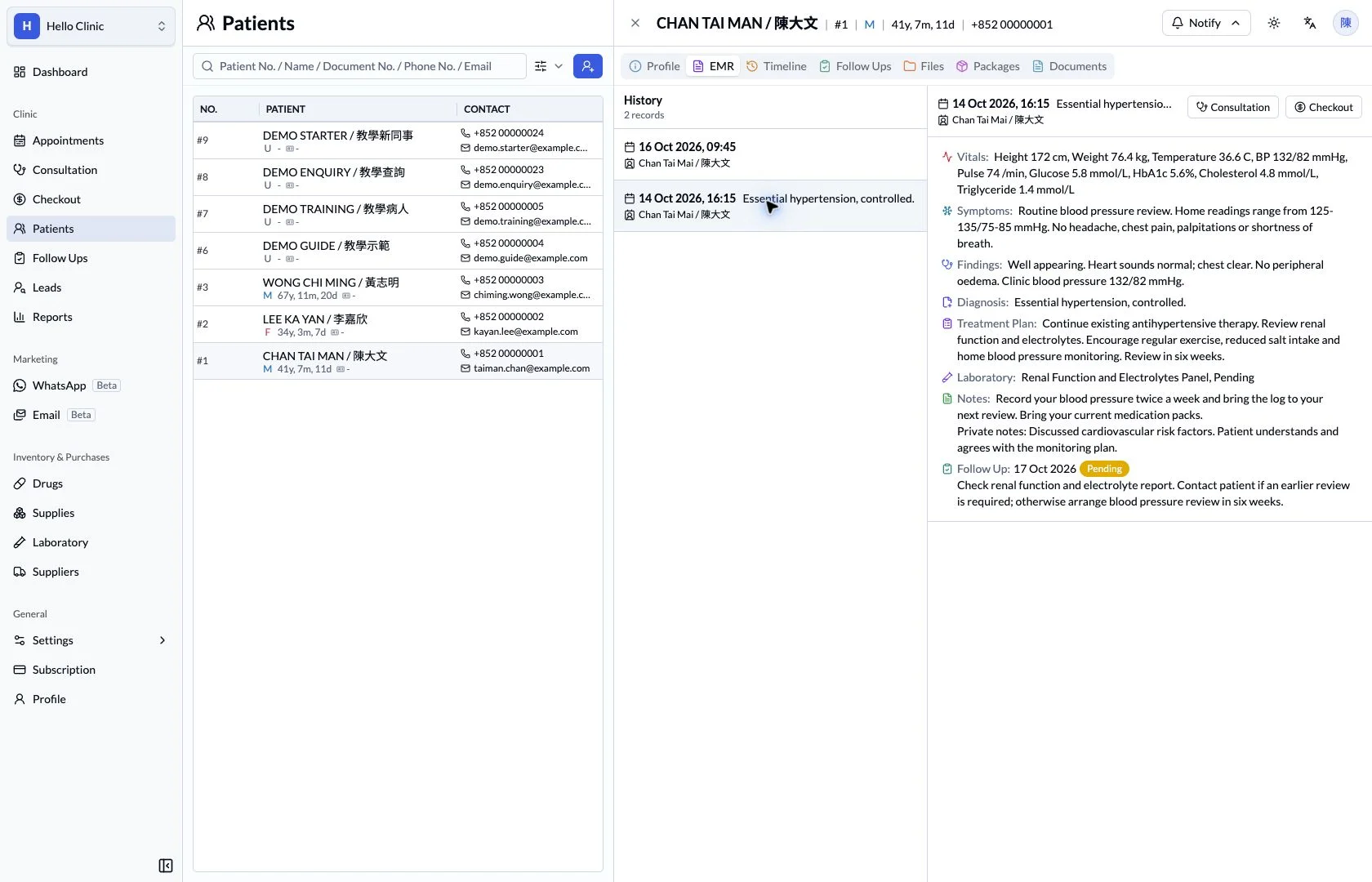
Structure consultation documentation with separate sections for symptoms, findings, diagnosis and the treatment plan, with template entry points close to each section.
Consultations & clinical tools
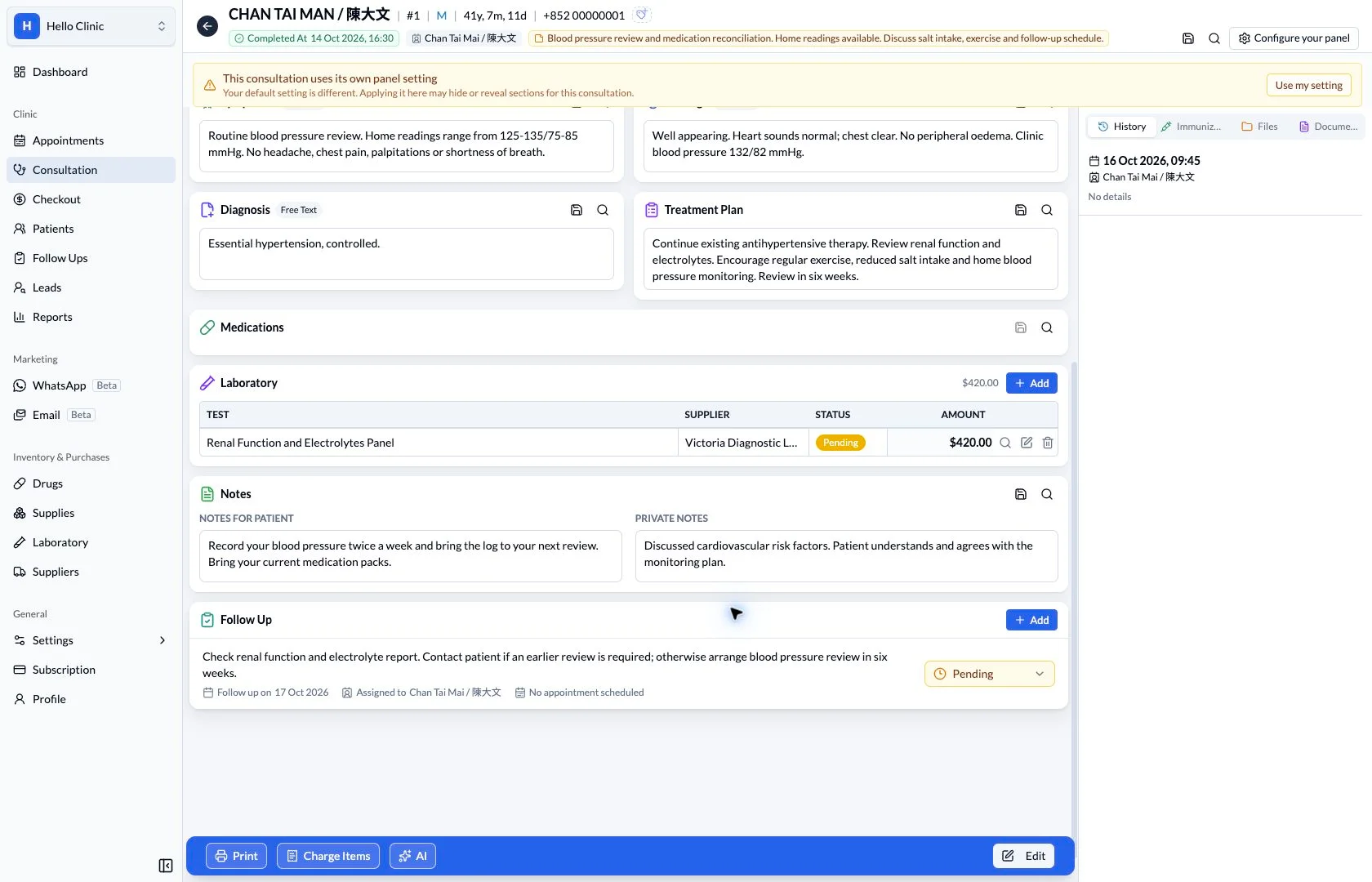
Write a note the next visit can build on
A consultation note must be convenient to write and easy for the next clinician to read. Separate sections, configurable panels and template entry points help a clinic organise the complaint, findings, assessment and plan while retaining the details of each visit.
- Doctor
- Write and review the clinical narrative for the current visit.
- Colleagues continuing care
- Find the previous assessment and intended next steps in the history.
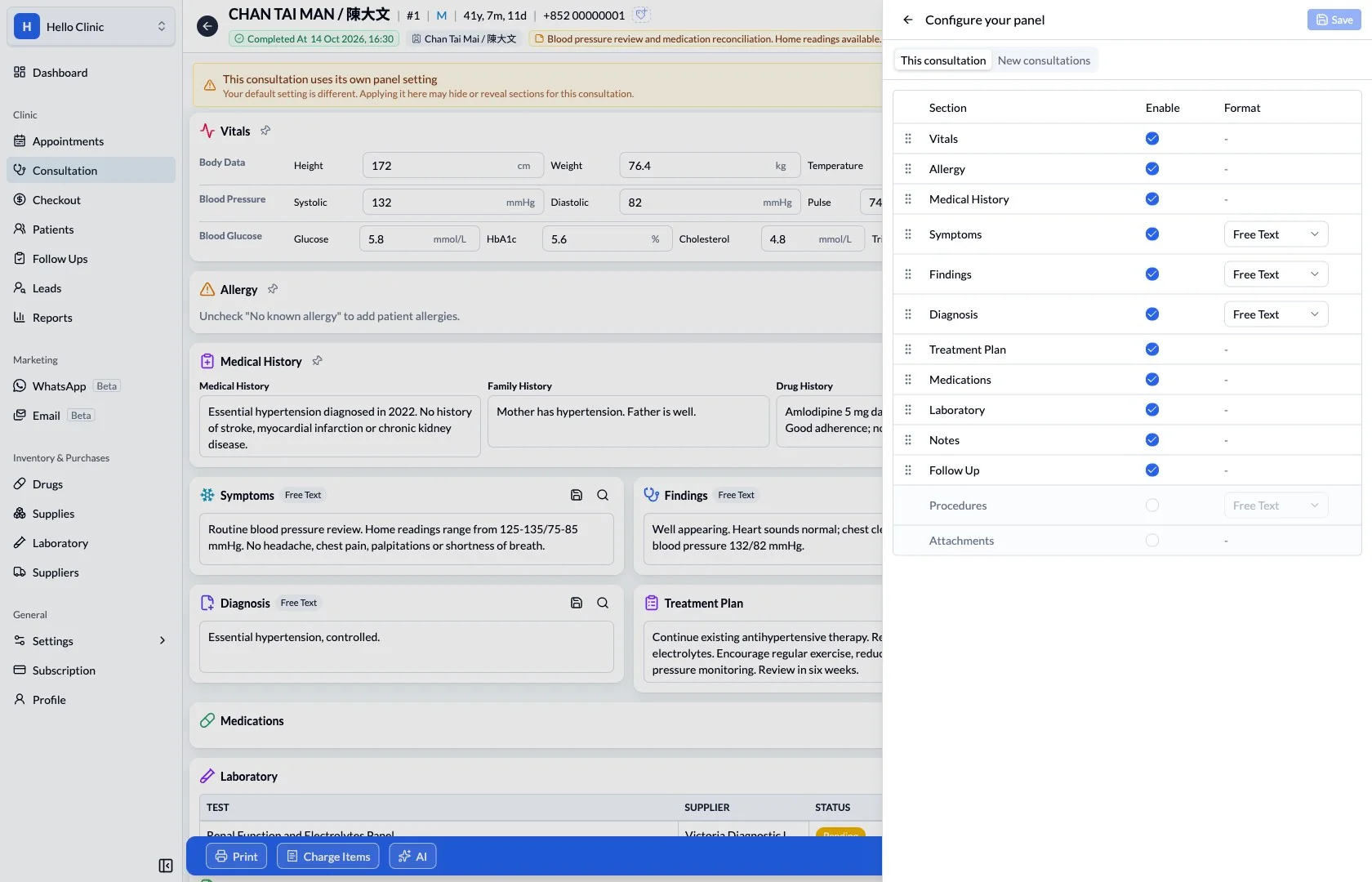
Choose the sections the clinic needs
Panel settings list vitals, allergies, history, symptoms, findings, diagnosis and other sections, with enabled states and available formats. The clinic can review this arrangement around its documentation needs so frequently used information is easy to locate.
- Distinguish settings for the current consultation from new consultations.
- Confirm which clinical information must remain available before adjusting the panel.
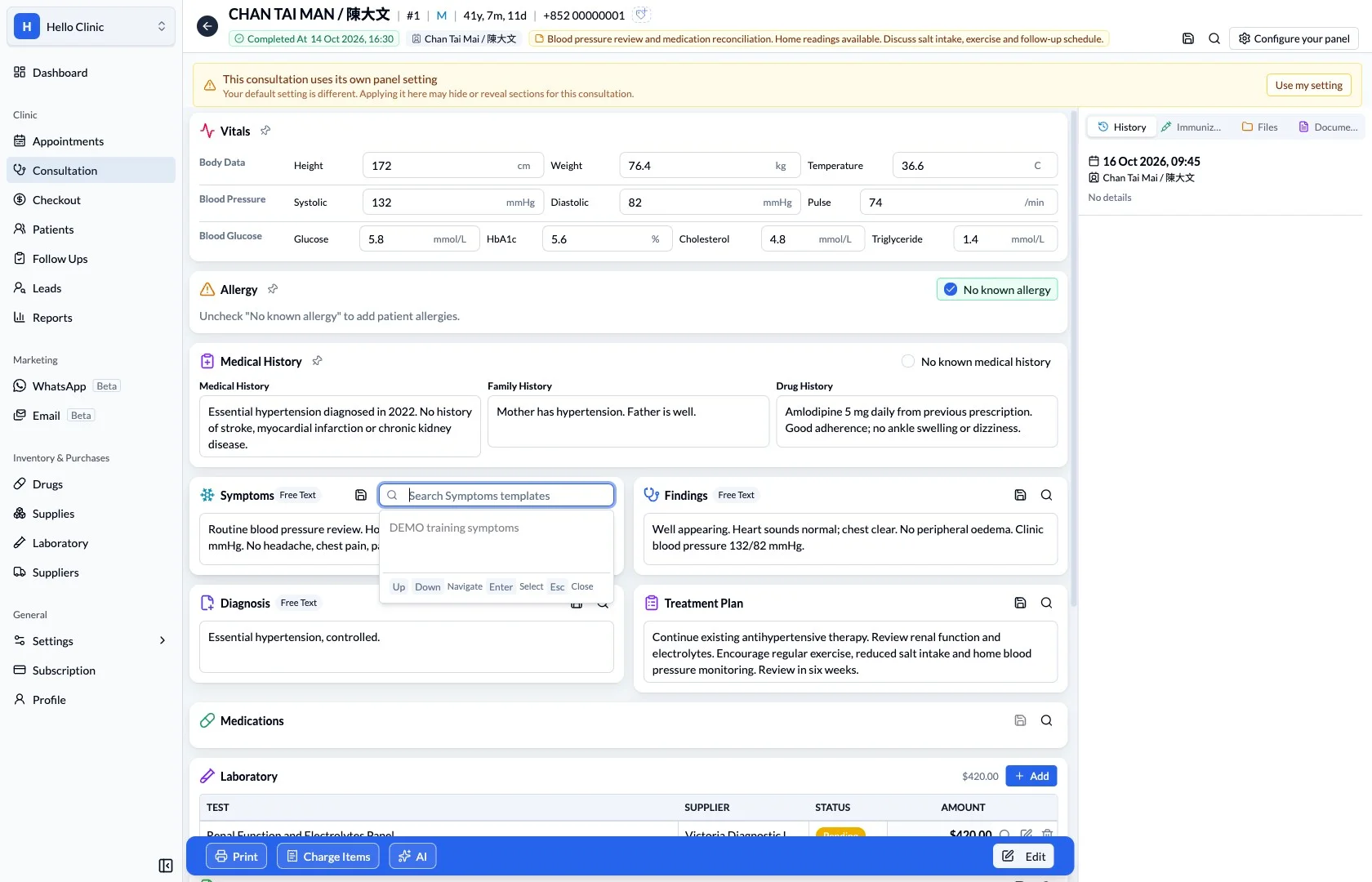
Find reusable content in the relevant section
Sections such as symptoms have their own template search entry point. A clinician can find a suitable starting text and adapt it to the current presentation and findings, reducing repeated typing while preserving what is specific to the visit.
- Use the template in the section it belongs to.
- Review patient context and any wording that needs changing after reuse.
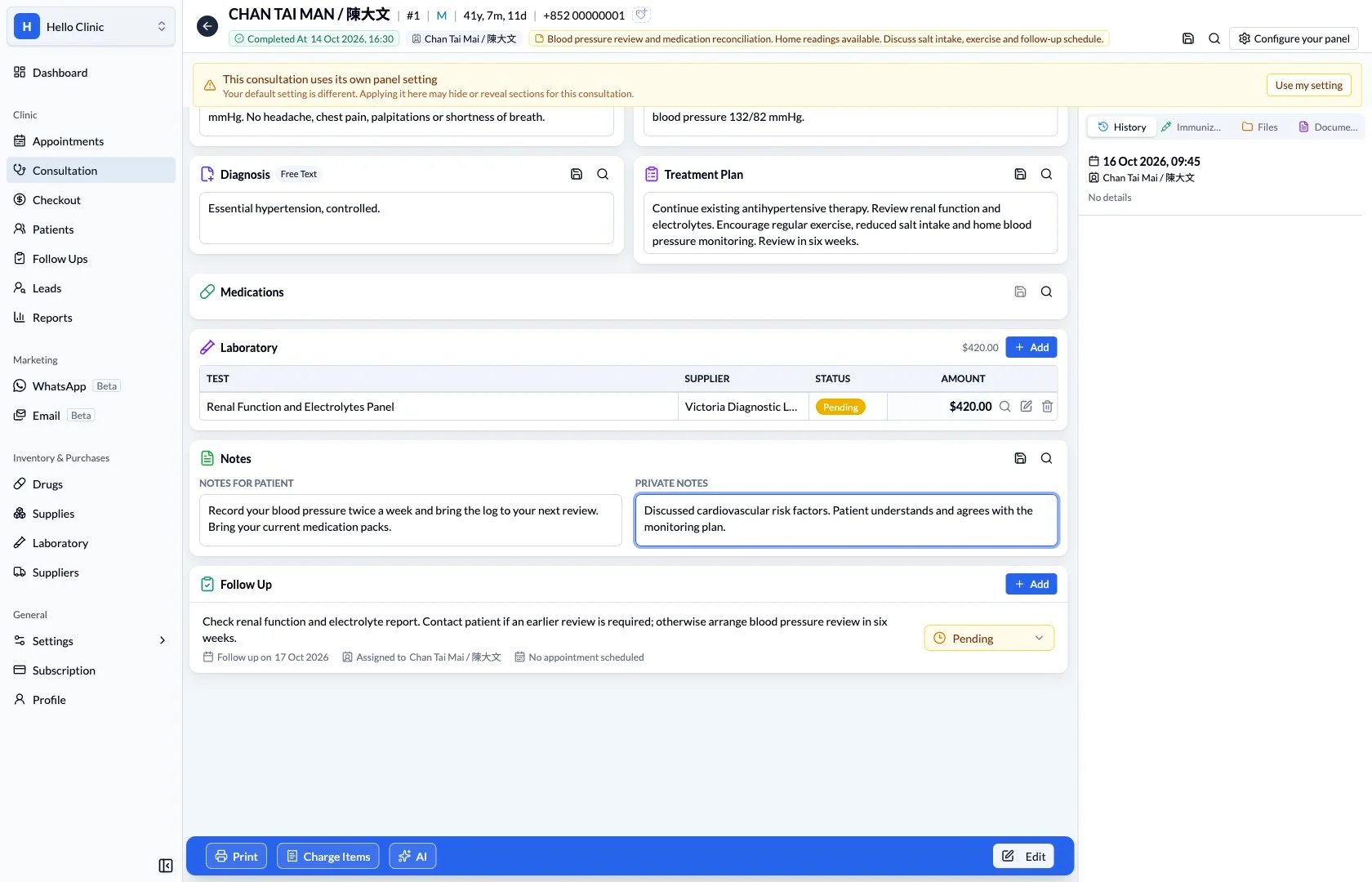
Keep the assessment and next steps connected
Notes and follow-up sections preserve work that continues after the clinical narrative. Separate patient instructions from internal information and assign dates and owners to continuing tasks, making the intended plan easier to understand when the record is reviewed later.
- Review the diagnosis, plan and orders together.
- Retain the visit-specific narrative for future review.
What this helps you do
- Symptoms and findings
- Record the patient’s account separately from examination findings.
- Diagnosis and plan
- Keep the assessment and intended next steps explicit.
- Reusable templates
- Access section-specific templates to reduce repeated typing.
How it fits the clinic day
Record symptoms and examination findings.
Document the assessment and plan.
Review the full note before completing the visit.
Structure without losing the narrative.
Separate note sections help readers find the relevant clinical information. Free-text fields preserve the detail that does not fit into a short label.
Keep the next handover clear
Once documented, the consultation can be reviewed from the electronic record at the next visit. Templates provide reusable starting points, while the current presentation, assessment and plan remain explicit in this visit’s note.