
Dear HelloClinic Users,
As 2025 comes to a close, our development team is excited to bring you several new features in this update designed to significantly boost clinic operational efficiency. This update focuses on resource management (Equipment) and visual scheduling (Timeline), aiming to make collaboration between front desk staff and medical teams smoother than ever.
Here are the details of this update:
🚀 Major Updates
1. Brand New “Equipment” Management Feature
Clinic resources (e.g., laser devices, specific beds, treatment tools) can now be managed and scheduled within the system to avoid resource conflicts.
- How to Set Up: Go to “Settings” -> “Equipment” -> “Add Equipment”.
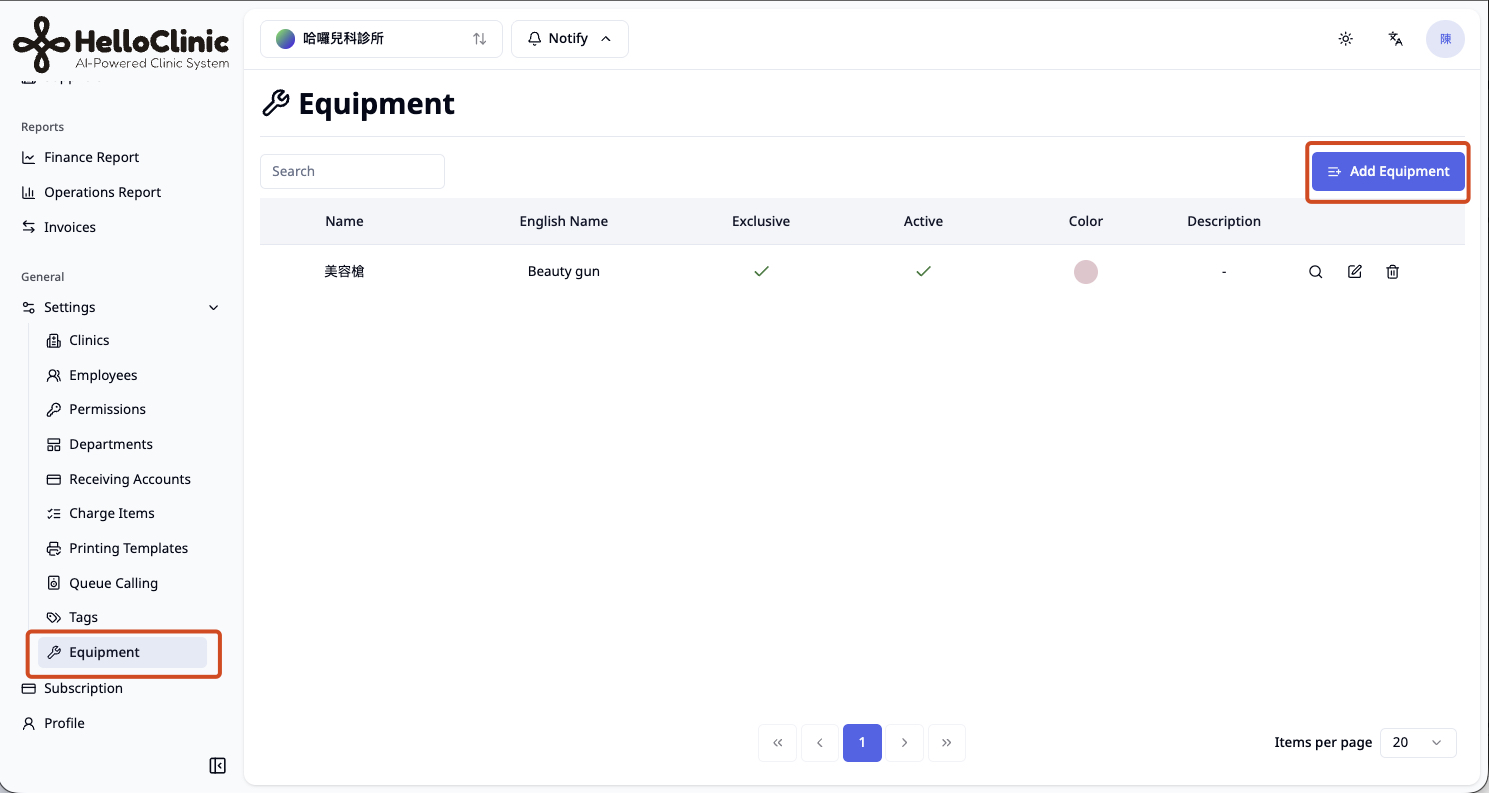
- Exclusive Usage: If “Exclusive Usage” is checked, the system ensures the equipment can only be occupied by one appointment during the same time slot.
- Exclusive Usage: If “Exclusive Usage” is checked, the system ensures the equipment can only be occupied by one appointment during the same time slot.
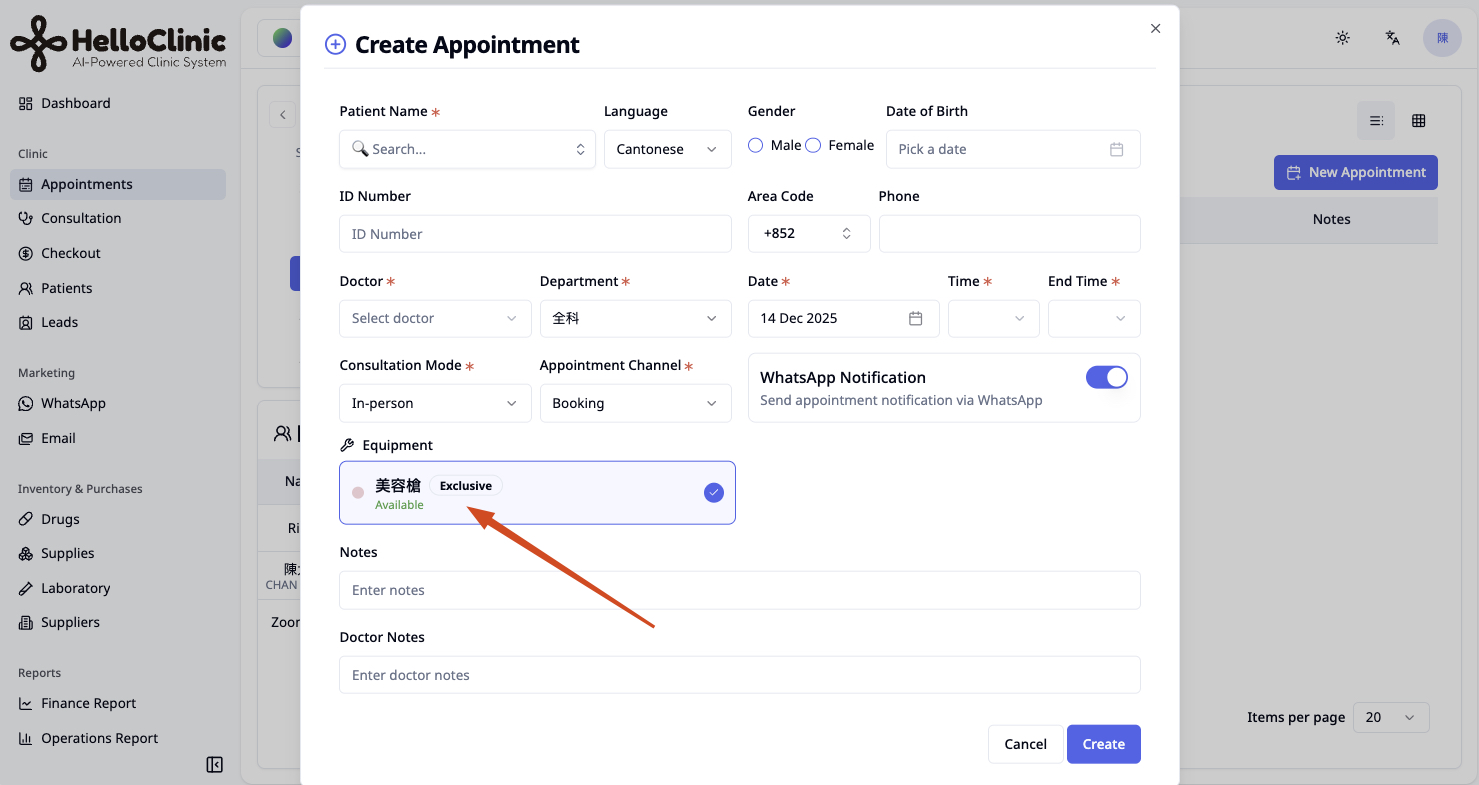
- How to Use: When creating a booking in “Appointments” -> “Add Appointment”, you can select and schedule the required “Equipment” directly based on the time slot.
2. Appointment Interface Upgrade: “Timeline” View
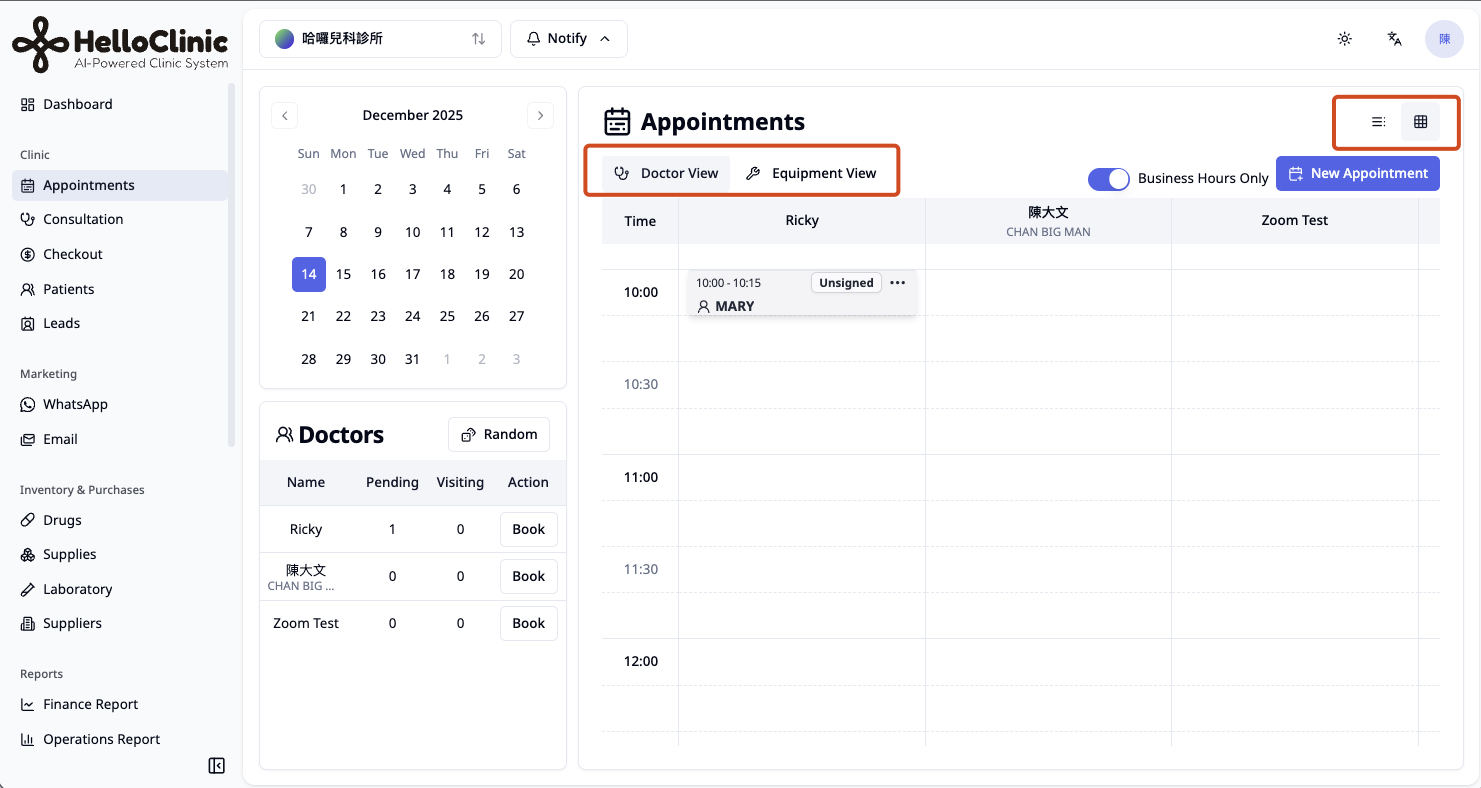
To make scheduling clear at a glance, we have added a display mode switch to the appointment interface.
- Switch Modes: Click on the top right corner of the appointment interface to toggle between the traditional “List” view and the new “Timeline” mode.
- Doctor View: Intuitively view availability and busy slots for each doctor.
- Equipment View: Switch to the “Equipment View” tab to see the schedule from the perspective of the equipment, effectively managing utilization rates.
- Quick Booking: Click on any empty time slot directly on the timeline to quickly add an appointment for that doctor or equipment.
3. Inventory Management Optimization
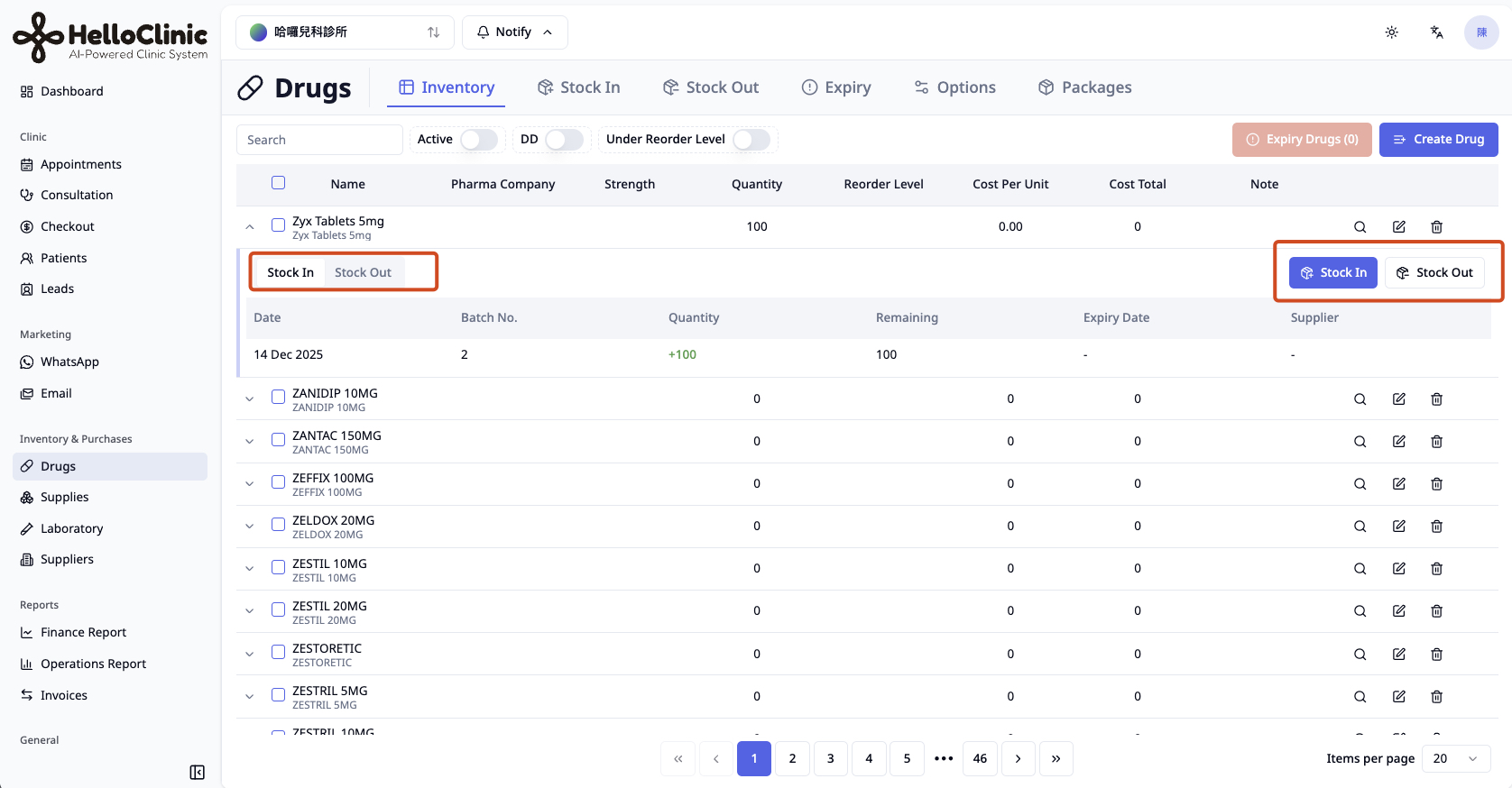
Drug inventory management is now more intuitive.
- You can now directly perform “Stock In” and “Stock Out” operations by clicking on a drug.
- Added an inventory log feature, ensuring every pill’s movement is traceable.
4. Consultation & Medical Record Improvements
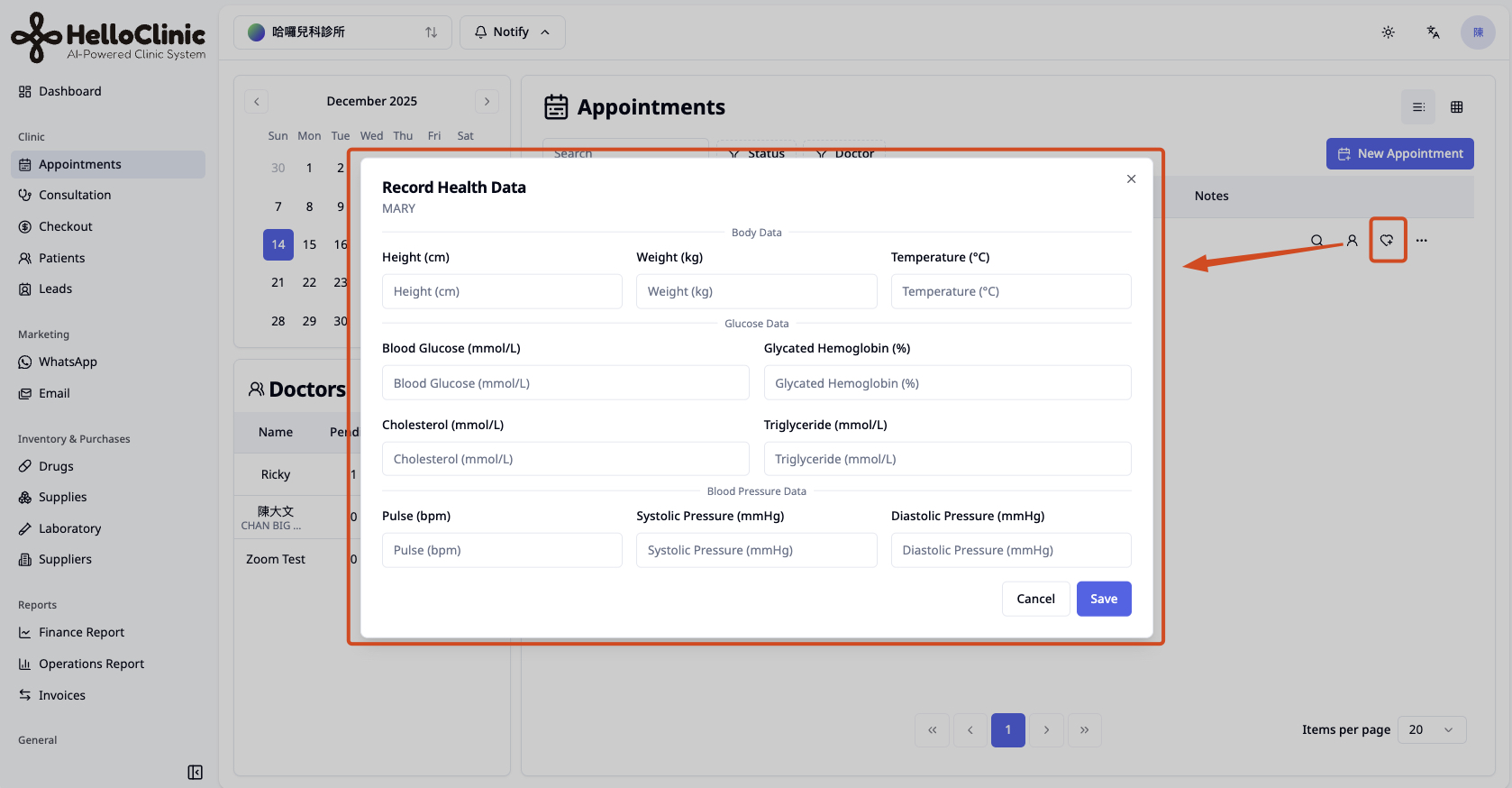
- Vitals Entry Optimization: Removed the mandatory step of entering vitals during booking. You can now add vitals anytime via the right-hand sidebar after the appointment is created.
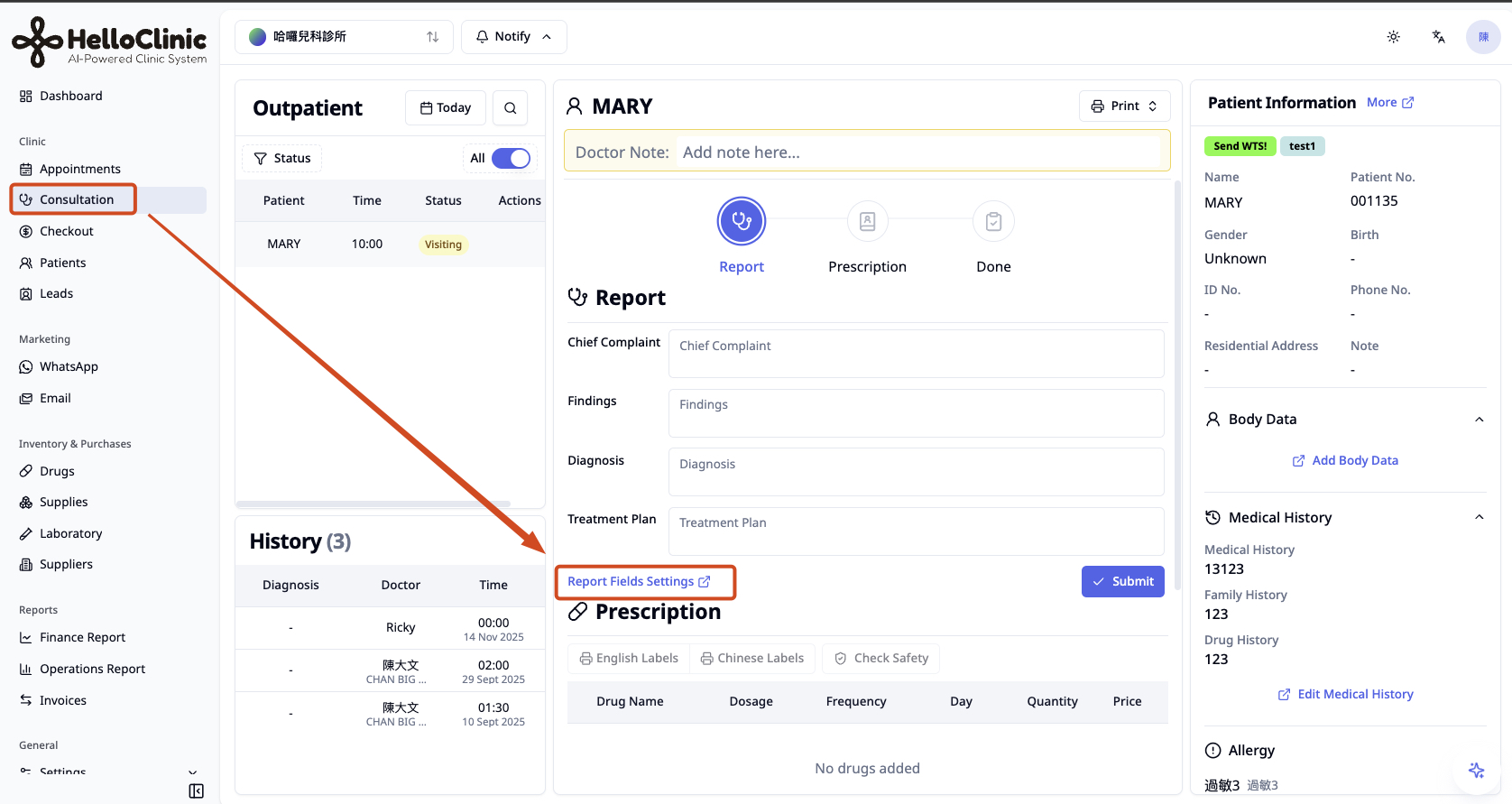
- Custom SOAP: The SOAP format in consultations now supports customization to better fit the needs of different specialties.
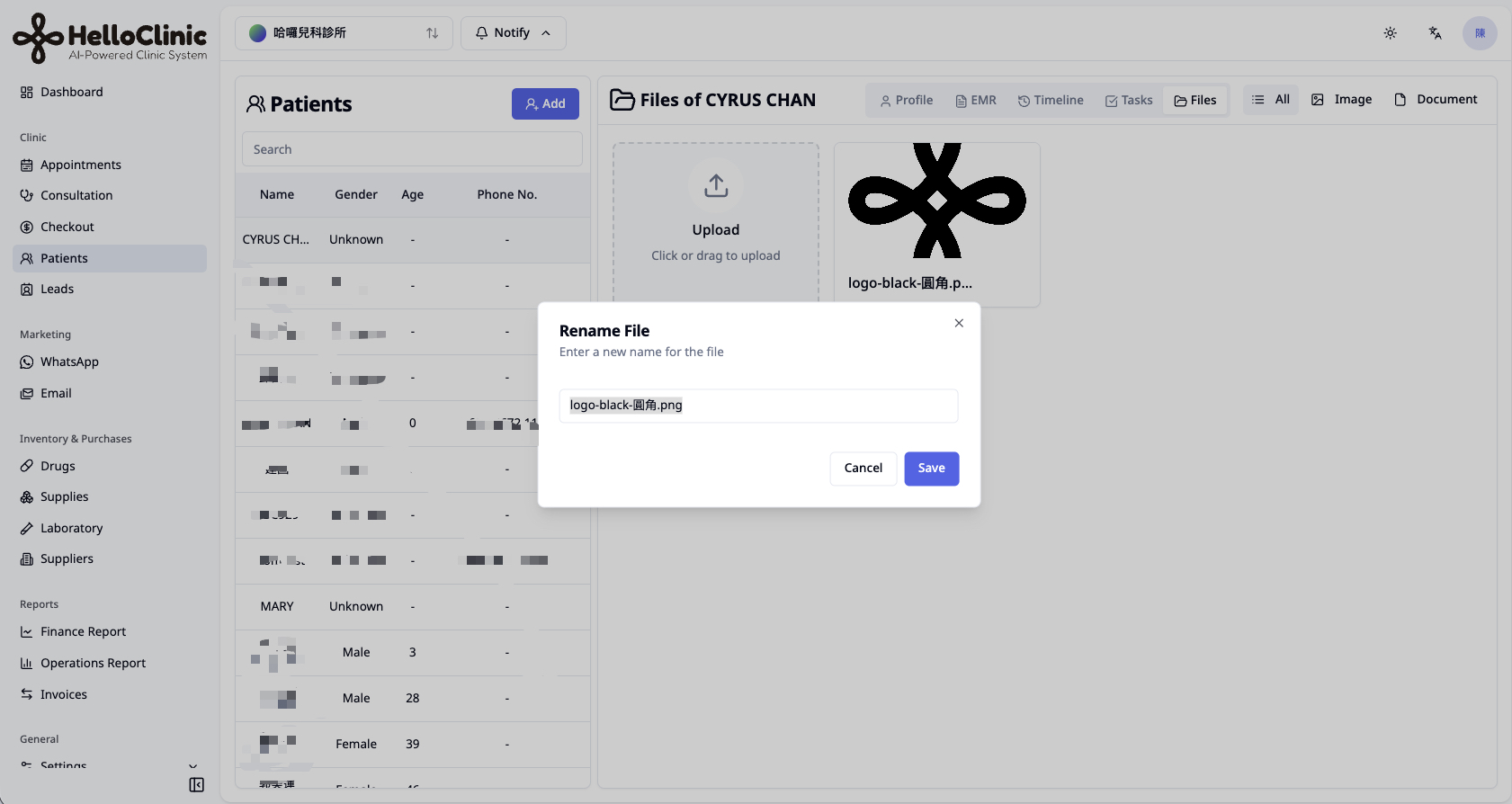
- Document Management: Uploaded files now support renaming.
- Doctor Archiving Mechanism: To ensure data integrity, staff members identified as doctors who have treated patients cannot be deleted; they can only be “Archived”.
5. Enhanced Search Function
Global search now supports searching by “Backup Phone / Guardian Phone”, making patient lookup more comprehensive.
✨ Enhancements
Beyond major features, we’ve polished the details:
- 💊 Prescriptions & Drugs:
- When adding drugs from a “Set” during consultation, the system will ask whether to deduct stock.
- Supported batch deletion in the drug inventory.
- Supplier is no longer mandatory when adding drugs; “Add Supplier” can be clicked directly within the selection box.
- Drug label print name is now optional. If not set, the system will automatically fallback to the original drug name.
- 🔔 Notifications & Settings:
- WhatsApp Settings: Added appointment notification toggles and send time settings.
- Permission Management: Permission groups currently in use by users cannot be deleted to prevent permission errors.
- Invoice Filtering: Patient tags are now displayed in the invoice list, and filtering invoices by tags is supported.
- 📱 Interface & System:
- Mobile Adaptation (Beta): Added a mobile top navigation bar. While not yet perfectly adapted, it improves mobile browsing convenience.
- Browser Compatibility: Added an incompatibility warning for Safari; Chrome is recommended for the best experience.
- Security Upgrade: Strengthened Turnstile verification, covering all critical entry points like login, registration, and email changes.
- Others: Removed the low-usage “Announcements” feature; fine-tuned Lab UI; Consultation now allows submitting empty SOAP notes.
🐛 Bug Fixes
We have fixed the following known issues, thanks to user feedback:
- Fixed an issue with WhatsApp Campaign scheduled sending errors.
- Fixed an issue where Email verification codes could not be entered.
- Fixed intermittent Turnstile verification errors.
- Corrected Super Admin account permission issues to ensure full system access.
- Added logic validation to ensure appointment “Start Time” must be earlier than “End Time”.
- Fixed an issue where medical records could not be deleted correctly.
- Corrected some multi-language display errors.
- Fixed an issue where the redirect page did not correctly display the current plan after subscription expiration.
We will continue striving to make HelloClinic your most capable clinic management partner. If you have any questions about the “Equipment Feature” or “Timeline View”, please feel free to contact our support team.
Best regards,
The HelloClinic Team