
Appointments
See the clinic day before it starts.
Bring appointment times, doctors and arrival status into one working view. Move between the appointment list and the schedule as front desk priorities change.
Appointments & front desk
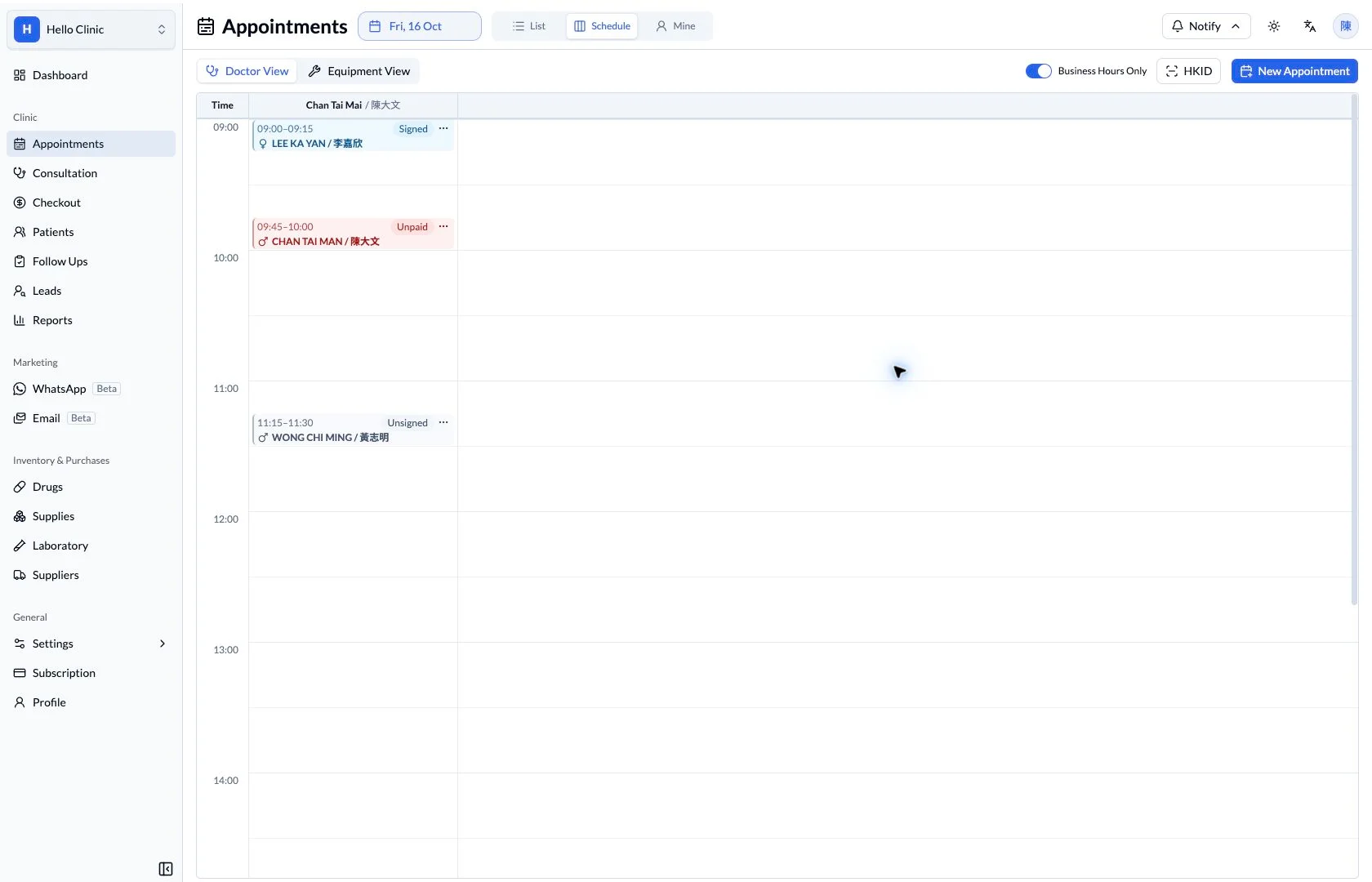
Turn an enquiry into a clear appointment
When a patient calls to book a return visit, the front desk needs more than an empty time slot. Patient identity, clinician, department and any equipment requirements belong together, so the next colleague can understand how the visit is arranged.
- Front desk
- Confirm the patient, clinician, time and practical requirements.
- Clinicians and nurses
- Use appointment context to prepare the consultation or investigation.
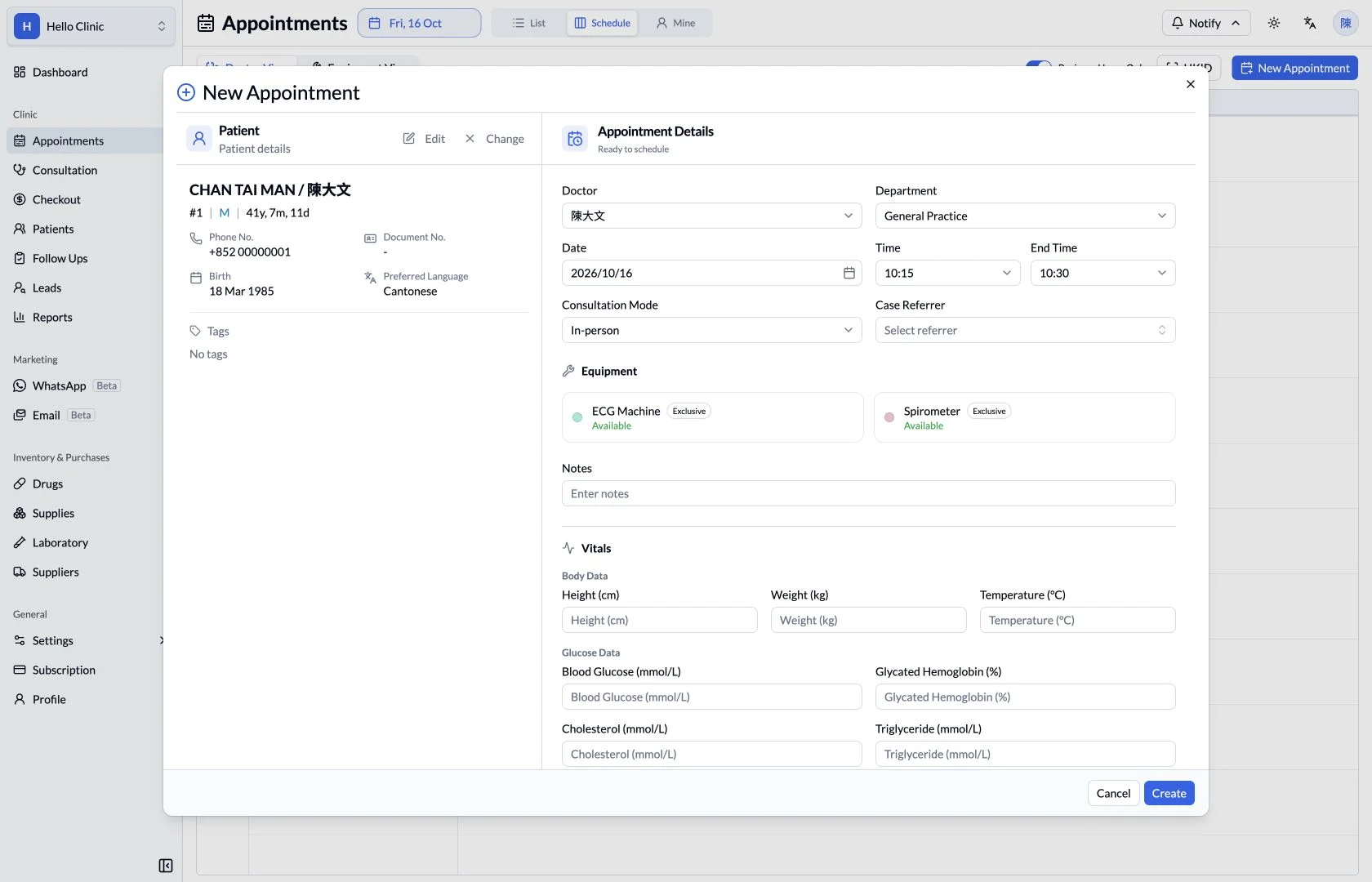
Keep the patient and appointment details together
After selecting an existing patient, the form shows their number, contact details and preferred language beside the appointment. Staff can confirm identity while choosing the doctor, department, date and start and end times, rather than cross-checking separate lists.
- Confirm identity and contact details before choosing the slot.
- Use notes to preserve the practical requirements of this visit.
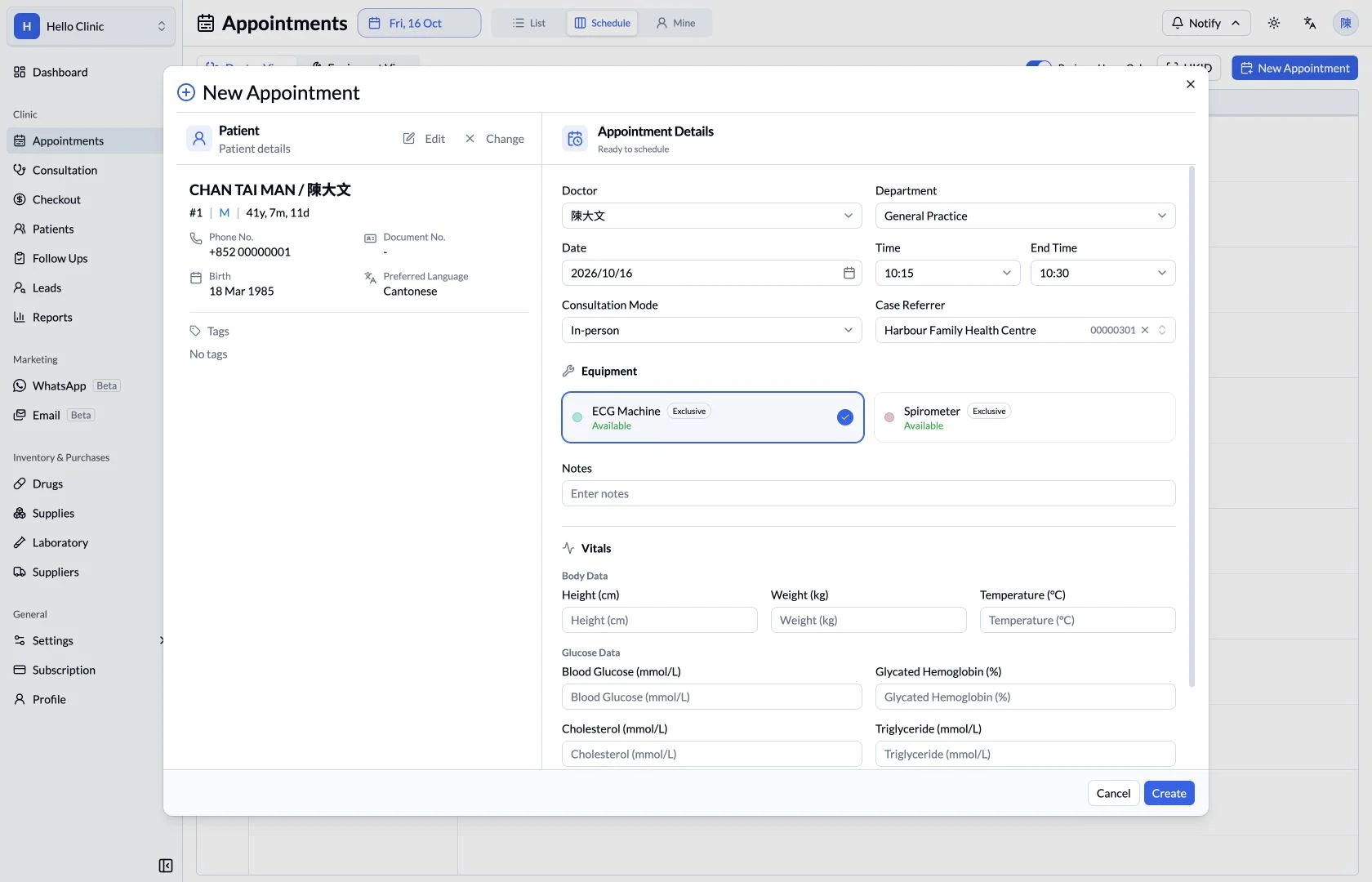
Check resources for appointments that need equipment
An ECG or spirometry visit also needs a shared device. The booking form keeps equipment alongside the clinician and time fields, with availability and exclusive-use indicators to help staff check the resource requirements before finalising the arrangement.
- Select the equipment required for the investigation.
- Consider the booking duration together with resource use.
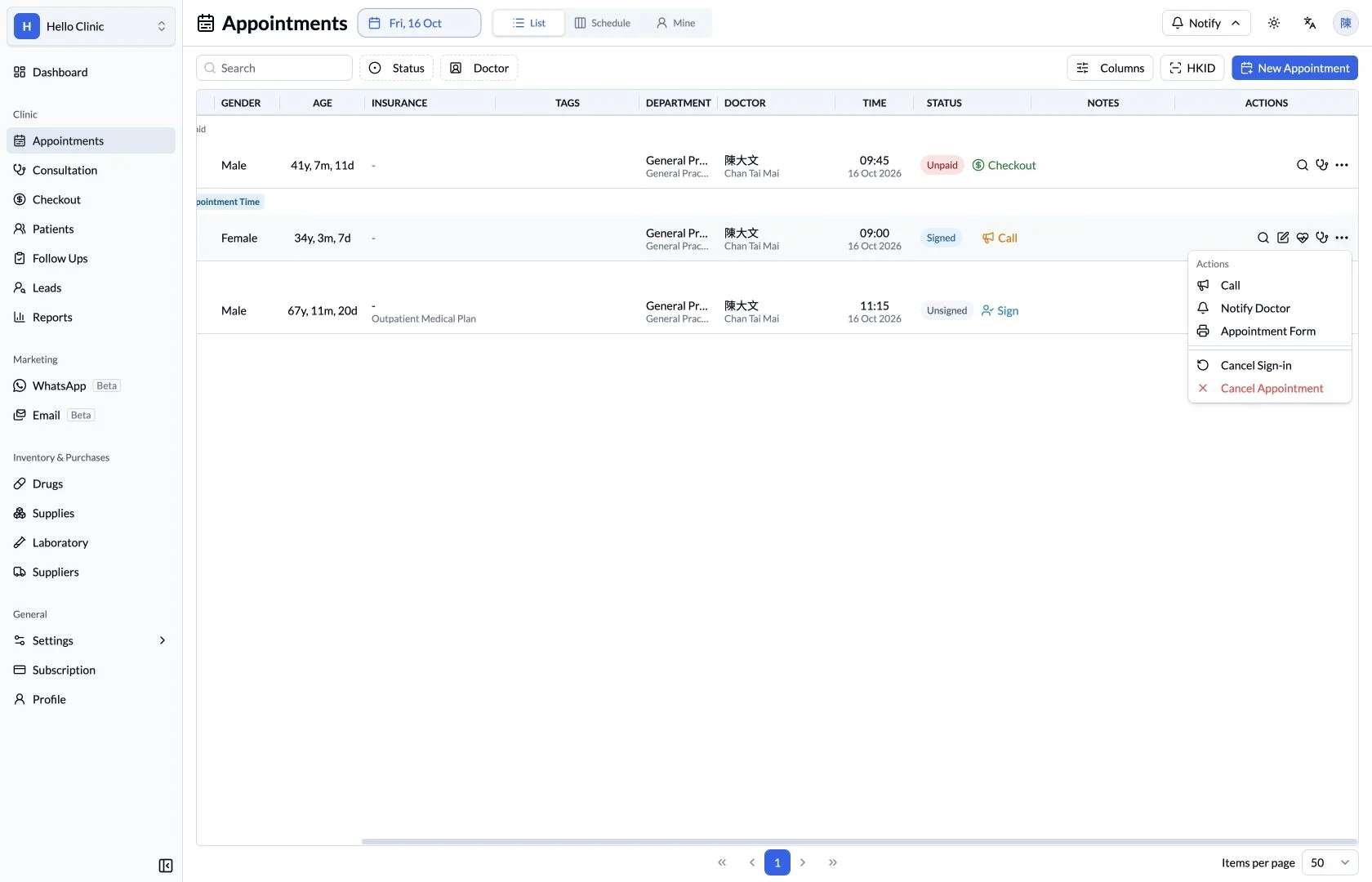
Continue the booking through the arrival workflow
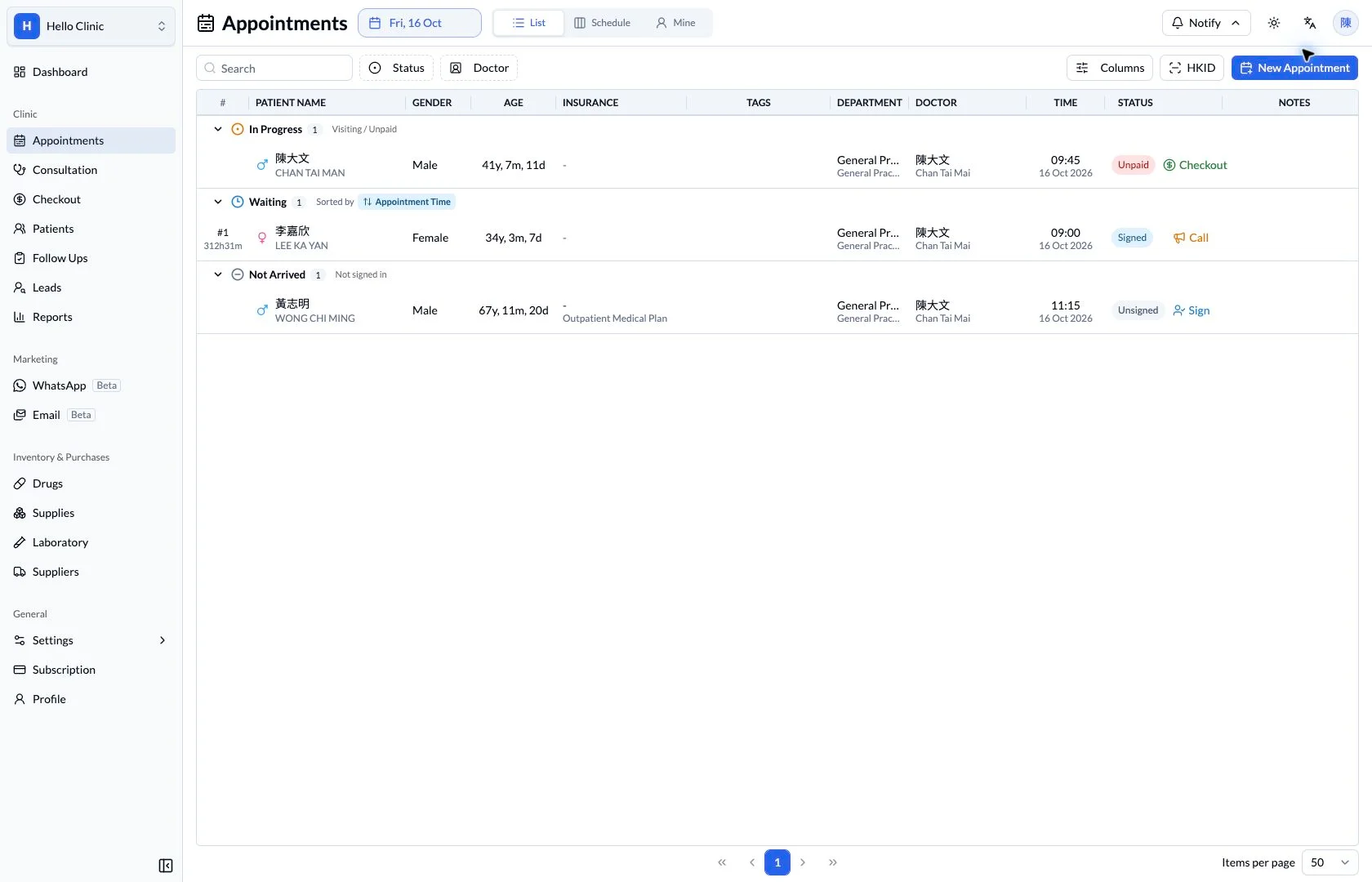
The appointment list becomes the front desk working list for the day. Actions beside an individual visit provide the relevant next steps, allowing staff to coordinate arrivals from the current record instead of maintaining a second handwritten queue.
- Check the patient, clinician and appointment time before acting.
- Choose the next action according to visit status and coordinate the handover.
How it fits the clinic day
Choose the date and doctor.
Review the booking and visit status.
Continue to the patient’s next stage of care.
A booking becomes a visit.
The appointment list connects front desk coordination with consultation and checkout. Staff can see where each visit stands without maintaining a separate handwritten list.
What this helps you do
- List or schedule
- Use the list to coordinate arrivals and the schedule to review time slots.
- Doctor context
- Keep the assigned doctor and department beside the appointment.
- Visit status
- Distinguish patients who have not arrived, are waiting or are already being seen.
Keep the next handover clear
Once the appointment is arranged, the queue provides the next working view for arrival coordination. Patient details, clinician and notes give the team shared context. Review the equipment schedule alongside the booking whenever the visit needs a shared resource.