
This HelloClinic product update covers treatment packages, payments and refunds, operational reports, and consultation attachments. More detailed role permissions and appointment management also help clinic teams handle consultations, billing, and follow-up checks.
These highlights bring together the main updates from 18 August to 18 October 2026.
1. Treatment packages connect purchase, usage, and ongoing management
Clinics can now create treatment packages with included service items, a total usage allowance, and a validity period. Unlimited usage or no expiry can also be configured. Clinics within the same company can share package settings to manage treatments offered across locations.
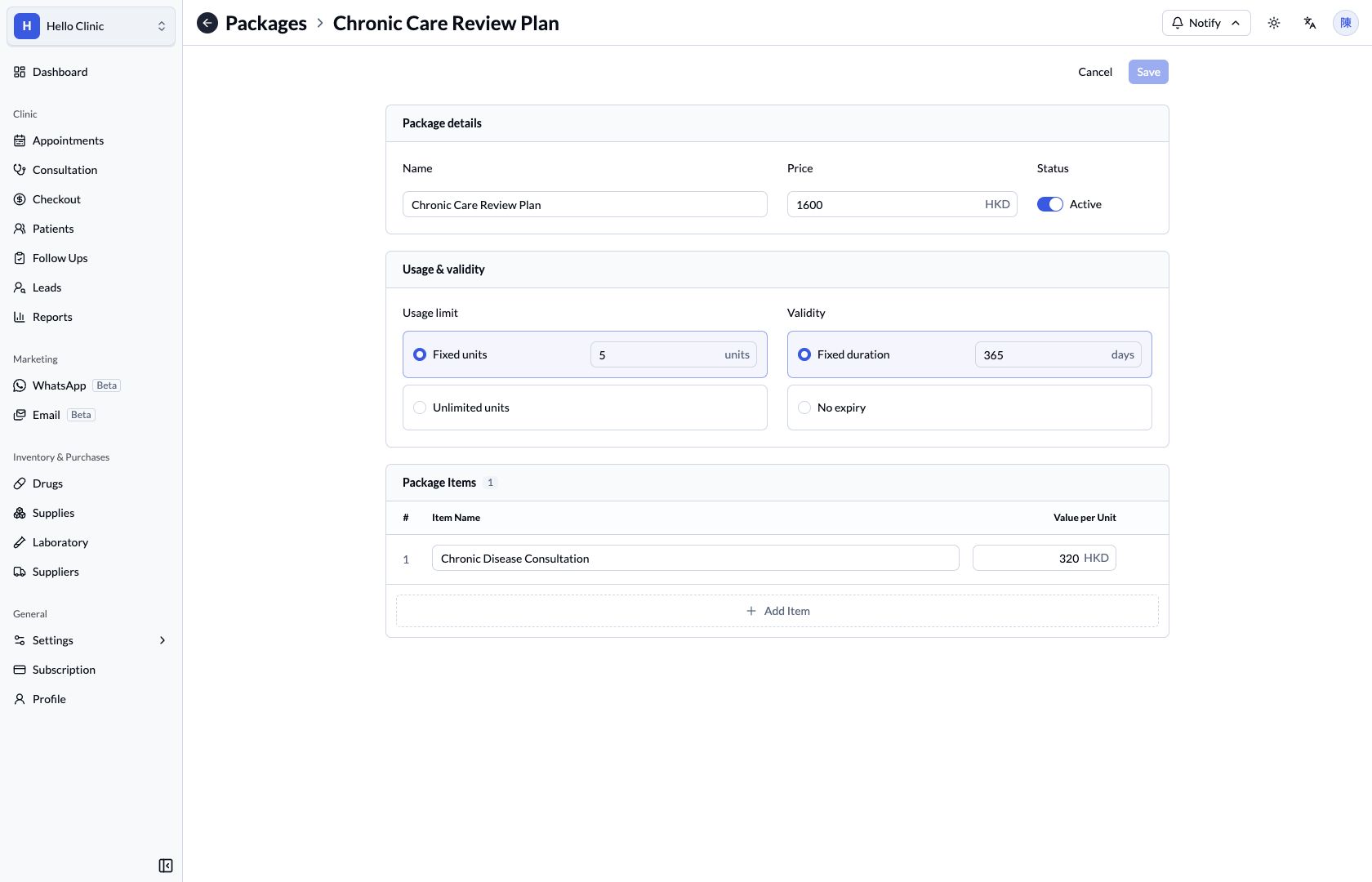
After a package is added in Checkout and the bill is fully paid, the system issues the patient package with the terms and actual sale price recorded at purchase. When the patient uses a treatment, staff can select the package, service item, and quantity in the bill's Package Deduction section.
The patient package page shows remaining uses, validity, and activity history. Deductions, deduction reversals, extensions, closure, and refunds are available according to permissions and package status. Package refunds must be handled at the original purchase clinic so their source remains clear.
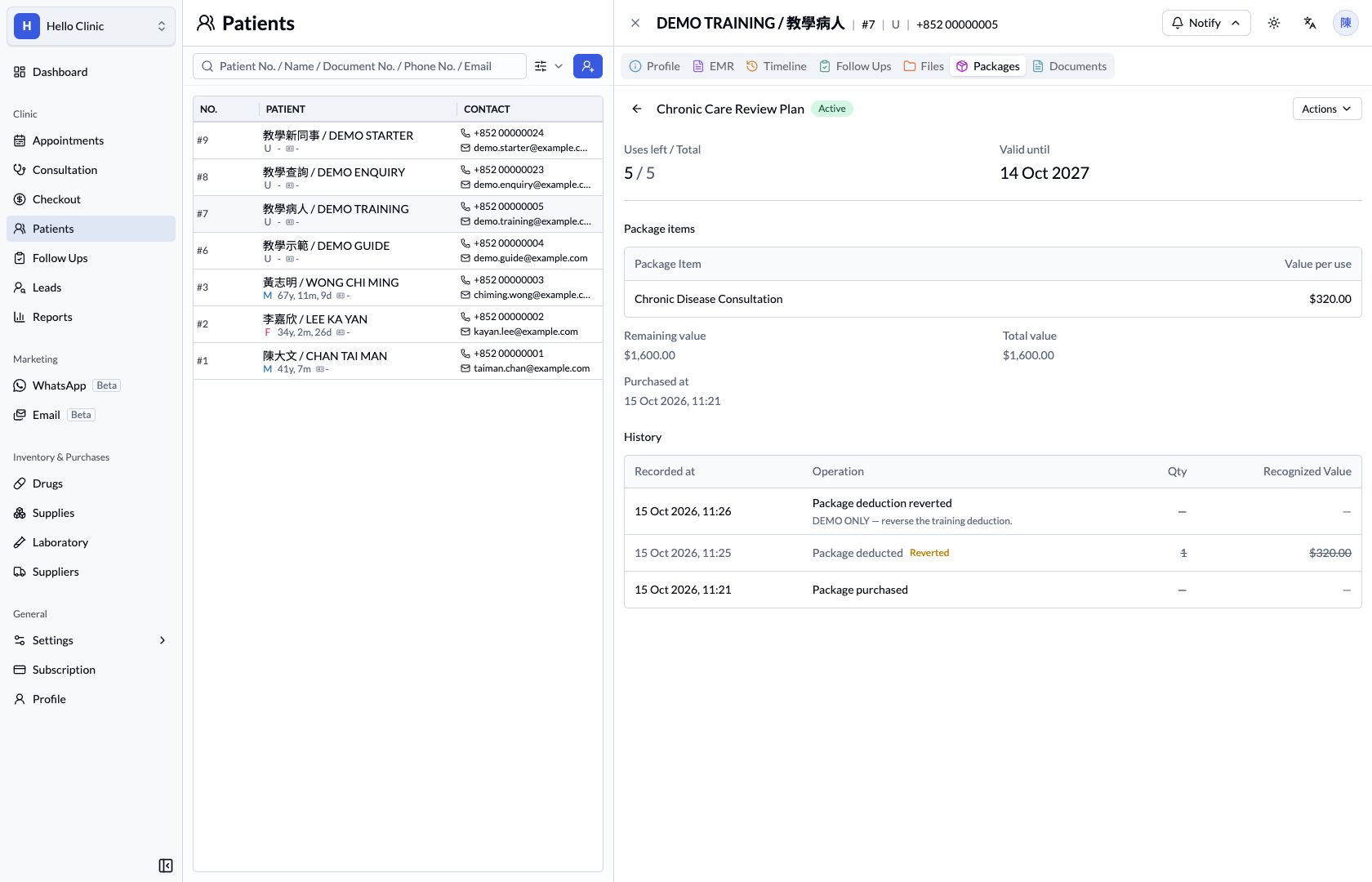
Usage allowances and monetary value are managed separately. Even when the remaining allocated package value reaches zero, the patient can continue using the remaining treatments while the usage, validity, and status conditions are met.
Related guides: Package settings and Buying, using, and managing patient packages.
2. Clearer reports for collections, bills, and package revenue
Reports now provides clearer tables for checking actual payments and refunds, bills, and changes in package value.
| Report | What it shows |
|---|---|
| Bills | Bills, charge items, and related source details. |
| Transactions | Collections, refunds, reversal status, and net collections. |
| Recognized revenue | Revenue changes from package usage, expiry, closure, refunds, and related events. |
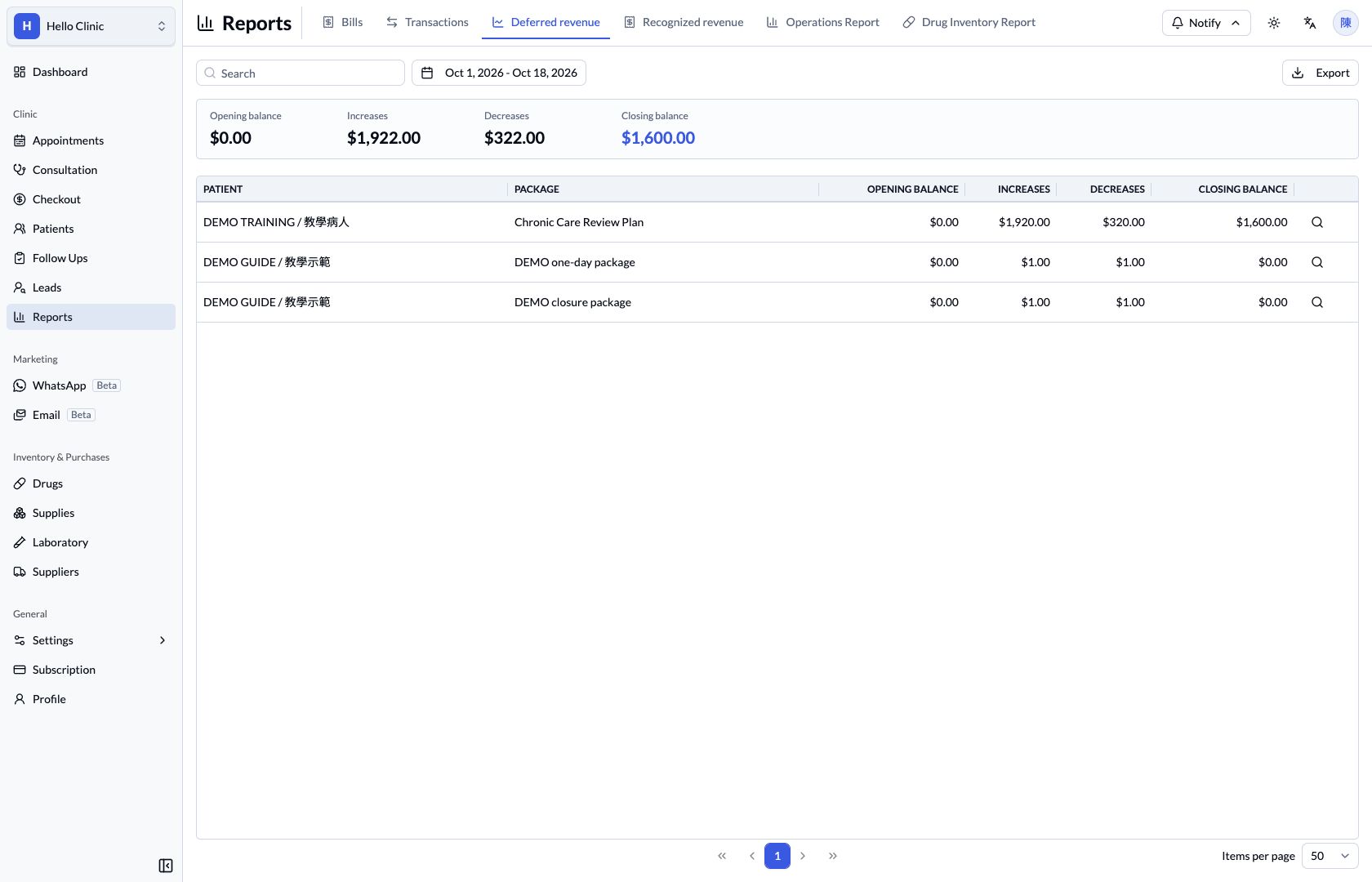
| Deferred revenue | Opening balances, increases, decreases, and closing balances for each patient package. |
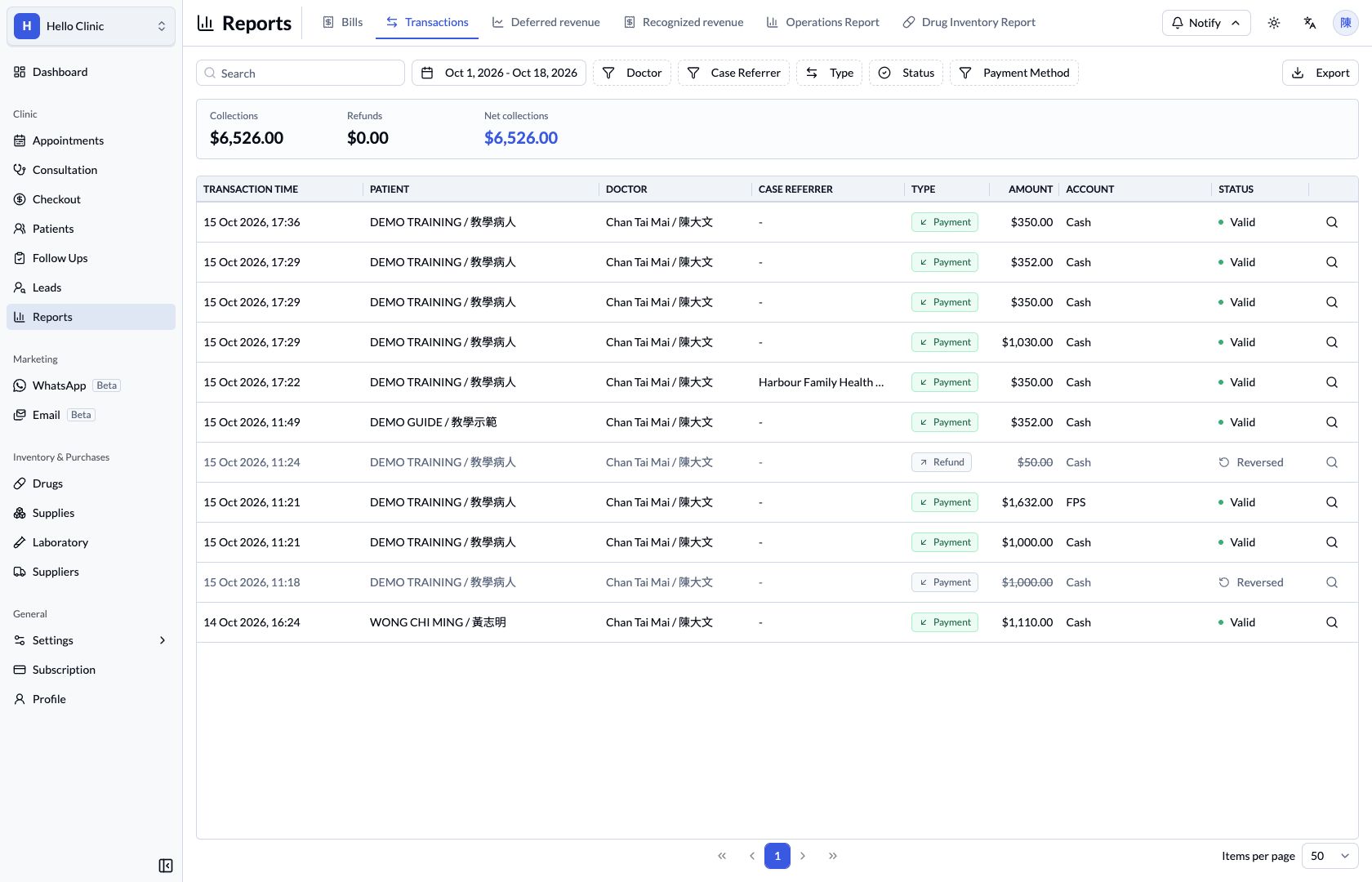
Reports support company summaries and relevant clinic, date, and other filters. Read-only source details let staff trace the corresponding bill, transaction, or package record. Excel exports include all results matching the filters, helping teams organise records and reconcile them.
The dashboard collection summary is now Today's net collections, calculated from valid payments minus refunds using their transaction dates. The reports above replace the previous Finance page; Operations Report and Drug Inventory Report remain available.
Related guide: Viewing reports, source details, and exports.
3. Consultation attachments with historical image comparison and annotation
Doctors can now manually add the Attachments module through the consultation panel settings. Photos, PDFs, and other files can be organised within the relevant consultation, making them easier to find at later visits.
Attachments support multiple-file selection, drag and drop, and pasting images, along with rename, preview, download, and delete actions. The upload limit for each patient file or consultation attachment has also increased from 10 MB to 20 MB.
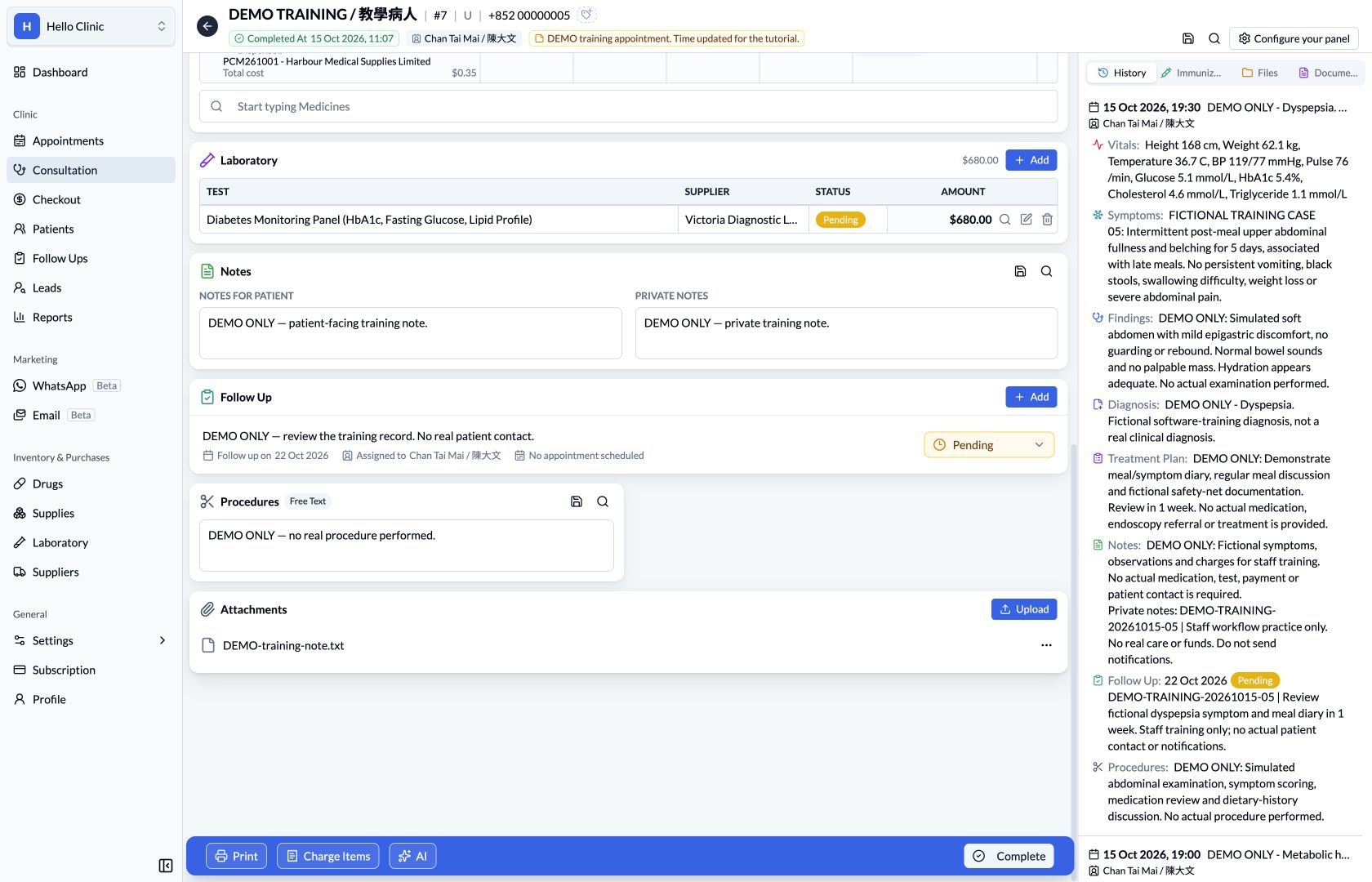
Users can select images they are authorised to read from the same patient's current and historical consultations for full-screen, side-by-side comparison, with independent zooming and panning. The image editor provides brush, rectangle, ellipse, and straight-line annotations. Depending on permissions, edited images can overwrite the original attachment or be saved as a new attachment.
Related guide: Configuring consultation panels and uploading attachments.
4. More detailed role permissions for different team responsibilities
Roles settings now provides more detailed controls for different responsibilities, including:
- Separate permissions for reading, creating, editing, deleting, and other business actions.
- Mine or All data scopes in applicable modules.
- Modification windows for selected actions.
- Separate authorisation for payments, refunds, reversals, dispensing, and package deductions.
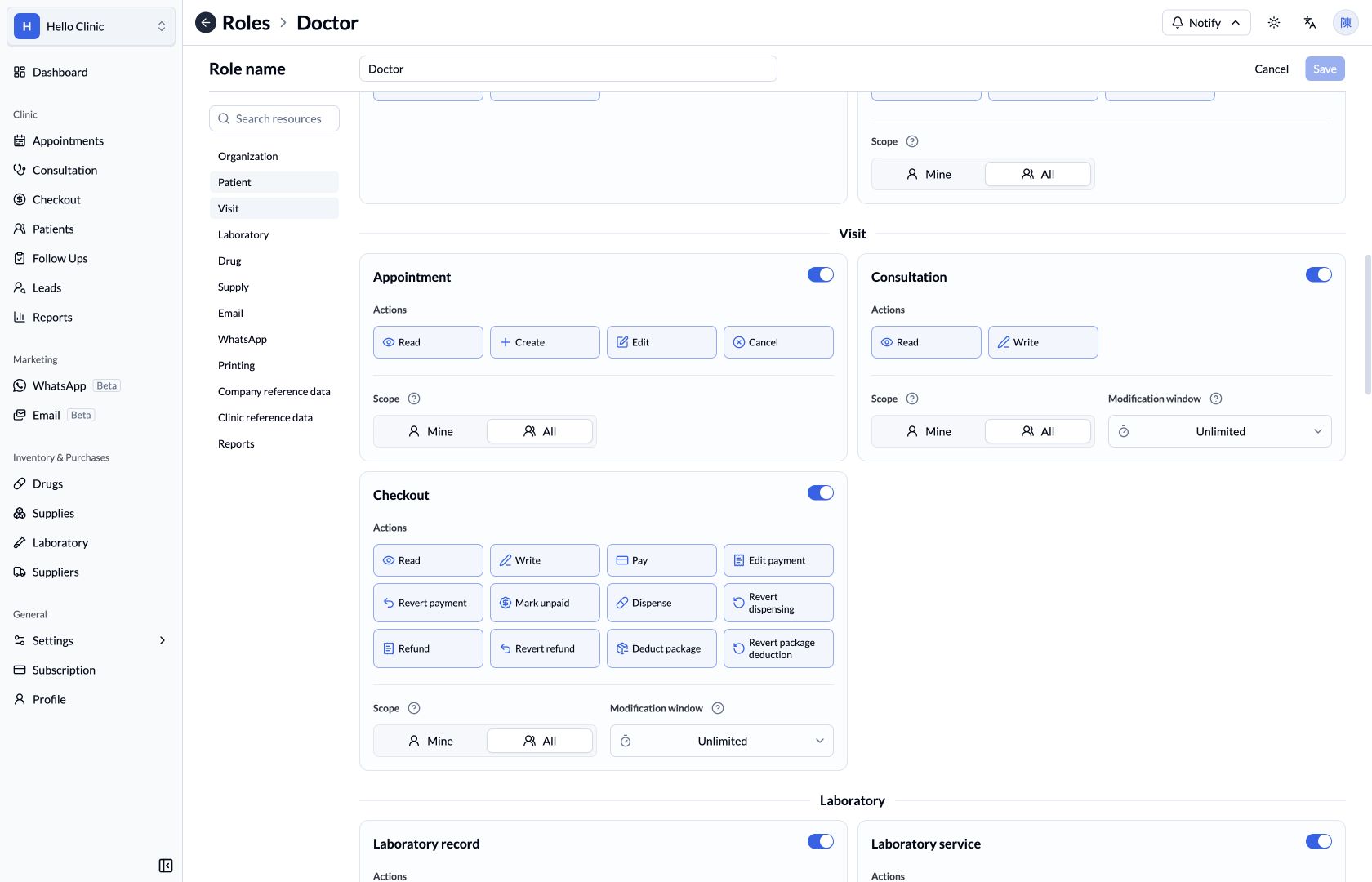
Reports also have independent viewing permissions. Staff responsible for reconciliation can review reports and their read-only source details while billing, refunds, and other business actions retain their own permissions.
Related guide: Roles and access.
5. Mine appointment calendar and multiple doctors in charge
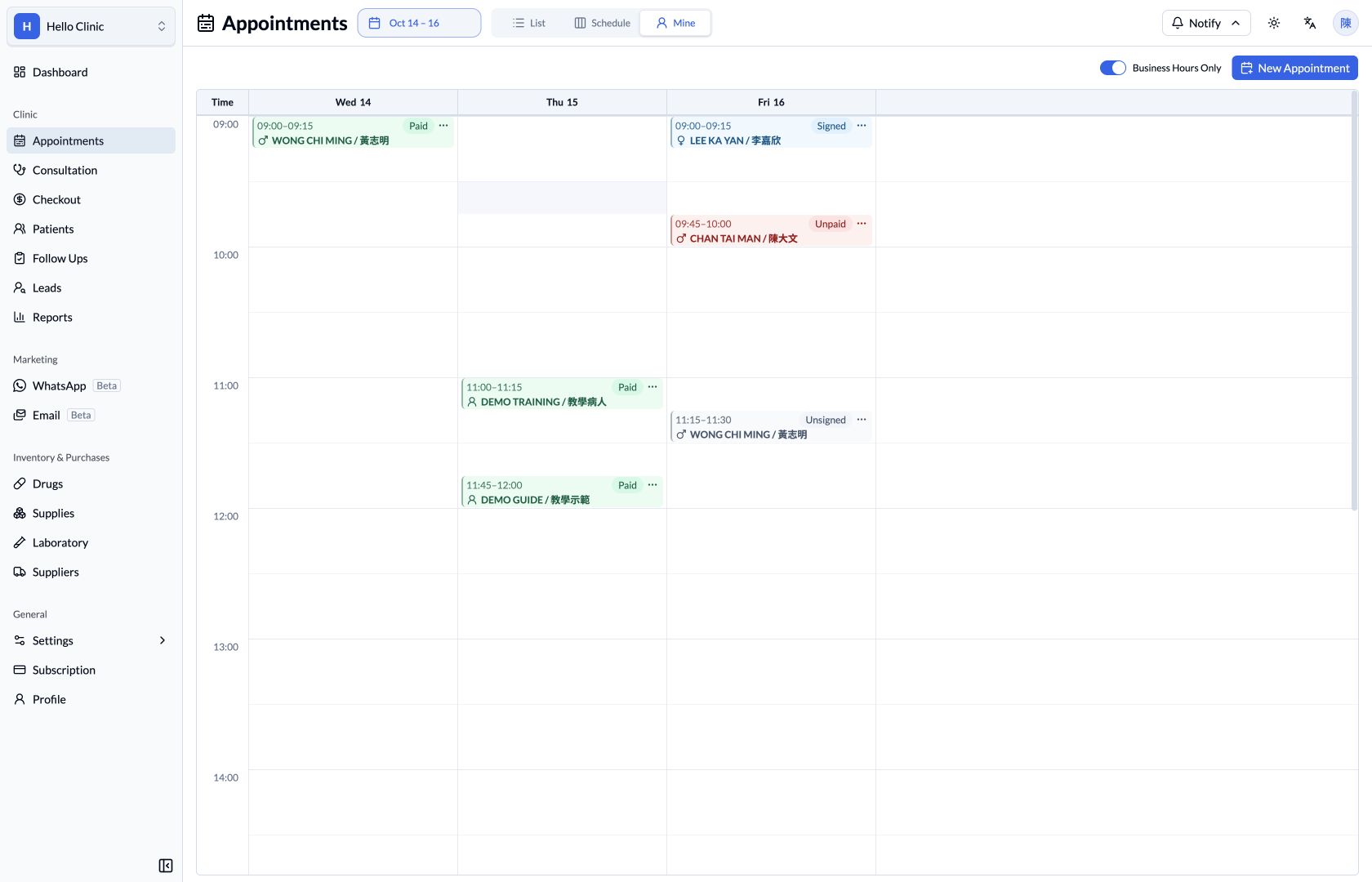
The Appointments page now includes a Mine calendar, helping doctors focus on appointments assigned to them at the current clinic. The visible range can be set to 1 to 7 days. Reopening the Appointments page starts the calendar on today, reducing the chance of working from a previously viewed date.
Patient records also support multiple doctors in charge, helping doctors with the appropriate permissions share ongoing management of patients who need joint follow-up.
Related guides: Using appointment calendars and Managing patient information.
6. Improvements to payments, refunds, payment drafts, and receipts
Checkout now supports refunds directly from charge item rows, retaining the source and checking the applicable bill, charge item, and package limits. Payment Receipts and Refund Receipts are also handled separately to document collections and refunds.
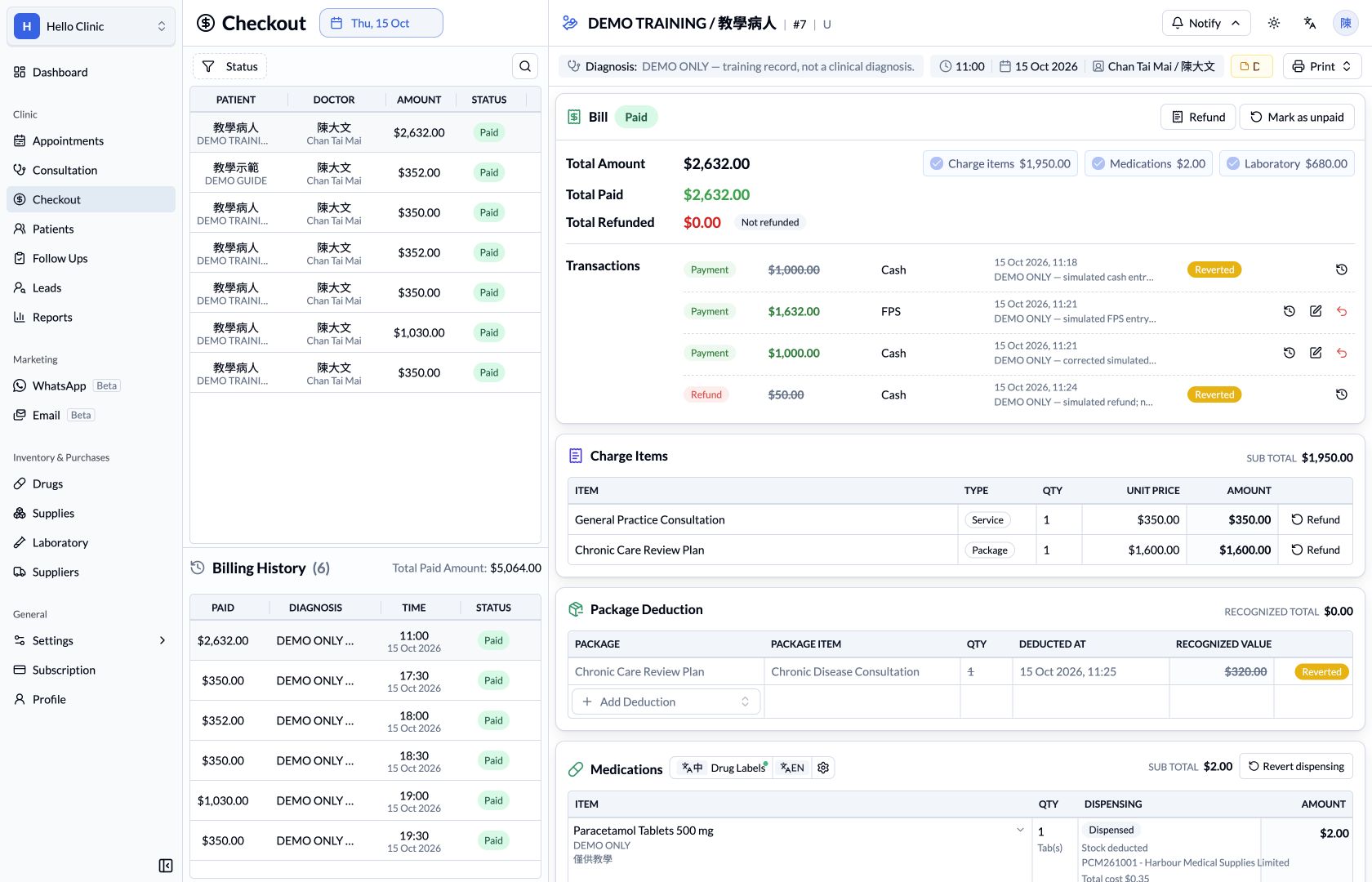
This update also improves everyday operations:
- Unsubmitted payment drafts are retained when charge items on the same bill change.
- When the amount due reaches zero, the single payment row still using the default amount is removed and the button changes to Mark as paid. If the amount becomes positive again, the original account, date, and notes can be restored.
- Editable unpaid bills show edit and delete actions for all charge items. If a package has already been issued, the system rejects changes to its source charge item and explains why.
- Payment Receipts can hide payment methods or charge items to suit different printing needs.
- Drug label printing remains available after adding charge items.
- Patient insurance information is shown again at the top of Checkout for billing checks.
Related guides: Checkout and Correcting payments and handling refunds.
For questions about these features or to share a suggestion, contact us on WhatsApp at (852) 3500 7677.
The HelloClinic Team / KAKI TECH LIMITED